How to batch create social media content in two hours
Batch create social media content to save 20+ hours monthly. Learn the Figma workflow to design a month of viral carousels in under two hours.
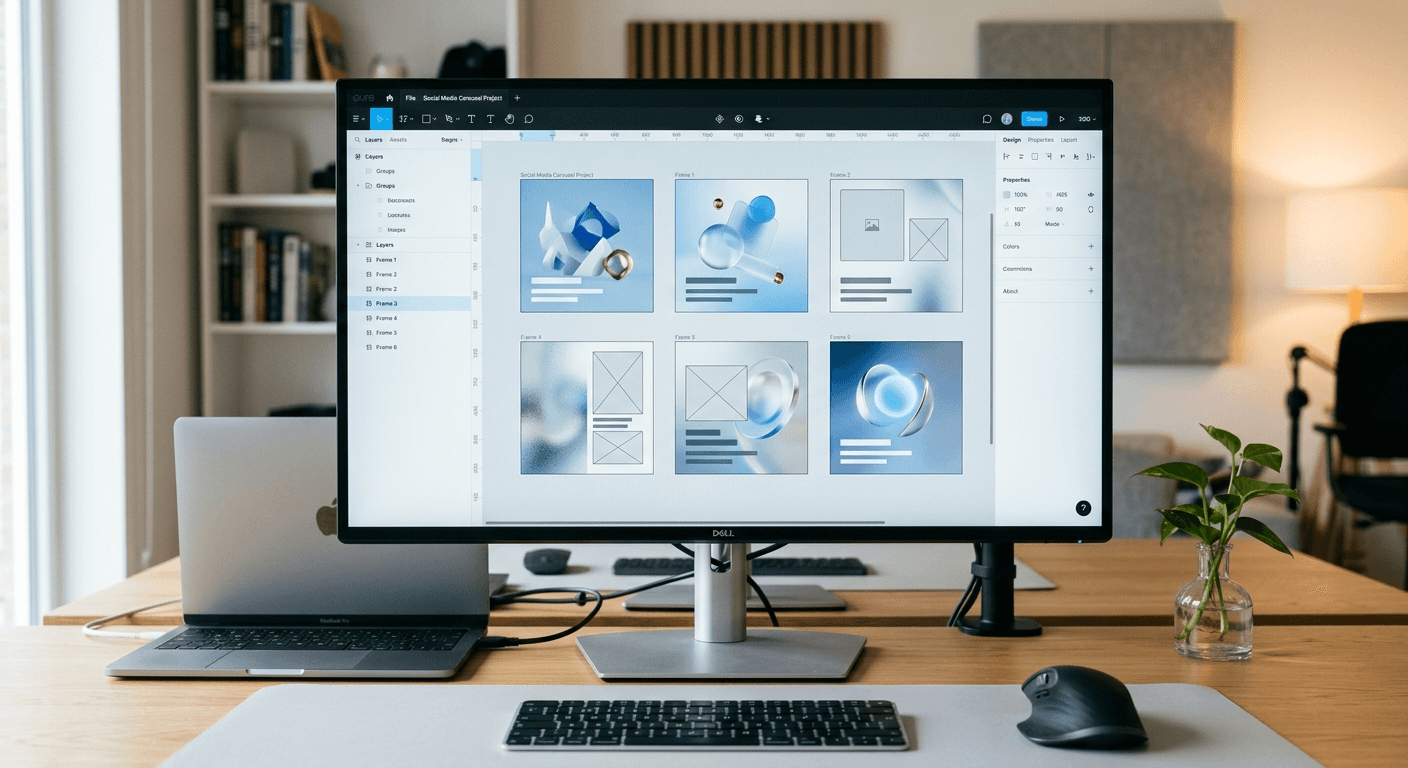
To batch create social media content is to produce a large volume of visual assets in one dedicated session rather than designing them day-to-day. This strategy solves the problem of daily context switching, which can sap your mental energy and lead to amateur-looking brand presence. By separating the creative phases of ideation, writing, and design, you can produce a month of high-quality LinkedIn or Instagram carousels in a single two-hour block. Most founders struggle with social media because they treat it as a recurring chore instead of a scalable manufacturing process. We view content as a product, and like any product, it requires a repeatable assembly line to maintain quality at scale.
Why should you batch create social media content?
To batch create social media content is to group related tasks together to maximize focus and reduce the cognitive load associated with switching between different software tools. This method eliminates the mental cost of context switching, which can reduce your total productivity by up to 40% according to the American Psychological Association (2023). By grouping similar tasks like writing, designing, and scheduling, you maintain a state of flow that results in higher-quality output. Most founders fail because they attempt to design one post every morning, which leads to decision fatigue and inconsistent branding. A batching system ensures that your content remains professional and predictable, allowing your audience to recognize your visual style instantly. This approach transforms marketing from a chaotic daily chore into a manageable business system that supports long-term growth and brand equity.
Context switching is the invisible killer of startup marketing. When you jump from a product meeting to writing a LinkedIn post, your brain requires roughly 23 minutes to refocus on the new task (University of California, Irvine, 2021). Doing this daily means you are losing hours of peak performance every week. Batching protects your deep work time. Instead of social media being a daily distraction, it becomes a scheduled operation that you perform once and forget for 30 days. This predictable rhythm allows you to focus on building your core product without sacrificing your brand’s growth on social platforms.
How does a figma component library accelerate your design?
A figma component library is a collection of reusable design elements that serve as the single source of truth for your social media assets. By using components for headlines, body text, and footers, you can update the visual style of dozens of posts simultaneously from a single master location. This system turns design into a logic-based assembly process rather than a creative struggle. According to internal research by Figma (2022), teams that use centralized component libraries complete design tasks 3.5 times faster than those working with static layers. By defining your headlines, footers, and call-to-action buttons as master components, you can update an entire month of content by changing a single element. This system removes the need to manually adjust fonts or colors on thirty separate frames. For a SaaS founder, this means maintaining a premium visual identity without needing advanced design skills. You simply swap the text and images within a pre-built structure that already follows high-conversion design principles.
Components allow you to build variations without starting from zero. You can create a master "Carousel Card" component with variants for quotes, lists, and charts. When you need to create a new post, you simply drag an instance of that component onto your canvas and select the correct variant from a dropdown menu. This structural approach ensures that your spacing, typography, and brand colors stay perfectly consistent across every slide, regardless of how many you produce. It is the same principle that software engineers use for code reusability, applied to the visual layer of your marketing.
What is an effective content calendar workflow for startups?
An effective content calendar workflow is a linear process that separates ideation from production to ensure a constant stream of high-quality assets. This workflow typically starts with a data-driven planning phase where you map out your key themes for the month before any design work begins. Research from the Content Marketing Institute (2023) shows that 78% of the most successful marketers use a documented content strategy to guide their production. By writing all your captions and slide copy in a simple document first, you remove the pressure of being creative while wrestling with design software. Once your copy is finalized, you move into the design phase where you apply that copy to your pre-built Figma templates. This linear progression prevents the perfectionism that often occurs when you try to write and design at the same time. Finally, the approved assets are uploaded to a social media scheduling tool, completing the cycle and freeing you to focus on other business priorities.
Phase 1: Topic ideation based on customer pain points and keywords.
Phase 2: Scripting all copy in a plain text document or Notion.
Phase 3: Visual production in Figma using components.
Phase 4: Scheduling and automation for hands-off publishing.
How do you use Figma auto-layout for visual batching?
Auto-layout in Figma is a feature that allows frames to resize and rearrange their child elements automatically based on content length. This tool is essential for batching because it ensures that your carousels look perfect regardless of how much text you add to each slide. When you build a template with auto-layout, you set fixed rules for padding and spacing. If your headline grows from one line to three, the body text below it will automatically shift down, maintaining the exact 48-pixel gap you defined. This automation eliminates the manual pixel-pushing that makes design feel slow and frustrating. By setting up these logical rules once, you can paste in your pre-written copy and have a finished design in seconds. This systematic approach is the foundation of the templates we build at usevisuals, where we prioritize speed through structural design.
Feature | Manual Design | Auto-Layout Design |
|---|---|---|
Time per Carousel | 45-60 Minutes | 5-10 Minutes |
Brand Consistency | Manual checks required | Locked by design system |
Text Length Changes | Requires manual repositioning | Elements move automatically |
Scalability | Low (Linear effort) | High (Exponential output) |
How can a content repurposing strategy multiply your output?
A content repurposing strategy is a systematic way to turn a single piece of long-form content into multiple social media assets across various formats. Instead of creating new ideas for every post, you extract the core insights from a blog post, podcast, or whitepaper and transform them into carousels, threads, and short-form videos. According to a report by ReferralRock (2024), 94% of marketers repurpose their content to reach new audiences and maximize the ROI of their initial creative efforts. This approach allows you to fill your content calendar with minimal effort because the hard work of ideation is already done. For example, a single long-form guide can be broken down into five distinct carousels: a "how-to" summary, a list of common mistakes, a tool comparison, a checklist, and a case study. By batching the design of these assets at once, you create a cohesive narrative across your social channels while drastically reducing your total production time.
"Repurposing is not about being lazy; it is about respecting the time you put into your best ideas by ensuring as many people as possible see them."
Why is asynchronous marketing a competitive advantage for founders?
Asynchronous marketing is a strategy where content production and distribution are decoupled from real-time events, allowing for a more focused and less reactive work environment. This approach allows you to batch create social media content at your own pace, ensuring that your brand presence continues even when you are focused on product development. By removing the pressure to post "in the moment," you can maintain a higher standard of quality and strategic alignment. A 2023 study by Buffer found that 52% of small businesses struggle with consistency in social media because they lack a dedicated team. Asynchronous workflows solve this by using social media scheduling to automate the delivery of batched content. This means your LinkedIn profile can be active and generating leads while you are in a deep work session or a customer meeting. It turns social media into an automated engine rather than a manual task that requires your constant attention and presence.
Implementing an asynchronous marketing model requires shifting from a "reactive creator" mindset to a "system architect" mindset. Instead of checking your notifications and feeling the urge to post something quickly, you rely on the queue you built during your batching session. This creates a buffer between you and the noise of social media platforms. You become more intentional with your messaging because every post was planned and designed weeks in advance. This lack of urgency actually leads to more professional results, as you have the time to review your work with fresh eyes before it goes live to your audience. It is the most sustainable way for a solo founder or small team to compete with larger marketing departments.
Which tools are best for social media scheduling?
The right social media scheduling tools are software platforms that allow you to upload your batched content and set specific dates and times for automated publishing. These tools are the final piece of the batching puzzle, ensuring that your hard work in Figma reaches your audience without further manual intervention. For LinkedIn creators, Taplio is a popular choice due to its focus on personal branding and carousel analytics. For multi-platform presence, Buffer offers a clean interface and reliable automation for startups. These platforms do more than just post; they provide data on when your audience is most active, allowing you to optimize your reach. By using these tools, you transform your two-hour batching session into a month of continuous engagement. The goal is to spend more time engaging with the comments on your posts and less time actually clicking the "publish" button yourself.
Buffer: Best for simple, multi-channel scheduling and clean analytics.
Taplio: Specialized for LinkedIn growth and carousel performance tracking.
Metricool: Powerful for agencies managing multiple brands with detailed reporting.
Hypefury: Designed for Twitter and LinkedIn creators focused on text-to-visual conversion.
Conclusion: Start to batch create social media content today
Efficiency in marketing is not about working more; it is about working smarter by building systems that scale. When you batch create social media content, you reclaim your most valuable asset: time. By integrating a figma component library and leveraging auto-layout, you remove the design bottleneck that slows down most companies. Move your workflow from a daily struggle to a monthly system. This transition will not only improve your mental clarity but will also elevate your brand to a premium level that attracts better clients and more consistent leads. Stop designing in real-time and start building your content engine today.



