10 Best Canva Alternatives for Digital Agencies in 2026
Discover the best canva alternatives digital agencies use to scale production. Compare professional tools for better collaboration, version control, and brand consistency.
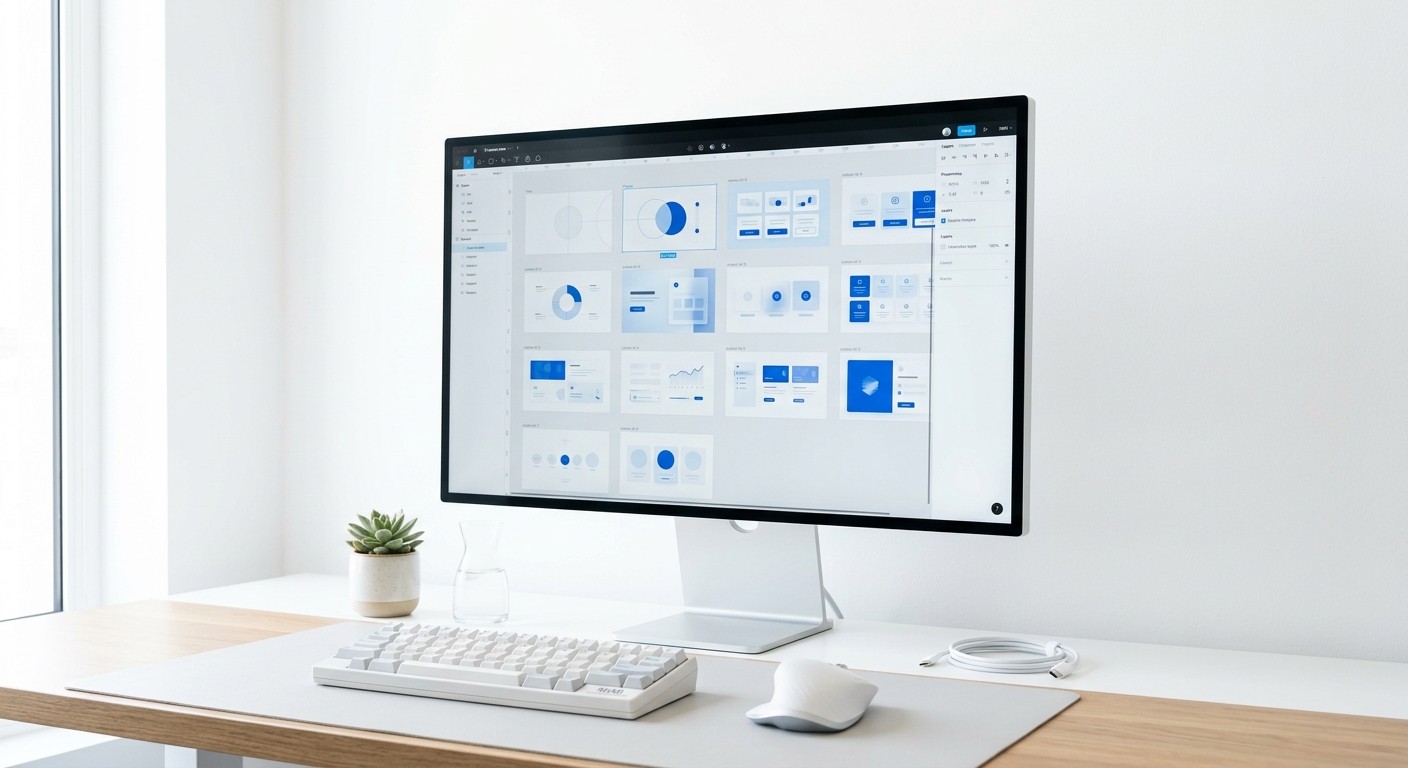
The best canva alternatives digital agencies use focus on scalability, version control, and component-based design systems. While Canva suits basic needs, agencies requiring professional handoffs and high-volume output should transition to Figma, Adobe Express, or Penpot to maintain brand integrity.
Finding the best canva alternatives digital agencies can rely on is a priority for teams that have outgrown simple drag-and-drop editors. As client demands for professional-grade content increase, the limitations of consumer-level tools become apparent. Agencies need systems that allow for rapid iteration, centralized brand assets, and precise control over typography and layout.
Why do digital agencies need Canva alternatives?
The transition to more professional platforms occurs when agencies hit the ceiling of creative control and asset management provided by entry-level software. Most consumer tools prioritize ease of use over technical precision, which often leads to inconsistent branding across multiple client accounts. A professional design system allows a team to build once and deploy many times without losing quality.
Scalability is a primary driver for seeking new solutions. In a high-growth environment, designers cannot afford to manually update 50 different social media posts when a client changes their primary brand color. Systems that utilize components and global styles make these changes instantaneous. According to research by Socialinsider (2024), carousel posts continue to outperform static images with an average engagement rate of 1.92%. Producing these complex assets at scale requires the robust architecture found in professional design software rather than the linear workflow of basic editors. When an agency manages ten or more clients, the time saved through automated layouts and shared libraries directly impacts the bottom line and project profitability.
Version control is another critical factor. Professional tools provide a history of changes, allowing designers to revert to previous iterations or branch off into new creative directions without cluttering the workspace. This level of oversight is rarely available in hobbyist tools, where accidental deletions or unauthorized edits by clients can derail an entire production schedule. For agencies, the goal is to find top design software for marketing teams that offers granular permission settings and a clear trail of collaboration.
What makes Figma the top design software for marketing teams?
Figma is a cloud-based design tool that facilitates real-time collaboration through a browser or desktop application. Unlike traditional software that requires file syncing, Figma allows multiple users to work within the same file simultaneously, making it the industry standard for UI/UX and visual content creation. For agencies, it acts as a single source of truth for all brand assets.
One of the core features of Figma is Auto-layout. Auto-layout is a property you can add to frames and components that lets them grow to fill or shrink to fit, and reflow as their contents change. This is indispensable for creating social media content where text lengths vary across different posts. By using Figma-based social media templates, agencies can ensure that every carousel or post maintains perfect padding and alignment regardless of the content length. This eliminates the need for manual resizing, which is the most time-consuming part of the design process in Canva.
Professional agencies also benefit from Figma's advanced prototyping and developer handoff features. When a design is ready, you can share a link with the client for feedback directly on the canvas. This prevents the messy back-and-forth of email attachments and PDF versions. The ability to create local variables and design tokens means that brand colors, spacing, and typography are hardcoded into the system. This level of technical depth ensures that even junior designers can produce work that meets the agency's high standards without constant supervision from a creative director.
How does Adobe Express compare for enterprise workflows?
Adobe Express is an all-in-one design, video, and PDF editing application that integrates directly with the Adobe Creative Cloud ecosystem. While it shares some similarities with Canva, its primary advantage is the deep integration with Photoshop and Illustrator. For agencies already paying for the full Adobe suite, it provides a bridge between professional design and quick social media execution.
The platform is built on top of Adobe's Firefly AI, which offers generative fill and text-to-image capabilities that are technically superior to many competitors. This allows for rapid creative exploration without leaving the app. A major benefit for agencies is the Creative Cloud Libraries. If a senior designer creates a logo in Illustrator, it appears instantly in Adobe Express for the social media team to use. This synchronization prevents the use of outdated assets, which is a common problem in best collaborative graphic design software solutions that rely on manual uploads.
Adobe Express also addresses the need for brand governance. Admins can lock certain elements of a template so that users can only edit text or swap images, keeping the core layout intact. This is vital for maintaining brand integrity when working with external contractors or internal marketing teams. While Canva has introduced similar features, the precision of Adobe’s typography engine remains a deciding factor for agencies that prioritize high-end aesthetics and professional font management over basic templates.
Which tools offer the best collaborative graphic design software features?
Collaboration in a professional context means more than just sharing a link. It involves roles, permissions, commenting threads, and asset hosting. When evaluating best canva alternatives digital agencies look for platforms that reduce the friction between the initial brief and the final approval. The tools listed below provide different approaches to this collaborative challenge.
Feature | Figma | Adobe Express | Penpot |
|---|---|---|---|
Real-time Multi-user | Native and high-performance | Available in most plans | Native and open-source |
Version History | Detailed with branching | Basic history | Full versioning |
Asset Libraries | Global components | CC Libraries | Shared libraries |
Client Handoff | Code-level specs | Review links | CSS-based handoff |
Penpot is an open-source design and prototyping platform that uses SVG as its native file format. This is a unique advantage for agencies that want to avoid proprietary file formats and vendor lock-in. Because it is built for designers and developers, the collaborative features are centered around technical accuracy. It allows for Flex Layout, which mimics how websites are actually built, ensuring that what you design is exactly what gets produced. For agencies working on digital products alongside social media, Penpot offers a bridge that Canva cannot match.
Is Penpot a viable open-source alternative?
Penpot is the first open-source design and prototyping platform meant for cross-domain teams. Unlike many other tools that require expensive seat-based licensing, Penpot can be self-hosted or used in the cloud. This makes it an attractive option for agencies that need to scale their headcount without seeing a linear increase in software costs. It supports a workflow that is much closer to Figma than Canva.
The platform relies on open web standards like SVG, CSS, and HTML. This means that any asset created in Penpot is technically compatible with any web-based environment. Agencies find this useful when creating complex visual content that might eventually be used in a web app or interactive marketing site. The community-driven nature of the tool also means that new features and templates are added based on the needs of professional users rather than the mass market. If your agency values data sovereignty and technical flexibility, Penpot represents a significant upgrade over consumer-grade platforms.
Transitioning to Penpot requires a slight learning curve compared to drag-and-drop tools. However, the investment pays off in the quality of the output. The ability to use CSS Grid and Flexbox within the design tool allows for more sophisticated layouts. This is particularly useful for professional social media design tools where the arrangement of elements needs to be dynamic. Agencies that move to Penpot often report a better alignment between their design and development teams, as the tool uses the same logic for layout as modern web browsers.
When should agencies choose professional social media design tools like Affinity Designer?
Affinity Designer is a vector graphics editor that offers a professional alternative to Adobe Illustrator and Canva. It is part of the Affinity suite, which is known for its high performance and one-time purchase model. For agencies that want to own their software rather than paying a monthly subscription, Affinity is a powerful choice for creating high-fidelity visual assets.
The software allows you to switch between vector and raster workspaces with a single click. This is incredibly efficient for social media design, where you might need to combine crisp vector logos with textured, edited photos. Affinity’s Persona system streamlines this workflow, removing the need to jump between different apps. For agencies, this reduces the technical overhead and speeds up the production of complex assets. While it lacks the real-time cloud collaboration of Figma, its precision and power make it the better choice for high-end brand identity work that will later be turned into social media templates.
Professional agencies often use Affinity Designer for the "heavy lifting" of design—creating custom icons, detailed illustrations, and complex typography. These assets are then exported and brought into a figma vs canva alternatives workflow for rapid distribution. According to a report by Venngage (2024), 36% of marketers use original graphics because they perform better than stock imagery. Affinity provides the tools to create that original content at a professional level that simple browser-based tools cannot reach. The lack of a subscription fee also helps agencies keep their fixed costs low while maintaining a high standard of creative output.
What are the top visual content platforms for data visualization?
Data visualization is a core part of SaaS and B2B marketing. Creating charts and graphs that are both accurate and aesthetically pleasing is difficult in standard design tools. Some of the top visual content platforms specialize in turning raw data into compelling social media assets. These tools are essential for agencies that need to present complex information to a professional audience.
Piktochart: An infographics-focused tool that allows agencies to turn data reports into social-ready visuals. It offers more control over charts than Canva while remaining accessible for non-designers.
Marq (formerly Lucidpress): Focuses on brand templating and automation. It allows agencies to set strict brand guidelines that keep data-heavy reports consistent across a global team.
Visme: A tool that combines design and data. It features a large library of data widgets and integrations with Google Sheets and Excel, allowing for live data updates within designs.
Using these platforms allows agencies to differentiate their content through authority. When a SaaS founder shares a post, they want it to look like a piece of high-level research, not a generic social post. These tools provide the precision required for that professional look. For instance, being able to import a CSV file and have it instantly rendered into a branded chart saves hours of manual work. This efficiency is why agencies are moving toward specialized tools that handle specific types of content more effectively than a general-purpose editor.
How to transition your team from Canva to a professional design system?
Switching tools is a management challenge as much as a technical one. To move from the best canva alternatives digital agencies to a professional design system, you need a phased approach. Start by auditing your current assets and identifying the most common layouts your team uses. These will form the basis of your new component library in a tool like Figma.
The first step is to build a core design system. This includes your typography scale, color palette, and spacing rules. Once these are defined, you can create master templates for your social media posts. By using a component-based approach, you ensure that any change to the master template reflects across all current projects. This is the hallmark of a professional workflow. It prevents the drift that occurs when designers manually copy and paste elements from one project to another, which is a common failure point in simpler design tools.
Training is the second step. Your team needs to understand the logic of the new software. While Canva is intuitive, professional tools require knowledge of layers, frames, and constraints. Provide your team with pre-built kits to lower the barrier to entry. For example, using high-quality templates allows your team to start producing professional work immediately while they learn the deeper features of the software. This maintains your agency’s output quality during the transition period. Finally, set clear guidelines for file naming and organization to ensure the collaborative features of the new tool are used effectively.
Which features define the best figma vs canva alternatives?
When choosing between figma vs canva alternatives, you must evaluate the technical requirements of your agency. The "best" tool depends on your specific workflow, but several features are non-negotiable for professional teams. These include global styles, component libraries, and robust export options. If a tool lacks these, it will eventually become a bottleneck as your agency grows.
Global styles allow you to define a color or font once and apply it everywhere. In a professional tool, changing that style in the settings updates every single design using it. Component libraries take this a step further by allowing you to create reusable UI elements or social media cards. When you update the master component, every instance of that component across all your files updates. This level of automation is what separates professional software from hobbyist tools. It allows an agency to manage hundreds of templates with the same effort it takes to manage one.
Export options are also vital. Agencies need to export assets in multiple formats and sizes for different platforms. Professional tools allow for batch exporting with precise control over compression and file type. This ensures that the visuals look sharp on everything from a LinkedIn feed to a high-resolution retina display. For agencies looking for the best canva alternatives digital agencies can use, the ability to automate these repetitive tasks is the key to increasing productivity and maintaining a premium brand identity for their clients.
In conclusion, the shift toward more advanced design tools is an investment in your agency's future. While Canva served its purpose during the early stages of social media marketing, the current landscape demands a more systematic approach to visual content. By adopting professional tools like Figma and utilizing scalable template systems, you can produce content that not only looks better but is also faster and cheaper to create at scale. This allows your team to focus on strategy and growth rather than wrestling with basic design software.



