A Digital Agency Social Media Design Workflow That Scales
Build a digital agency social media design workflow that scales. Use Figma to automate approvals, eliminate feedback loops, and manage high-volume retainers.
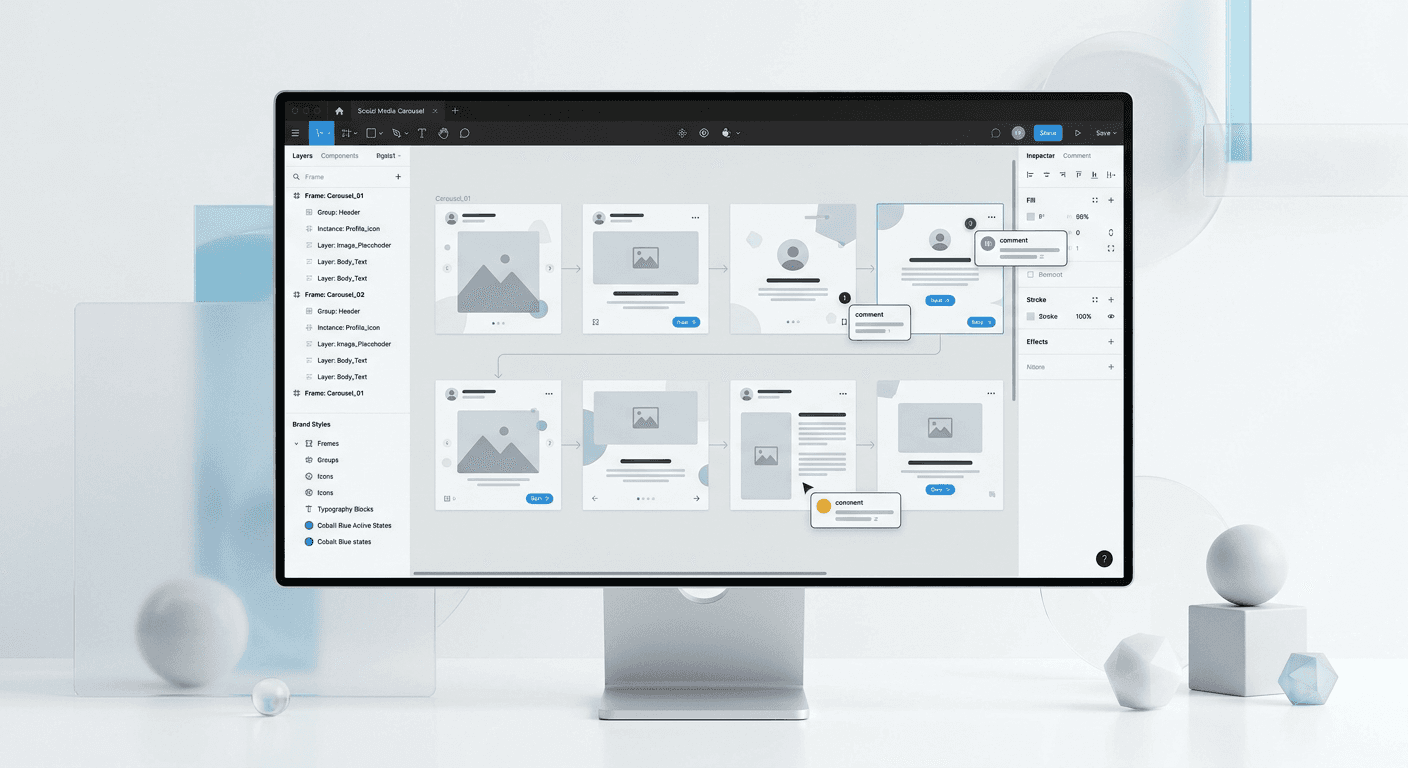
A digital agency social media design workflow is a centralized system that uses Figma to manage content production from ideation to final approval. By replacing manual design tasks with a component-based agency template system, agencies can reduce production time by over 70% while maintaining brand integrity across multiple client accounts.
What is a digital agency social media design workflow?
A digital agency social media design workflow is a standardized sequence of operations that moves a content piece from a strategy brief to a published asset using collaborative design software. The primary goal of this workflow is to eliminate the friction between designers, account managers, and clients by creating a single source of truth. Most agencies struggle because they treat every post as a new art project, which makes it impossible to scale operations as the client roster grows.
Traditional agencies rely on fragmented tools like email, Slack, and PDF attachments for feedback. A modern digital agency social media design workflow replaces these disconnected points with a live Figma canvas. This transition allows every stakeholder to view progress in real-time, reducing the back-and-forth communication that often delays campaign launches by days or weeks.
The core of this workflow is the agency template system. Instead of designing from scratch, we build a library of pre-approved components that can be quickly assembled into carousels, stories, or feed posts. This systemic approach ensures that the design team spends less time on repetitive layout tasks and more time on high-level creative strategy and client results.
Why does an agency template system outperform manual design?
An agency template system is a collection of reusable components, styles, and layouts in Figma that allow a team to produce high-quality visual content at pace. The benefit of using a system over manual design is the ability to maintain brand consistency without constant manual oversight. When a client changes their brand color, you update a single color variable, and it propagates across every slide in every carousel across the entire project.
Moving from manual layouts to a systematic approach is the only way to scale social media creation without linearly increasing your headcount. According to the UXTools 2023 Design Tools Survey, design systems are now standard in high-output environments because they provide the infrastructure needed for rapid iteration. For an agency, this means you can take on five new clients without needing to hire five new designers.
Consistent branding is directly linked to business growth. Research from Marq (formerly Lucidpress) suggests that consistent brand presentation across all platforms can increase revenue by up to 33%. A template system enforces these standards by locking in font hierarchies, spacing rules, and logo placements. This prevents junior designers or interns from making mistakes that could damage a client’s brand credibility or result in a rejected draft.
How do you structure a collaborative design figma workspace?
A collaborative design figma workspace is organized around a clear hierarchy of teams, projects, and files to ensure that internal teams and external clients stay focused. We organize our Figma files by client, then by content month, and finally by platform. Each file contains a dedicated page for the asset library, a page for internal drafts, and a page for client-facing review. This separation prevents clients from seeing the messy part of the creative process.
Use the professional tier of Figma to manage permissions effectively. The "Internal Drafts" page is restricted to the design and account management team, while the "Client Review" page is shared with the client via a restricted link. This setup allows for social media design operations to run smoothly behind the scenes while presenting a polished, finished product to the client. It also protects the integrity of your master components from accidental edits by non-designers.
File naming is a critical component of social media design operations. We recommend a naming convention like [Year]-[Month]-[Client Name]-[Platform]. For example, "2026-04-AcmeSaaS-LinkedIn-Carousels." Inside the file, use frame titles that correspond to the post date or campaign name. This level of organization makes it easy for any team member to jump into a project and understand the status of a specific asset without needing a briefing meeting.
Which social media design operations maximize agency output?
Effective social media design operations rely on clear role definitions and standardized handover points. The workflow begins with the strategist providing a copy doc, which the designer then maps onto agency template system layouts. To maximize output, we recommend using a task management tool like Linear or Asana to track the movement of a design through the stages: Briefing, Design, Internal Review, Client Approval, and Scheduled.
Table 1: Efficiency comparison between traditional and Figma-centric workflows
Task Stage | Traditional Email Workflow | Figma Operational Workflow |
|---|---|---|
Initial Layout | 45-60 minutes | 10-15 minutes |
Internal Review | Slack messages & re-exports | Direct canvas comments |
Client Feedback | Email threads with screenshots | Pinned comments on design |
Revision Time | Complete slide redesign | Auto-layout adjustments |
Exporting Assets | Manual crop and save | Batch export with presets |
The time savings in the Figma operational workflow come primarily from the elimination of file exports during the revision phase. In a traditional setup, a designer might export five versions of a single carousel before getting approval. In a modern digital agency social media design workflow, those five versions are just iterations on a single frame. This reduces the storage burden and ensures that the final exported file is always the correct version.
How does the client approval process figma work in real-time?
The client approval process figma works by inviting clients to the Figma file as viewers with the ability to comment. Instead of writing an email describing the change they want on slide four, the client clicks the specific headline and leaves a comment directly. This provides the designer with immediate context, eliminating the guesswork associated with vague feedback like "make this bigger" or "this doesn't look right."
To implement this successfully, you must onboard your clients to the Figma interface. We find that a 2-minute Loom video explaining how to use the comment tool (shortcut 'C') is sufficient to get them started. Once a client experiences the speed of commenting directly on the design, they rarely want to return to email-based feedback. This transparency builds trust and makes the client feel like a collaborator rather than an observer.
Managing high-volume social media retainers requires a strict deadline for these comments. We suggest a "48-hour feedback window" policy. If a client does not provide feedback within 48 hours, the designs are considered approved and moved to the scheduling queue. This prevents bottlenecks in social media design operations and ensures that the content calendar remains full. Figma's comment notifications ensure that both the designer and the client are alerted to changes in real-time, keeping the project moving.
How do you scale social media creation for multiple clients?
You can scale social media creation by leveraging Figma’s component libraries and Variables feature. Variables allow you to swap the entire visual identity of a file—colors, fonts, and corner radii—with a single click. For an agency, this means you can develop a single high-performing carousel layout and adapt it for ten different clients in minutes. This approach transforms design from a manual labor task into a software-led process.
Implementing an agency template system is the first step toward this automation. We recommend creating a "Master Framework" file that contains your best-performing layout patterns. When you sign a new client, you duplicate this framework and apply the new client’s brand tokens. If you want to jumpstart this process, you can use professional Figma templates that are already optimized for high engagement and conversion.
Scaling also requires a shift in how you think about design roles. In a high-output agency, the senior designer builds and maintains the system, while junior designers or content managers use the system to produce daily content. This division of labor ensures that the creative quality remains high while the cost of production remains low. By delegating the execution to the system, the agency owner can focus on strategy and growth rather than pixel-pushing.
What are the benefits of a collaborative design figma approach?
A collaborative design figma approach provides absolute visibility into the design process for all team members. When everyone works in the same file, there is no confusion about which version is current. This is particularly important for agencies with remote or distributed teams. Designers can work on the same file simultaneously without overwriting each other’s work, which is a significant advantage over traditional desktop software like Photoshop or Illustrator.
LinkedIn carousels are currently one of the most effective ways to build authority, generating an average engagement rate of 1.92% compared to 0.48% for single-image posts (Socialinsider, 2024). Producing these carousels requires a collaborative effort between copywriters and designers. Figma allows the copywriter to type directly into the design frames, ensuring the text fits the layout perfectly before the designer ever touches the file. This parallel workflow speeds up the content creation cycle by 50% or more.
Transparency is another major benefit. Clients can see that the work is being done in real-time, which reduces the need for status update meetings. If a client wants to know the progress of their next campaign, they simply open the Figma link. This level of access reduces the perceived risk of working with an agency and makes the relationship feel more like an extension of their own team. It shifts the agency-client dynamic from a service provider to a strategic partner.
How do you manage brand consistency across 50+ clients?
Managing brand consistency at scale requires the use of Figma’s "Team Libraries." A team library is a central file that houses the global components and styles used across all client projects. When you make a change to a component in the team library, Figma asks if you want to push that update to all files where that component is used. This allows an agency to update a "Contact Us" slide or a CTA button across 50 different clients instantly.
To maintain high standards, we recommend a weekly "Design System Audit." A senior designer reviews the library to ensure that all components are using Auto Layout 5.0 and that all variables are correctly mapped. This prevents technical debt from accumulating in your files. If the files are messy on the back end, the digital agency social media design workflow will eventually break down, leading to errors in the final exports.
Consistent design is not just about aesthetics; it is about cognitive ease for the audience. When a user sees a post from your client, they should immediately recognize the brand before they even read the name. Using a systematic approach in Figma ensures that the "brand feeling" is baked into every asset, regardless of which designer created it. This level of reliability is what allows agencies to charge premium fees for their social media management services.
How do you ensure your design workflow stays profitable?
Profitability in a social media agency is determined by the speed of delivery versus the cost of labor. If your team takes three hours to design a single carousel, your margins will be thin. If you use a digital agency social media design workflow to reduce that time to 30 minutes, your profitability increases six-fold. The key is to treat design as a repeatable manufacturing process rather than a custom art piece for every single post.
Analyze your social media design operations quarterly to identify bottlenecks. We often find that the biggest time-wasters are unnecessary internal meetings and poorly defined briefs. By enforcing a rule where every design task must start with a complete brief and be executed within the agency template system, you eliminate the "blank canvas syndrome" that slows down even the most talented designers. Efficiency is the foundation of agency scale.
Investing in high-quality systems early pays dividends as you grow. While it takes time to set up a robust Figma environment, the long-term savings are undeniable. Agencies that prioritize their internal design operations are able to offer faster turnaround times and higher quality work than their competitors who are still stuck in email threads and manual exports. Success in the agency world is not just about doing great work; it is about doing great work consistently and profitably.
Conclusion
Scaling an agency requires moving away from artisanal design processes and toward a structured digital agency social media design workflow. By leveraging Figma’s collaborative features, implementing an agency template system, and refining the client approval process figma, you can produce viral-ready content at a volume that was previously impossible. This operational excellence is what separates struggling freelancers from highly profitable, scalable agencies.



