The Best Employee Advocacy Social Media Templates for 2026
Boost your reach with professional employee advocacy social media templates. Standardize your team branding and scale your B2B social amplification in minutes.
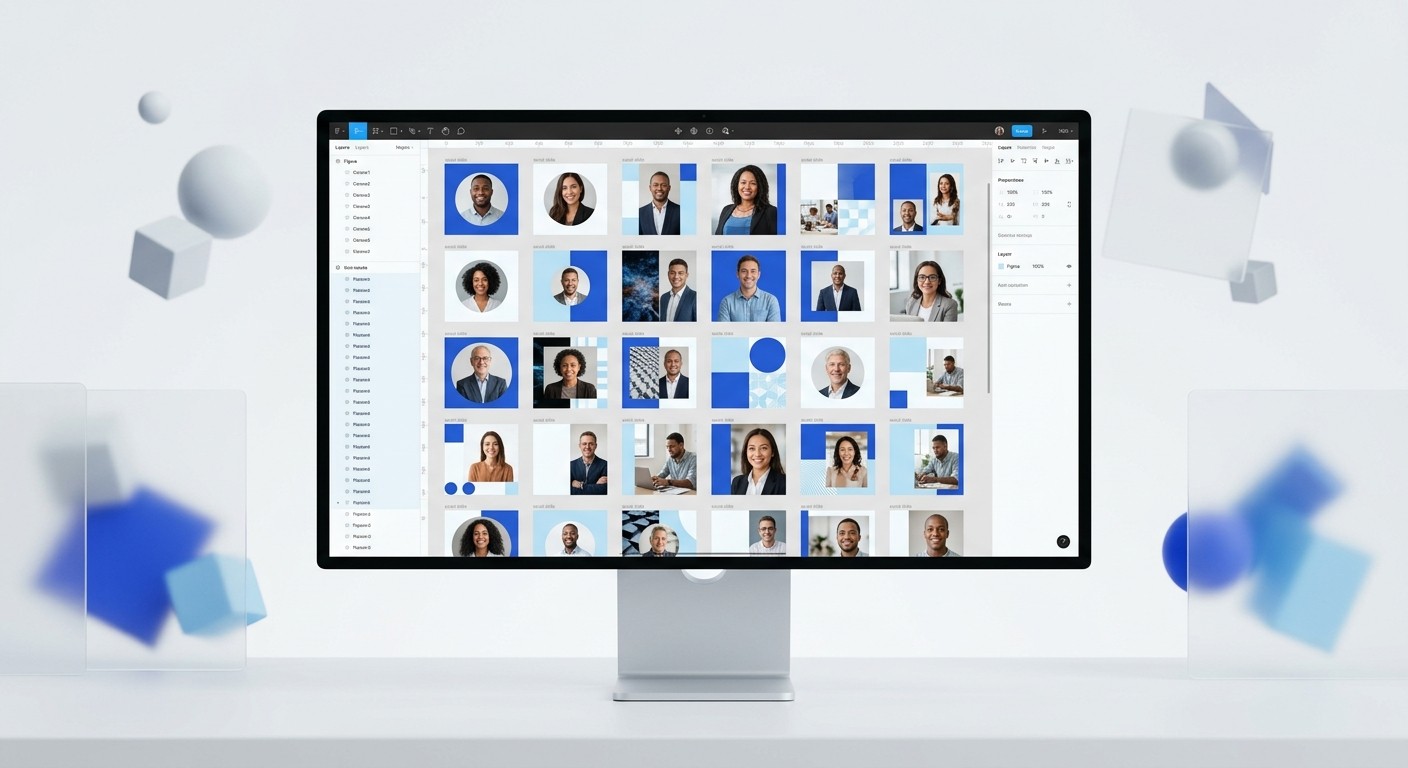
Employee advocacy social media templates provide a structured framework for team members to share brand-aligned content without design friction. These systems enable companies to scale their reach by turning employees into credible brand ambassadors. Using a centralized Figma-based kit ensures every post maintains premium quality while reducing the workload on design teams.
Employee advocacy social media templates are the most efficient way to scale a brand's organic reach in a crowded market. When you provide your team with ready-to-use layouts, you remove the primary barrier to social sharing: the fear of looking unprofessional. Most employees want to support their company, but they lack the design skills to create high-quality visuals on their own. By providing a library of approved, customizable assets, you empower them to build their personal brands while amplifying your corporate message.
We see companies struggle to maintain visual consistency when their team grows. A single founder can manage their own posts, but a team of 50 needs a system. Without standardized templates, your LinkedIn feed becomes a chaotic mix of low-resolution screenshots and mismatched colors. This inconsistency damages brand credibility and signals a lack of professional polish to potential customers and hires.
Why are employee advocacy social media templates essential?
The answer is simple: employees are more trusted than brands. Research shows that content shared by employees receives 8x more engagement than content shared by brand channels (Social Media Today, 2023). Because people connect with individuals rather than logos, an employee-led strategy is the most effective way to humanize your company. High-quality employee advocacy social media templates ensure that this human connection happens within a professional, brand-aligned framework.
Trust in corporate institutions continues to decline, while trust in technical experts and peers is rising. According to recent data, 68% of people trust a company’s employees more than its CEO or official marketing messages (Edelman, 2024). This shift means that your team’s LinkedIn activity is no longer optional; it is a core marketing requirement. However, asking an engineer or a salesperson to spend an hour in design software is a waste of resources. They need a system where they can drop in a headline and a headshot and be done in seconds. This speed allows your team to stay active without distracting them from their primary roles.
High-quality templates also solve the problem of visual fatigue. When a whole team shares the same link with the same stock image, the audience tunes out. Templates allow for variation within a set of brand rules. You can provide different layouts for lists, quotes, and data visualizations. This variety keeps the feed interesting while the underlying brand elements—fonts, colors, and logos—remain constant. This balance of variety and consistency is what separates premium brands from amateur outfits.
How do you implement a corporate advocacy program?
A successful corporate advocacy program begins with accessibility and clear guidelines. You cannot expect employees to participate if the process is difficult or requires specialized software knowledge. The program must be built around a centralized hub where team members can find everything they need to post. We recommend using Figma as the foundation for this hub because it allows for real-time collaboration and easy content updates across the entire organization.
Standardization is the secret to scaling. When you launch a program, you need to define the "rules of the road" for your brand's visual identity. This includes selecting a primary color palette, a set of typography styles, and a photography direction. By baking these rules into your templates, you eliminate the need for manual oversight. If the template only allows for the correct brand colors, the employee cannot accidentally use the wrong ones. This automated guardrail approach saves the marketing team hours of revision time and prevents embarrassing brand mishaps.
Training is the final piece of the implementation puzzle. You don't need a three-day workshop; a five-minute loom video is usually enough. Show your team how to open the Figma file, change a text layer, and export the frame. When the friction is this low, participation rates skyrocket. We find that the most successful programs are those where the leadership team leads by example. When the CEO posts using the official templates, it gives the rest of the company permission to do the same. This cultural alignment is just as important as the design assets themselves.
Feature | DIY Design | Template-Based System |
|---|---|---|
Design Time | 45-60 minutes | 2-5 minutes |
Brand Consistency | Low / Unpredictable | 100% Guaranteed |
Software Required | Adobe Suite (Expensive) | Figma (Free/Collaborative) |
Team Adoption | Very Low | High |
Why does team linkedin branding outperform corporate pages?
Individual accounts have significantly higher reach than company pages because of how the LinkedIn algorithm prioritizes personal connections. On average, employees have 10x more followers than their employer's company page (LinkedIn Sales Solutions, 2023). When you multiply this reach across an entire team, the potential for brand exposure is exponential. This is why team linkedin branding is the most cost-effective way to generate organic leads in the B2B space.
The algorithm rewards engagement, and engagement happens between people. A post from a real person's profile is much more likely to start a conversation in the comments than a post from a brand page. These conversations are the lifeblood of social selling. When a team member uses professional employee social graphics, they signal that they are a serious expert in their field. This credibility makes it easier for them to book meetings and build relationships with prospects who would otherwise ignore a cold outreach message.
Furthermore, team-led branding allows for a diversity of perspectives. A corporate page usually has one "voice," which can often feel sterile or overly promotional. Your employees, however, have different backgrounds and expertise. An engineer can talk about the technical challenges of your product, while a customer success manager can share stories of client wins. When all of these different stories are wrapped in a cohesive visual identity, it creates a rich, multifaceted brand presence that no single corporate account could ever achieve on its own.
How do you ensure standardizing team profiles without annoying employees?
The key to standardizing team profiles is to focus on professional benefits rather than corporate mandates. Instead of telling employees they *must* use a specific banner, show them how a professional profile helps them grow their own career and network. A polished LinkedIn profile is a valuable asset for an individual, regardless of where they work. When the company provides high-end design assets for free, most employees see it as a perk, not a chore.
Start with the basics: the LinkedIn banner and the profile picture. Provide a set of banner templates that include the company's value proposition but leave room for the individual to add their own flair or specific job title. This gives them a sense of ownership over their profile while maintaining the brand's core look. For profile pictures, you can provide a simple Figma overlay or frame that adds a brand-colored ring or a subtle watermark. This small touch makes the entire team instantly recognizable in the comments section and search results.
We suggest creating a "Self-Serve Brand Kit" in Figma. This kit should contain templates for different types of content: short text posts, long-form articles, and carousel slides. When employees have a centralized place to go for their employee social graphics, they don't have to hunt for assets or ask the design team for help. This autonomy is crucial for long-term program health. If an employee has to wait 24 hours for a designer to export an image, they simply won't post. Immediate access leads to consistent activity.
Investing in employee advocacy is not just a marketing tactic; it is an investment in your company’s most valuable distribution channel: your people.
What features define high-quality employee social graphics?
High-quality employee social graphics must be minimalist, readable, and mobile-optimized. Most LinkedIn users browse on their phones, which means your text needs to be large and your layouts uncluttered. A common mistake is trying to fit too much information onto a single slide. Instead, use a carousel format to spread the message across multiple frames. This increases the amount of time users spend interacting with your content, which signals quality to the platform's algorithm.
Contrast is another critical factor. Use bold typography and a clear visual hierarchy to guide the reader's eye. Your headline should be the most prominent element, followed by a clear call to action or a supporting data point. In Figma, you can use Auto Layout to ensure that your text always remains perfectly centered and padded, regardless of how much you type. This technical feature is a lifesaver for non-designers because it prevents them from accidentally breaking the layout when they try to customize a template.
Finally, the best templates are those that feel "native" to the platform. They don't look like traditional advertisements; they look like high-value educational content. Avoid using heavy company logos on every single slide. Instead, use your brand's color palette and typography to create a recognizable "vibe." This subtle branding is much more effective on social media because it doesn't trigger the "ad blindness" that many users have developed. If you're looking for a shortcut to this professional look, you can get access to our library of Figma templates which are specifically designed for this purpose.
How can b2b social amplification increase your pipeline?
B2B social amplification is the process of coordinating your team to share content simultaneously to create a massive wave of visibility. This strategy is particularly effective for product launches, major announcements, or event promotions. When 20 or 30 employees all post about the same topic using consistent employee advocacy social media templates, it creates a sense of ubiquity. Your brand starts to feel much larger and more established than it might actually be.
This "surround sound" effect is incredibly powerful for moving prospects through the sales funnel. A buyer might see your company's official ad and ignore it. But then they see a post from your Head of Product, then a quote from a Sales Rep, and then a case study from a Customer Success Manager. By the time they reach out to you, they've already been educated by multiple people in your organization. This reduces the friction in the sales process because the trust has already been built through social proof and consistent visibility.
To maximize the impact of your amplification efforts, you need to track what's working. Encourage your team to use tracking links so you can see which posts are driving actual website traffic or signups. However, be careful not to make it all about the numbers. The primary goal is building long-term brand equity and authority. Even if a post doesn't lead to a direct sale today, it contributes to the overall awareness that will make the sale easier six months from now. Consistency over time is the only way to win at social media.
How do you build an employee advocacy kit in Figma?
Building an employee advocacy kit in Figma requires a focus on "idiot-proof" components. You want to create a system where the user has very few decisions to make. Start by creating a set of Master Components for your most common post types. For example, create a quote card, a three-step list, and a big-number slide. Use Figma Variants to allow users to switch between different background colors or font weights with a single click in the sidebar.
The structure of the Figma file is just as important as the designs themselves. Organize the file with clear instructions on the first page. Use a "Start Here" section that explains how to duplicate frames and edit text. We recommend creating a dedicated workspace for each employee or department within the file. This prevents people from accidentally editing each other's work and keeps the main template library clean. This organized approach is essential for large teams where multiple people might be working in the file at the same time.
Finally, make use of Figma Variables for your brand colors and spacing. This allows you to update your entire kit globally if your brand identity ever changes. Instead of manually changing the color of 50 different templates, you simply update the variable once, and every instance is updated instantly. This level of technical sophistication is what makes Figma the superior choice for managing a corporate advocacy program at scale. It transforms your design assets from a collection of files into a living, breathing brand system.
Why is usevisuals the best choice for employee advocacy social media templates?
The reality is that most founders and marketers don't have the time to build a custom Figma system from scratch. Designing a library of 100+ templates, setting up auto-layout for every frame, and ensuring everything is mobile-optimized is a project that can take weeks. This is where usevisuals provides the most value. We have already done the heavy lifting of designing premium, minimalist templates that are proven to perform on LinkedIn and other platforms.
Our templates are built for speed. We don't use complex design jargon or unnecessary elements. We focus on clean typography, white space, and a premium aesthetic that makes your company look like a market leader from day one. When you use our kit, you’re not just getting a set of files; you’re getting a pre-built workflow that has helped hundreds of SaaS companies and agencies scale their organic reach. You can simply copy our system into your own Figma workspace, swap the colors to match your brand, and start inviting your team immediately.
By using professional templates, you also eliminate the "cheap" look that comes with using generic tools like Canva. While those platforms have their place, they often lack the precision and professional feel required for high-stakes B2B marketing. Our Figma-native approach ensures that your content stands out in a crowded feed and commands the attention of high-level decision-makers. It’s a small investment that pays for itself the first time a prospect mentions how professional your team’s content looks.
References
Global Trust Barometer 2024. Edelman, 2024.
The Power of Employee Advocacy on LinkedIn. LinkedIn Sales Solutions, 2023.
Employee Advocacy Statistics for 2023. Social Media Today, 2023.
B2B Buying Journey Report. IDC, 2023.
Social Media Engagement Benchmarks. Socialinsider, 2024.



