Top 8 Project Management Tools for Design Teams in 2026
Discover the top project management tools design teams use in 2026 to speed up visual workflows, manage Figma assets, and improve creative collaboration.
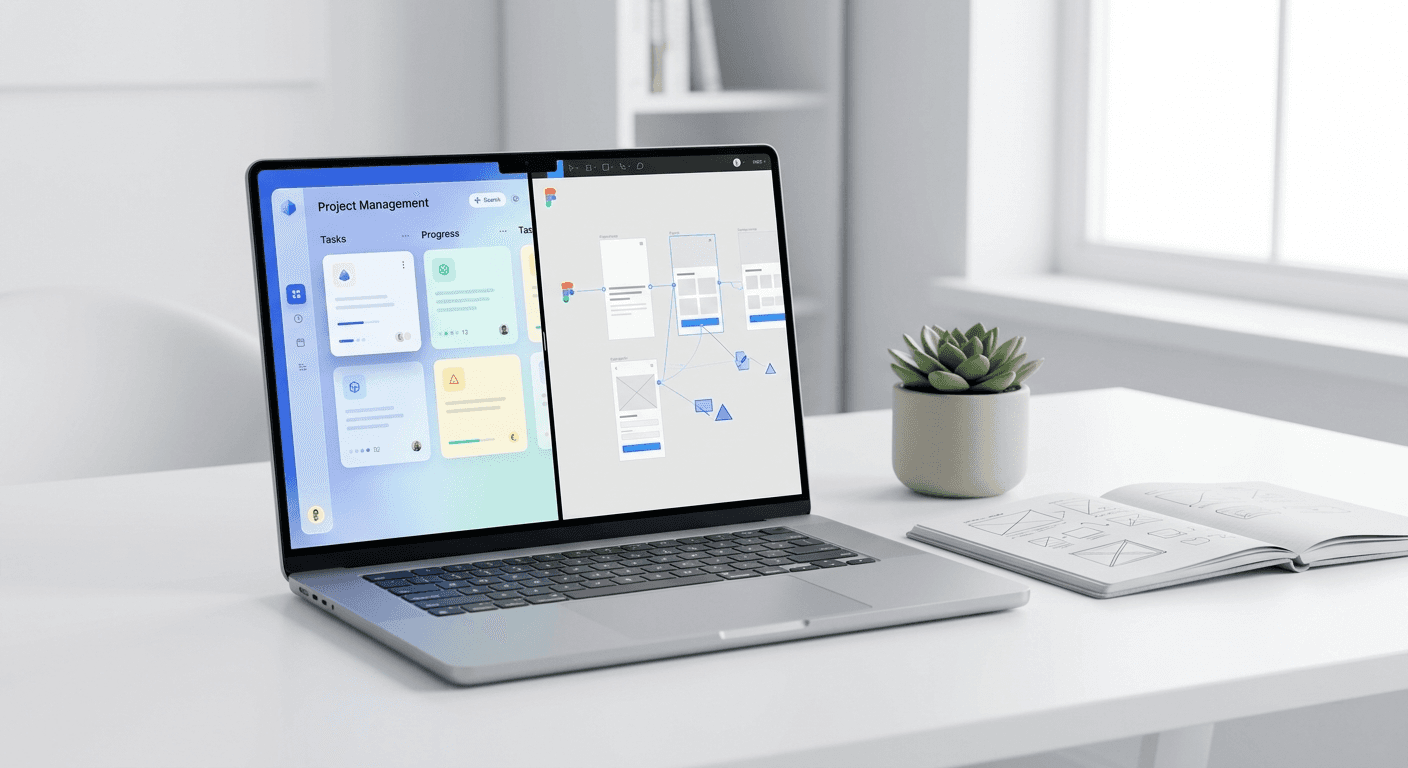
The top project management tools design teams use in 2026 prioritize visual feedback loops, native Figma embeds, and automated approval workflows. Selecting a platform like Linear or Notion ensures that creative production matches the speed of high-growth marketing.
The top project management tools design teams select must handle the unique friction of visual work rather than just tracking text-based tickets. Finding the right stack ensures your creative output supports your growth goals without causing designer burnout or version control chaos. Most general software fails because it treats design as a sub-task instead of a visual process. We focus on tools that integrate with your actual canvas, making workflow software design a competitive advantage for your startup.
Creative operations require specific features like high-resolution file previews, time-stamped feedback, and live document embeds. If your team spends more time looking for the latest file version than actually designing, your current system is broken. We have identified the software that eliminates this admin overhead. These tools help founders and agencies maintain a premium brand identity while shipping content at a higher frequency than competitors.
Why do creative teams need specialized project management software?
Design project management is the structured process of planning, executing, and tracking visual assets from initial concept to final export. Standard task trackers often lack the infrastructure to display large image files or sync with prototyping software, leading to fragmented communication. By using workflow software design built for creators, teams reduce the need for constant status update meetings and manual file handoffs.
A recent industry report by Socialinsider (2024) highlights that high-performing brands produce 1.5x more visual content than their peers to maintain engagement levels. Managing this volume without a dedicated system results in missed deadlines and brand inconsistency. Specialized tools provide a centralized source of truth where designers, writers, and stakeholders collaborate directly on the canvas. This prevents the common problem of feedback being lost in deep email threads or scattered Slack messages.
In our experience, teams that use generic tools spend roughly 20% of their week just managing tasks rather than completing them. This invisible tax on productivity slows down product launches and marketing campaigns. When you move to a system that supports visual hierarchies and asset tagging, you reclaim that time. You can then focus on higher-level strategy and creative quality instead of chasing down approvals. The best software for creative agencies 2026 offers are those that disappear into the background and let the design work take center stage.
What are the top project management tools design teams use in 2026?
The current market offers a wide range of platforms, each catering to different team sizes and technical requirements. We have compared the leading options based on their visual handling capabilities, pricing, and integration depth with creative suites. This comparison helps you identify which tool fits your specific agency or startup workflow without the need for trial-and-error testing.
Tool Name | Key Strength | Best For |
|---|---|---|
Linear | High-speed issue tracking | Product-led startups |
Notion | Flexible documentation | Creative agencies |
Asana | Approval workflows | Marketing teams |
ClickUp | Feature customization | Indie hackers |
Monday.com | Visual dashboards | Scale-up marketers |
Choosing between these options depends on your primary output. A social media agency requires top tools for social media planning that emphasize calendar views and multi-platform scheduling. A SaaS product team needs figma integrated project management to link design specs directly to developer tickets. We recommend mapping your current approval process before committing to a long-term software contract to ensure the tool matches your actual team habits.
How does Linear optimize workflow software design for high-growth startups?
Linear is a specialized project management tool that prioritizes speed and minimalist interface design to help product teams ship software faster. It is widely considered the industry standard for startups that value efficiency over complex feature sets. Linear uses a keyboard-centric approach, allowing designers to navigate tasks and update statuses in seconds. This makes it a core component of modern marketing team task management for technical founders who dislike traditional, slow-moving software.
One of the main reasons we prefer Linear is its focus on momentum. In a high-growth environment, the friction of clicking through multiple menus to attach a Figma link can stall a project. Linear allows for instant Figma previews and deep linking, meaning stakeholders see the actual design within the ticket itself. This reduces the need for constant context switching between your browser and your design app. The tool also features "cycles," which help teams focus on short-term goals rather than getting overwhelmed by a massive, unorganized backlog of ideas.
According to research from Linear's Method documentation, teams that adopt structured cycles and clear ownership see a significant reduction in project lead times. This efficiency is achieved through automated issue numbering and a clean UI that highlights only the most urgent tasks. For a design team, this means less time spent on marketing team task management and more time refining the visual details of the product. The tool does not try to be a document editor or a CRM; it simply helps you move issues from "In Progress" to "Done" with minimal resistance.
Why is Notion the best software for creative agencies 2026 to centralize documentation?
Notion is an all-in-one workspace that combines notes, databases, and project boards into a single, customizable interface. It is the best software for creative agencies 2026 because it allows teams to build a custom operating system that fits their specific client intake and design delivery process. Unlike rigid tools, Notion provides a blank canvas where you can create visual galleries to host your brand assets, mood boards, and design systems alongside your active tasks.
In our experience, creative agencies benefit from Notion's database views, which can transform from a simple list into a visual grid of project thumbnails. This visual approach is essential for design teams who need to see the aesthetic progress of a campaign at a glance. You can embed Figma files directly into Notion pages, ensuring that the latest design iterations are always visible to the entire team. This eliminates the risk of clients or developers looking at outdated mocks, as the embed reflects live changes made in the design tool.
A study by Notion's user data shows that companies centralizing their knowledge base save several hours per employee every week by reducing information silos. For design teams, this means having brand guidelines, color palettes, and typography rules in the same place where project deadlines are tracked. This high level of organization is what separates premium agencies from those that struggle with consistency. Notion is not just a task manager; it is a visual wiki that grows with your team as you scale your operations and client list.
Can Asana bridge the gap with figma integrated project management?
Asana is a robust project management platform designed to help teams coordinate work across multiple departments with high visibility and clear accountability. It excels in figma integrated project management by offering a dedicated widget that allows designers to see their Asana tasks directly inside the Figma canvas. This two-way sync means you can update a task's status or leave a comment without ever leaving your design environment, which significantly speeds up the creative revision cycle.
The platform's strength lies in its "Proofing" feature, which is essential for design teams requiring formal stakeholder sign-off. When a designer uploads an image or PDF to Asana, reviewers can click on specific parts of the asset to leave feedback. Each comment creates a sub-task, ensuring that every requested change is tracked and addressed. This granular level of feedback prevents the common mistake of missing a small edit in a long list of general comments. Asana makes the approval process objective and transparent, which is vital for maintaining brand credibility.
For marketing teams, Asana provides a bird's-eye view of project timelines through its "Timeline" and "Workload" views. These features allow managers to see if a specific designer is overbooked and redistribute tasks to prevent burnout. This balanced approach to marketing team task management ensures that quality remains high even during peak campaign seasons. By integrating directly with Figma and Creative Cloud, Asana acts as the connective tissue between the creative vision and the operational execution, making it a reliable choice for larger agencies and scale-up companies.
Which are the top tools for social media planning and visual content workflows?
Managing a social media presence requires a tool that can handle a high volume of small, fast-moving assets with strict deadlines. The top tools for social media planning are those that provide a clear calendar view and support collaborative content creation. Platforms like Monday.com and ClickUp are frequently used for this purpose because they allow teams to create custom status columns, such as "In Design," "Awaiting Approval," and "Scheduled." This transparency ensures that the social media manager always knows which posts are ready for publication.
Success in social media depends on consistency and visual impact. Many founders find that the biggest bottleneck is not the planning itself, but the time it takes to produce high-quality graphics. To solve this, we recommend using Figma-based design templates that integrate directly into your project management workflow. By combining a tool like Monday.com for planning with a standardized template system, you can reduce the time spent on design by 70%. This allows you to focus on the strategy of marketing team task management instead of wrestling with layouts for every single post.
ClickUp is another strong contender for social media teams because it offers a native "Whiteboard" feature. This allows teams to brainstorm visual concepts and map out user journeys in the same tool where the final tasks are assigned. Having brainstorming and execution in one place reduces the risk of creative ideas being lost during the transition from meeting to production. ClickUp also includes built-in time tracking, which is essential for agencies that need to report billable hours to clients. This total integration of features makes it a cost-effective choice for indie hackers and small marketing teams looking to maximize their output with limited resources.
How do you evaluate the ROI of creative operations software?
Determining the return on investment (ROI) for project management software requires looking beyond the monthly subscription cost. You must measure how much time is saved in the feedback loop and how much the speed-to-market increases for new assets. For a design team, a successful tool implementation should result in fewer revision rounds and a higher volume of approved content per month. If your workflow software design does not simplify the path from idea to export, it is costing you more in lost productivity than you are paying for the license.
One critical metric is the "Revision Cycle Time," which measures how long it takes for a design to go from its first draft to final approval. High-performing creative teams use specialized tools to keep this cycle under 48 hours. According to Forrester Research (2024), companies that invest in digital collaboration tools see an average productivity increase of 15% across their marketing functions. This gain comes from eliminating duplicate work and ensuring that everyone is working from the same brand guidelines. When you multiply this 15% gain across a team of five designers, the software pays for itself within the first month.
Another factor is the reduction in "Tool Fatigue," which occurs when teams have to jump between too many disconnected apps. By choosing a platform that offers figma integrated project management, you reduce the cognitive load on your designers. This leads to higher job satisfaction and lower turnover rates, which are significant hidden costs in the creative industry. A tool that keeps designers in their "flow state" is inherently more valuable than one that forces them into constant administrative tasks. We recommend auditing your team's time for one week to see where the bottlenecks exist before choosing your next platform.
What is the future of design project management?
The future of top project management tools design teams use will be defined by deeper AI integration and automated asset versioning. We expect to see software that can automatically suggest which designer is best suited for a task based on their past performance and current workload. Additionally, AI will likely handle the more tedious parts of project management, such as tagging assets for SEO or generating different aspect ratios for various social platforms. This shift will allow design teams to move away from being asset factories and toward being strategic brand partners.
As remote work remains a permanent fixture for many agencies, the demand for asynchronous visual collaboration will only grow. Tools that provide the best video recording integrations and real-time multiplayer editing features will dominate the market. The goal is to create a digital environment that feels as fluid as an in-person studio session. By adopting the best software for creative agencies 2026 offers now, you position your team to take advantage of these technological shifts as they arrive. Staying ahead of the curve in creative operations is the most effective way to maintain a competitive edge in an increasingly crowded digital space.
Ultimately, the top project management tools design teams utilize are those that respect the creative process while providing the structure needed for business growth. Whether you choose the speed of Linear, the flexibility of Notion, or the robust features of Asana, the key is to build a system that supports your unique goals. We recommend starting with a small pilot program for any new software to ensure it integrates with your Figma workflow and social media planning habits. With the right system in place, your design team can stop managing tasks and start creating the visual content that drives your business forward.



