Adobe Express vs Figma for Social Media: Which Tool Scales Faster?
Compare Adobe Express vs Figma for social media to see which fits your workflow. Figma builds scalable systems while Adobe Express offers quick AI-driven edits.
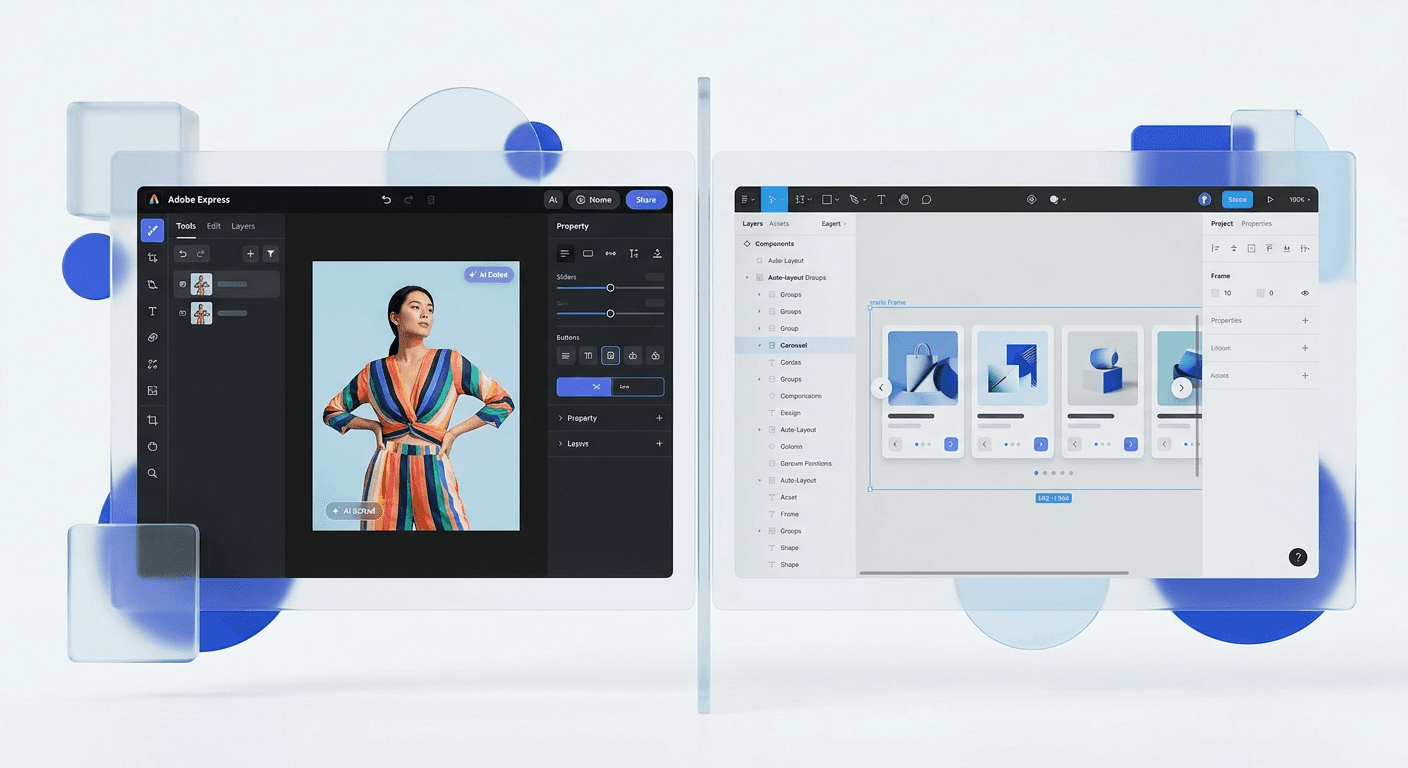
Adobe Express is best for creators who need quick social media design using AI-driven templates, while Figma is the superior choice for founders and agencies building scalable brand systems. Figma provides granular control over layout and components that Adobe Express cannot match for professional growth.
Choosing between adobe express vs figma for social media depends on whether you value automated speed or systemic control. Adobe Express functions as a simplified editor for one-off posts, while Figma operates as a comprehensive design environment for building reusable assets. We see founders struggle with this choice because both tools claim to simplify the creative process, yet they serve different stages of company growth.
Adobe Express is an all-in-one content creation tool that uses generative AI to simplify complex tasks like background removal and video resizing. Figma is a collaborative interface design tool that uses vector-based logic and components to maintain brand consistency across hundreds of files. If your goal is to post a single image quickly, Express works. If your goal is to build a high-conversion marketing engine, Figma is the standard.
Which tool is better for professional social media marketing teams?
The answer is Figma because it allows teams to create a central design system that updates every social asset simultaneously. While Adobe Express offers speed through templates, it lacks the deep component architecture required for high-volume marketing agencies. Professional teams require a source of truth for colors, typography, and layout logic that only a vector tool can provide.
Marketing teams often face the challenge of maintaining brand integrity while scaling content production across LinkedIn, Instagram, and X. In our experience, using Figma for marketing agencies ensures that every creator on the team uses the exact same padding, font weights, and button styles. This prevents the brand drift often seen when using simpler browser-based editors that rely on manual adjustments. Teams that prioritize a cohesive visual identity find that Figma allows them to ship content that looks custom-built, rather than template-derived.
According to data from Socialinsider (2024), carousels remain the most engaging post type on Instagram with an average engagement rate of 1.92%. Creating these high-performing assets requires precise control over text flow and visual transitions between slides. Figma handles this through its Auto Layout feature, which automatically adjusts the spacing of elements as you type. This specific functionality allows a marketer to swap long-form copy into a template without manually moving every surrounding shape or image, a task that takes seconds in Figma but requires manual resizing in most Adobe Express templates.
Feature | Adobe Express | Figma |
|---|---|---|
Core Logic | Template-based canvas | Vector-based design system |
AI Features | Generative Fill, Text-to-Image | Figma AI (Prototyping/Search) |
Collaboration | Basic sharing and commenting | Real-time multiplayer editing |
Layout Engine | Static snapping | Dynamic Auto Layout |
Pricing | $9.99/mo (Premium) | $12/mo (Professional) |
How does Adobe Express simplify quick social media design?
Quick social media design in Adobe Express is driven by its deep integration with Adobe Firefly, allowing users to generate high-quality images and effects through text prompts. It is an ideal tool for solo founders who need to remove backgrounds, generate captions, or resize a single post for multiple platforms in seconds. The platform prioritizes the removal of friction for non-designers who do not have time to learn layout principles.
Adobe Express is an entry-level creative tool that provides access to thousands of professionally designed templates and the entire Adobe Stock photo library. It is built for the user who needs to turn a thought into a graphic in under five minutes. Features like "Quick Actions" allow you to convert videos to GIFs or merge PDFs without opening a separate application. This makes it a strong contender for companies that focus on reactive content or trending memes where speed is more important than perfect brand alignment.
The strength of the Adobe ecosystem is its ability to pull assets from other Creative Cloud apps. However, for many digital-first brands, this creates a siloed workflow. When you compare creative cloud vs figma, you see that Adobe Express is trying to bridge the gap between pro-level tools and consumer-friendly apps. It succeeds by offering one-click solutions for complex tasks. For instance, its generative fill feature allows you to expand the background of a photo to fit a vertical 9:16 Instagram Story frame perfectly. This specific AI utility is currently more mature in the Adobe environment than in Figma, making Express a powerful tool for rapid photo manipulation.
Why do founders prefer Figma for building design systems?
Founders prefer Figma because it enables the creation of a design system that scales the brand without hiring more designers. A design system is a collection of reusable components and clear standards that can be assembled to build any number of applications or marketing materials. By building social media templates as Figma components, founders ensure that changing a logo or a brand color in one place updates every single post across their entire history.
We find that startups moving from seed to Series A often outgrow basic editors. They need professional graphic tools that allow for version control and developer handoff. Figma is built on a browser-first architecture that allows stakeholders to leave comments directly on specific pixels. This transparency eliminates the "feedback loop of death" where dozens of exported PNGs are sent back and forth via email. Instead, a founder can open a single link and see exactly what is being prepared for the next month of content.
Efficiency in Figma comes from its structural logic. Auto Layout is a feature in Figma that lets components and frames resize dynamically based on their content. When you add more text to a headline, the rest of the carousel slide shifts down automatically to maintain perfect 48px margins. This level of automation is why thousands of top-tier companies use Figma to manage their visual output. For a SaaS founder, this means spending less time on "pixel pushing" and more time on product strategy. Using Figma-based design templates allows you to maintain this professional standard without building the system from scratch yourself.
Is Adobe Express a viable figma alternative for founders?
Adobe Express is a viable figma alternative for founders who only need to create occasional, simple social posts and do not plan on building a larger design team. It is a specialized tool for quick content creation, whereas Figma is a general-purpose design platform. If your marketing strategy relies heavily on photo editing and AI-generated imagery, Adobe Express provides a more integrated experience.
The choice between the two often comes down to the complexity of your brand identity. Adobe Express is excellent for creators who want to use pre-made layouts and quickly swap out text and images. It provides a massive library of fonts and elements that are already licensed and ready to use. This reduces the legal and creative overhead for a new business. However, you are limited by the constraints of the templates provided. If you want a truly unique layout that breaks the mold of standard social media tiles, you will likely find the Express interface restrictive.
For those looking at the financial aspect, the price difference is negligible. Adobe Express Premium is $9.99 per month, while Figma Professional is $12 per month. The real cost is in the time spent. If you find yourself spending hours every week trying to make a template look "not like a template," then Adobe Express is costing you more in labor than Figma would. Professional graphic tools should adapt to your brand, not the other way around. Founders who value their time eventually move to a more flexible environment where they can build their own rules.
What are the technical limitations of Adobe Express vs Figma?
The primary technical limitation of Adobe Express is its lack of a robust component system and limited vector editing capabilities. Figma allows for complex vector manipulation and nested components, which are essential for creating intricate social media carousels and UI mockups. Express is essentially a layer-based editor that treats every element as an independent object, making it difficult to maintain global consistency.
In Figma, you can create a "Master Component" for your social media handle and profile picture. If you change your handle across all platforms, you only update it once in the master component. In Adobe Express, you would likely need to go through every saved project and manually update the text box. This lack of global variables is a significant hurdle for brands that post daily. Furthermore, Figma supports "Variables," allowing you to switch an entire design from "Light Mode" to "Dark Mode" with a single click, a feature currently unavailable in the Adobe Express workflow.
According to Sprout Social (2024), 80% of marketers say that sharing visual content is the most effective way to reach their target audience. When the volume of content is that high, the margin for error increases. Figma’s "Dev Mode" and inspection tools allow you to see the exact CSS values of your designs, ensuring that what you see on your screen is exactly what gets published. Adobe Express is more of a "what you see is what you get" (WYSIWYG) editor, which is fine for social media but falls short if you ever need to translate those social designs into website elements or product features.
How do you choose the right tool for your social media workflow?
The answer is to choose Adobe Express if you are a solo creator focused on high-frequency, AI-assisted content, and choose Figma if you are a founder or agency building a sustainable brand system. Your choice should be based on your long-term goals for brand consistency and team collaboration. Most professional marketers find that Figma’s steeper learning curve pays off in the form of faster production times once the initial system is built.
If you are still undecided, consider the following criteria for your workflow:
Select Adobe Express if you rely heavily on Adobe Stock and need built-in AI tools for photo manipulation.
Select Adobe Express if you need to create and edit short-form video content within the same app.
Select Figma if you want to build a reusable library of assets that any team member can use without breaking the design.
Select Figma if you need to collaborate in real-time with other designers or stakeholders on the same file.
Select Figma if you require pixel-perfect control over typography and layout spacing.
In many cases, the best approach is a hybrid one. Many marketing agencies use Figma to design their core brand assets and templates, then export those assets into Adobe Express for quick daily updates or for use by social media managers who do not need full design access. This allows you to maintain the high standards of professional graphic tools while benefiting from the rapid export features of a specialized social media app.
How do adobe express vs figma for social media handle collaboration?
Figma handles collaboration through a real-time, multi-player environment where every user can see each other's cursors and edits as they happen. Adobe Express uses a more traditional sharing model where files can be shared for co-editing, but it lacks the fluid, simultaneous workspace feel of Figma. For teams that need to brainstorm and execute quickly, Figma’s approach reduces friction and miscommunication.
Collaboration in a marketing context often involves non-designers, such as copywriters or CEOs, providing feedback. Figma makes this easy by allowing anyone with a link to leave a comment on a specific part of a design. You can tag teammates, resolve threads, and even record video walkthroughs of your designs using Figma's built-in tools. This level of communication is vital for figma for marketing agencies where client approval cycles can be the biggest bottleneck in the production process.
Adobe Express is catching up with features like "Share for Review," but it still feels like a tool designed for a single user that has had collaboration features added later. Figma was built from the ground up for teams. This architectural difference is why most modern startups default to Figma for all their visual needs. When comparing adobe express vs figma for social media, the ability to work together without overriding each other's changes is a significant competitive advantage for Figma users.
Which tool provides better value for your marketing budget?
The answer is that Figma provides better long-term value because it is a versatile tool that covers social media, web design, and product prototyping. Adobe Express provides better immediate value for users who already pay for a Creative Cloud subscription, as it is included at no extra cost. When evaluating your budget, consider not just the monthly fee, but the cost of the time saved through efficient workflows.
Adobe Express is often seen as a cost-effective solution because of its free tier, which is quite generous. It includes thousands of templates and a decent selection of Adobe Fonts. However, the Professional tier of Figma offers unlimited files and version history, which is critical for protecting your brand's work. If you are a founder, your time is your most expensive resource. Spending twenty minutes every day fixing a broken layout in a simple editor is more expensive than paying an extra $2 a month for a tool that handles layout automatically.
Ultimately, the adobe express vs figma for social media debate is about the type of business you are building. If you are building a lifestyle brand where you are the primary content creator, Adobe Express is a fantastic companion. If you are building a scale-up where you need to delegate tasks and maintain a premium visual identity across multiple channels, Figma is the only tool that will grow with you. Investing in a professional workflow early saves you from the painful process of migrating all your assets once your brand finally starts to gain traction.
Whether you choose Adobe Express or Figma, the goal is the same: to produce content that converts. Both are professional graphic tools capable of high-end output. By understanding the strengths of each, you can stop wrestling with software and start focusing on the growth of your company. We recommend starting with Figma if you plan on hiring a team, as it sets the foundation for a professional design culture from day one.



