9 Best Figma Mockup Plugins Product Showcases for SaaS 2026
Discover the best figma mockup plugins product showcases for B2B SaaS. Speed up your marketing workflow with premium 3D device frames and isometric windows.
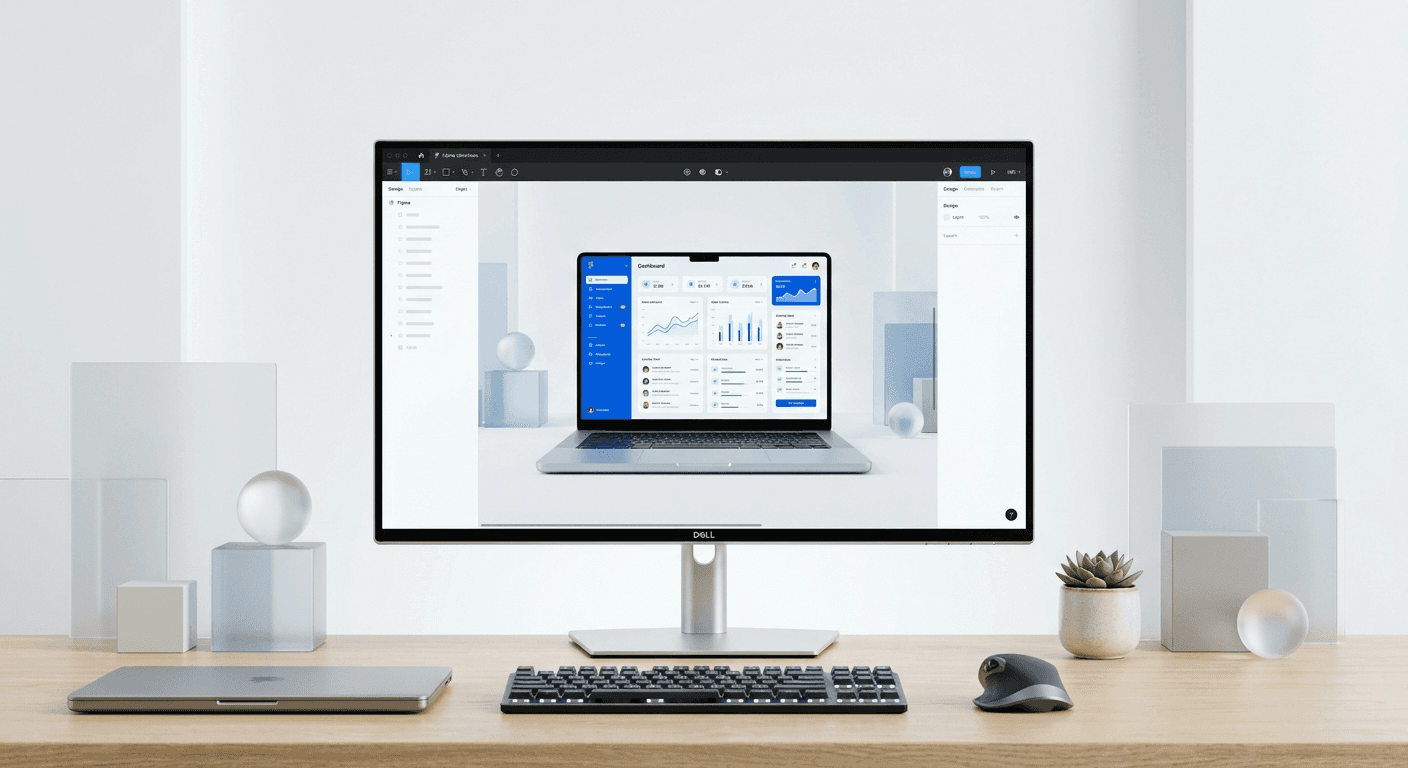
The best figma mockup plugins product showcases are Clay, Mockup, and Angle, which allow SaaS founders to wrap UI screenshots in high-fidelity 3D hardware frames instantly. These tools eliminate the need for external rendering software, enabling teams to ship professional marketing assets directly within the Figma workspace.
Choosing the best figma mockup plugins product showcases depends on your specific marketing needs and the technical complexity of your software interface. We find that for B2B SaaS teams, the priority is speed and realism without the bloat of non-essential device frames. You need clean, minimalist hardware that makes your code look premium on social media and landing pages.
Most designers waste hours manually skewing screenshots to fit laptop screens or adjusting perspective for mobile frames. The plugins we selected automate this entire process. You select a frame, choose a device, and the plugin maps your design to the screen with perfect lighting and reflections. This workflow is essential for keeping up with the rapid pace of product updates in a startup environment.
Why should you use plugins for SaaS product showcases?
Using plugins for product showcases is the most efficient way to maintain brand consistency while scaling visual content production. Plugins provide a bridge between flat UI designs and the high-fidelity 3D assets required for premium marketing materials. They allow non-designers to create professional visuals that would otherwise require a dedicated graphic designer or complex 3D software knowledge.
High-quality product visualization is a primary driver of conversion in the B2B SaaS space. Research by Salsify indicates that 70% of digital shoppers require at least three product images before making a purchasing decision (Salsify, 2023). For software companies, this translates to high-fidelity mockups of the user interface within realistic hardware contexts. Static screenshots often fail to convey the premium nature of a brand, whereas 3D device frames create a sense of tangibility and reliability. By using Figma plugins to automate this process, marketing teams reduce the time spent on manual perspective correction by a significant margin. This efficiency allows startups to ship marketing assets at the same pace as their product updates, ensuring that every LinkedIn post or landing page reflects the most current version of their software. Consistency across these visual touchpoints directly impacts brand authority and long-term customer trust.
What are the best figma mockup plugins product showcases today?
The best figma mockup plugins product showcases are those that offer a balance between a massive library of devices and high-quality rendering engines. Clay, Mockup, and Angle currently lead the market by providing the most realistic textures and lighting for modern hardware. These tools are built specifically for designers who need to move fast without sacrificing visual fidelity.
Plugin Name | Key Strength | Pricing Model |
|---|---|---|
Clay | Minimalist 3D devices | Freemium |
Mockup | Large library of real photos | Subscription |
Angle | Vector-based 3D frames | Paid |
Vectary | Fully rotatable 3D objects | Freemium |
How does Clay simplify 3D device rendering?
Clay is a specialized plugin that generates minimalist, clay-style 3D device models that are perfect for software marketing. It allows you to customize device colors and angles to match your brand palette perfectly. We recommend Clay because it keeps the focus on your software UI rather than the hardware details, which is a hallmark of premium SaaS design.
Visual presentation directly influences how potential leads perceive your product sophistication and reliability. According to a study by the Nielsen Norman Group, users form an opinion about a website's aesthetics in approximately 50 milliseconds (Nielsen Norman Group, 2024). This rapid assessment means your product showcases must look professional immediately. Clay-style mockups are particularly effective for this because they remove the distracting details of realistic hardware, such as camera lenses or buttons, and replace them with smooth, geometric forms. This abstraction makes the UI appear more modern and integrated. We use this approach in our own workflows to ensure that our Figma-based design templates remain clean and focused on the core message. By reducing visual noise, you ensure that the viewer's attention remains fixed on your application's unique features and user experience, rather than the device hosting it.
Which plugin offers the best device frames for saas marketing?
The Mockup plugin offers the best device frames for saas marketing because it provides a massive library of high-resolution laptops and mobile devices. It includes a feature called "Distort and Fit" which makes it incredibly easy to apply UI screenshots to non-standard angles. This is particularly useful when you need to showcase mobile apps alongside desktop dashboards in a single scene.
Over 1,000 high-resolution device frames
Real-world environmental mockups for lifestyle shots
One-click UI application with auto-scaling
Support for custom device colors and shadows
When you are building a B2B brand, the quality of your mockups signals the quality of your code. In our experience, using high-fidelity frames from the Mockup plugin helps founders look like an established scale-up from day one. You can switch between a dark mode MacBook Pro and a minimalist iPhone frame in seconds. This speed allows for rapid A/B testing of social media ads to see which hardware context resonates most with your target audience.
Are there reliable free figma mockup generators?
There are several reliable free figma mockup generators like Artboard Studio and EasyMockups that provide professional results without an upfront cost. While they may have limited libraries compared to paid versions, they offer enough variety for early-stage startups and indie hackers. These tools usually provide basic laptop and mobile frames that cover 80% of typical marketing use cases.
Digital marketing efficiency is often limited by the time required to generate high-quality visual assets. For many startups, the cost of high-end design software is a barrier to entry. However, free plugins like Artboard Studio provide professional-grade rendering capabilities that were previously locked behind expensive subscriptions. These free tools leverage cloud rendering to provide lighting effects and realistic shadows that elevate a simple screenshot into a marketing asset. Using these tools effectively can reduce your content production timeline from hours to minutes. This speed is a competitive advantage in social media marketing, where the ability to respond to trends with high-quality visuals determines your reach and engagement. Founders who utilize these free resources can maintain a premium brand presence while keeping their burn rate low. It is not about the price of the tool, but the precision with which you apply it to your marketing strategy.
How can you showcase software ui 2026 styles effectively?
To showcase software ui 2026 styles, you should focus on isometric browser windows and depth-based layouts using Vectary or Angle. The 2026 design trend emphasizes layered interfaces and glassmorphism, which require plugins that can handle transparency and perspective accurately. We suggest using isometric views to show multiple layers of your dashboard simultaneously to demonstrate product depth.
Isometric design provides a 2.5D perspective that is visually engaging and highly effective for explaining complex software structures. By showing your product at an angle, you create a sense of physical space that a flat screenshot cannot replicate. This technique is one of the top 3d mockup tools figma techniques because it allows you to stack different parts of your UI, like a sidebar and a main content area, to show how they interact. It makes your software feel more tangible and easier to understand for potential customers who are scanning through their feed. We find that isometric browser windows are particularly effective for SaaS landing pages where you need to show the scale of a platform without overwhelming the visitor with a single, massive screenshot.
What are the top 3d mockup tools figma users prefer?
The top 3d mockup tools figma users prefer are those that allow for real-time 3D manipulation, such as Vectary. Unlike static 2D images, Vectary lets you rotate a 3D model of a MacBook or iPhone directly within the Figma canvas. This level of control is necessary for creating unique perspectives that stand out in a crowded social media feed.
We recommend using Vectary when you need a specific angle that isn't available in standard libraries. It allows you to create custom brand scenes that no one else has.
The rise of interactive and immersive content has led to a greater demand for 3D assets in traditional 2D design spaces. According to recent industry trends, brands that use 3D visuals see higher engagement rates on platforms like LinkedIn and Instagram compared to those using flat images. Vectary bridges this gap by providing a full 3D editor inside the Figma environment. This integration means you do not have to export and import files between different applications, which significantly speeds up your marketing workflow. You can change the perspective of a laptop mockup to perfectly align with the text in your social media post, creating a more cohesive and professional look. For B2B SaaS marketing, where you often need to explain complex workflows, being able to show your software from any angle is a powerful storytelling tool. It allows you to highlight specific parts of the UI that are most relevant to your message.
Which premium mockup plugins b2b teams should choose?
Premium mockup plugins b2b teams should choose are those that offer enterprise-level support and team-wide libraries, such as Angle or Mockuuups Studio. These tools provide consistent device frames that everyone on your marketing team can use to ensure visual uniformity across all channels. We suggest Mockuuups Studio for its automation features that generate hundreds of mockups from a single screenshot instantly.
Brand consistency is a major factor in building trust with B2B buyers who are looking for stable, long-term partners. When your LinkedIn ads, help center articles, and landing pages all use the same device frames and lighting styles, it signals that your company is established and detail-oriented. Premium plugins allow you to save brand-specific presets for lighting, shadows, and device colors. This means any team member, regardless of their design skill level, can produce an asset that looks like it came from a professional agency. In the long run, investing in premium plugins pays for itself by reducing the need for expensive freelance designers and shortening the approval cycle for new marketing materials. You move from a reactive design process to a proactive one where high-quality visuals are always ready for deployment.
We believe that the best figma mockup plugins product showcases are the ones that you actually use every day. Whether you choose the minimalist look of Clay or the massive variety of Mockup, the goal is the same: look professional and ship faster. By automating the visual part of your marketing, you can focus on what actually matters—building your core product and talking to your customers. If you want to skip the plugin setup entirely, using pre-made visual assets can further streamline your audience growth strategy.



