Best Indie Hacker Marketing Assets Template in Figma 2026
Get the best indie hacker marketing assets template in Figma for 2026. Design premium social content, launch graphics, and micro SaaS marketing in minutes.
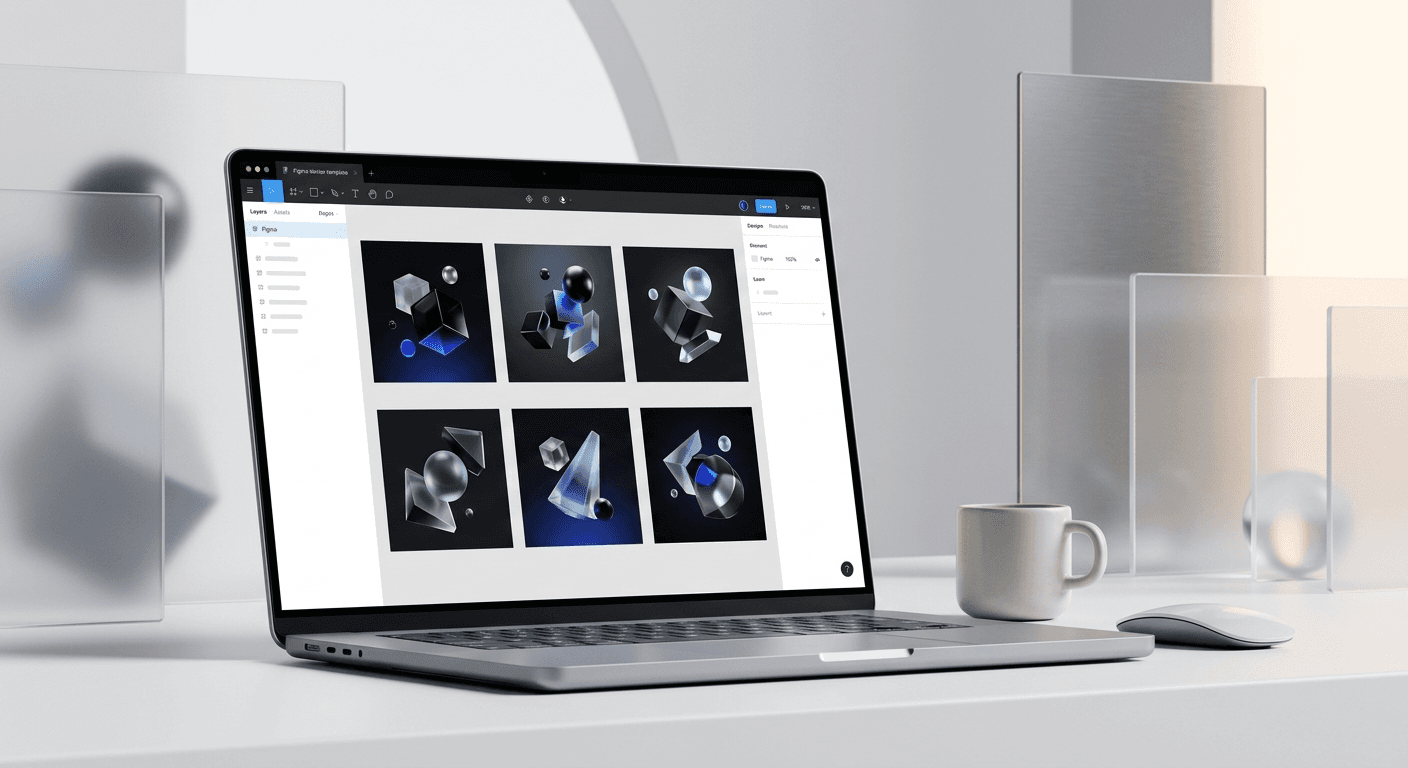
The best indie hacker marketing assets template in Figma provides a unified system for creating social media carousels, Product Hunt launches, and build-in-public updates. It eliminates design friction for founders by using a component-based structure that ensures brand consistency across every digital touchpoint.
The indie hacker marketing assets template is a modular design system built in Figma that helps solo founders produce high-end visual content without hiring a designer. It uses global variables and auto-layout to make content creation as fast as writing a tweet. We recommend a Figma-based approach because it offers a one-time setup cost that preserves your startup runway while providing professional-grade output.
Founders often struggle to balance shipping code with marketing their products. Visuals are the fastest way to bridge that gap. A structured template ensures that every graphic you share looks like it came from a dedicated design team.
Why is a Figma template better than Canva for indie makers?
Figma is a professional design tool that offers a one-time asset setup, whereas Canva relies on a recurring monthly subscription model that drains your startup runway. The answer is that Figma provides a superior level of technical control through auto-layout and component sets, allowing you to scale your marketing without increasing your monthly overhead.
In our experience, founders who invest in a Figma system early avoid the design debt that comes from fragmented tools. Canva is excellent for simple graphics, but it lacks the advanced typography controls and vector precision required for a premium brand identity. When you use an indie hacker marketing assets template in Figma, you own the source files forever. You are not locked into a proprietary platform that holds your brand assets hostage behind a paywall.
Professional design tools allow for the creation of a solopreneur design kit that grows with the business. According to UX Tools, Figma remains the industry standard, used by over 80% of professional designers. By using the same tool as the experts, you ensure that any future design hires can step into your workflow without friction. This compatibility is a major advantage for scale-ups. It allows you to maintain a high bar for visual quality while keeping your marketing operations lean and efficient. A single template setup can serve you from MVP through your first seed round, providing a consistent visual language that builds trust with early adopters and investors alike.
Feature | Figma Templates | Canva Templates |
|---|---|---|
Cost Structure | One-time or Free | Monthly Subscription |
Layout Logic | Advanced Auto-Layout | Basic Drag-and-Drop |
Brand Control | Global Styles & Variables | Limited Brand Kits |
Export Quality | Infinite Vector Scaling | Compressed Raster/Vector |
How does an indie hacker marketing assets template speed up your launch?
An indie hacker marketing assets template speeds up your launch by providing pre-made frames for Product Hunt, Hacker News, and social media announcements. It removes the need to make design decisions under pressure, allowing you to focus entirely on your product's core features. You simply swap the text and screenshots, and your assets are ready for export.
We see many founders delay their launch because they are embarrassed by their visuals. A template removes this psychological barrier. You can generate a full launch graphics template suite in under twenty minutes, covering everything from open-graph images to header banners.
The first 24 hours of a product launch are the most critical for generating momentum. Data from Socialinsider shows that carousel-style posts on LinkedIn receive an average engagement rate of 1.92%, which is significantly higher than static images or video content. By having these assets ready in a template, you can maintain a high volume of high-quality posts throughout your launch week. This high-frequency, high-quality strategy is what separates successful launches from those that fade into the noise. You are not just launching a product; you are launching a brand. Using a professional template ensures that your first impression is one of quality and reliability, which is essential for converting skeptical early adopters into paying customers.
What should be included in your launch assets?
Product Hunt gallery images (1270x760)
LinkedIn and Twitter feature reveal cards
Open Graph (OG) images for link previews
Founder profile headers and banner graphics
What are the essential graphics for micro saas marketing?
Marketing for a micro SaaS requires a focus on utility, social proof, and feature highlights to convert visitors quickly. The answer is to use a micro saas marketing visual system that emphasizes the problem your software solves through clean diagrams and clear typography. These graphics should be easy to scan and high in information density.
We recommend using a solopreneur design kit that includes specific frames for testimonials and price comparisons. These are the most common assets you will need when running ads or posting on social media. A well-designed comparison table can often communicate more value than a 500-word blog post.
Effective micro saas marketing relies on the principle of showing, not just telling. According to research from Buffer, posts with images receive 150% more retweets on X (formerly Twitter) than those without. For a micro SaaS founder, this means every feature update or bug fix is an opportunity to generate reach. A Figma template allows you to create these visuals in seconds. You can take a screenshot of your dashboard, drop it into a pre-styled frame, and add a brief caption. This workflow keeps your marketing active without requiring you to switch roles from developer to designer for hours at a time. It ensures your feed looks active and professional, which signals to potential users that the product is actively maintained and worth their investment.
Why do build in public graphics drive more engagement?
Build in public graphics drive engagement by making the abstract process of software development visible and relatable to an audience. The answer is that these visuals provide a transparent look at your growth metrics, code snippets, and design iterations, which builds a deeper connection with your followers. Transparency acts as a powerful marketing hook in the indie hacker community.
We find that founders who share their journey through visual stories grow their audience faster. It is not enough to say you reached 100 users; showing a growth chart within a branded frame makes the achievement feel real. This visual evidence is what people share and discuss.
The build in public graphics movement is centered on the idea that the process is as valuable as the product. By using an indie hacker marketing assets template, you can turn a simple Stripe screenshot or a GitHub contribution graph into a piece of high-performing content. Visual content is processed 60,000 times faster by the human brain than text, making it the most efficient way to capture attention in a crowded social media feed. In our experience, founders who use a consistent visual style for their updates see higher retention in their audience growth. This consistency makes your brand recognizable even before the user reads the handle. It creates a cohesive narrative across your social profiles, turning every small update into a brick in the wall of your brand authority. For an indie maker, this visual authority is the quickest way to compete with larger, better-funded competitors.
How to choose the right indie maker social media layouts?
The right indie maker social media layouts are those that prioritize readability and clear calls to action. The answer is to select layouts that use high-contrast backgrounds, bold sans-serif typography, and generous white space. These design choices ensure that your message is legible even on small mobile screens during a fast scroll.
We prefer a minimalist aesthetic for technical products because it suggests efficiency and modern design. When your graphics look clean, users assume your code is clean too. This psychological association is a core part of building a premium personal brand as a founder.
Choosing the right indie maker social media assets involves understanding the specific constraints of each platform. For instance, LinkedIn favors the 1080x1350 vertical ratio for carousels, while X (formerly Twitter) performs better with 16:9 or square images for single posts. A high-quality indie hacker marketing assets template will include all these aspect ratios as pre-set frames. This allows you to design your content once and adapt it for multiple platforms in seconds. Consistent visual branding across platforms helps in reinforcing your message and brand identity. When your audience sees a similar design style on both LinkedIn and X, it strengthens their recall of your brand. This cross-platform consistency is vital for building a cohesive presence that attracts both customers and potential partners in the indie hacking ecosystem.
Key elements of high-converting social layouts
Single, focused headline per slide
High-quality product screenshots or mockups
Clear, actionable button or text-based CTA
Subtle branding elements that don't distract from the message
How do you create a consistent brand identity with a template?
Creating a consistent brand identity with a template involves setting up global styles in Figma for your colors, typography, and spacing. The answer is to define these elements once in your indie hacker marketing assets template so that any change you make to a component automatically updates across every graphic in your library. This ensures a professional look with zero manual effort.
We suggest starting with a limited color palette of two to three main colors. This prevents your feed from looking cluttered and makes your brand instantly recognizable. Consistency is the foundation of brand trust, especially for new products without a long track record.
In Figma, you can use Variables to manage your brand tokens. This feature, introduced by Figma in 2023, allows you to switch between light and dark modes or change a primary color across hundreds of frames instantly. For a founder, this means you can pivot your brand's look in minutes without redesigning your entire content library. A solopreneur design kit that utilizes these advanced features provides a significant productivity boost. It allows you to maintain a premium visual standard that would otherwise require a full-time designer. By systematizing your design work, you free up your mental energy to focus on high-leverage tasks like product development and customer acquisition. This systematic approach to design is not just about aesthetics; it is a strategic move to optimize your time and resources as a solo builder.
When should you use a launch graphics template for your MVP?
You should use a launch graphics template for your MVP the moment you have a landing page and are ready to collect the first users. The answer is that visual marketing should not be an afterthought; it should be integrated into your development cycle to ensure you have a professional presence from day one. Early visuals help validate your idea by making it look established.
We recommend preparing your launch assets at least one week before your actual launch date. This gives you time to review the narrative flow of your carousels and ensure all screenshots are up to date. Using a template makes this final polish phase stress-free.
An MVP launch is a test of market demand, and your launch graphics template acts as the wrapper for that test. If the visuals look amateurish, users may bounce before they even try the product, leading to false negatives in your validation process. Professional graphics reduce the perceived risk for the user. According to data from Nielsen Norman Group, users form an opinion about a website or product in about 50 milliseconds. This split-second judgment is based almost entirely on visual design. By using a high-quality template for your launch, you ensure that this first impression is positive. You are giving your product the best possible chance to succeed by removing the friction caused by poor design. This is especially important for micro SaaS founders who are often entering competitive markets where trust is the primary differentiator.
Steps to prepare your launch assets in Figma
Import your primary brand colors into the Figma local styles.
Capture high-resolution screenshots of your MVP's core features.
Place the screenshots into the pre-defined mockup frames in the template.
Customize the headlines to highlight your unique value proposition.
Export all frames as @2x PNGs for maximum clarity on Retina displays.
How do you customize a solopreneur design kit for your brand?
Customizing a solopreneur design kit for your brand involves replacing the placeholder elements with your specific brand assets and messaging. The answer is to use the "Swap Instance" and "Selection Colors" features in Figma to quickly update multiple components at once. This process allows you to tailor a generic template into a custom brand system in under an hour.
We find that the most effective customizations are the simplest. You do not need to change the layout to make it yours. Swapping the font to a unique typeface and using a signature color for accents is often enough to create a distinct look that stands out from the crowd.
Figma's Auto Layout feature is the secret to making these customizations work without breaking the design. Auto Layout is a property you can add to frames and components that allows them to grow or shrink based on the content inside (Figma, 2024). When you use an indie hacker marketing assets template built with Auto Layout, your buttons resize as you type, and your lists stay perfectly spaced as you add items. This level of automation is why we suggest Figma over other tools. It ensures that even non-designers can produce perfectly aligned, professional graphics every time. For a founder, this means the design is no longer a bottleneck. You can iterate on your marketing copy and have a new set of graphics ready for export in the time it takes to write a single email. This speed is a competitive advantage in the fast-moving world of indie hacking.
Is the indie hacker marketing assets template a good investment?
The indie hacker marketing assets template is a high-ROI investment because it saves you hundreds of hours in design time and thousands of dollars in freelance fees. The answer is that it provides a scalable system for visual content that allows you to maintain a premium brand presence with minimal effort. It is the most cost-effective way to look like a venture-backed startup on a solo builder's budget.
We have seen founders use these templates to grow their LinkedIn following by thousands of users within months. The consistency and professional quality of the visuals make the content more shareable and authoritative. If you want to move faster, get access to our curated social media kits designed specifically for founders who value their time.
In conclusion, the right indie hacker marketing assets template is more than just a set of graphics; it is a marketing engine. It allows you to ship visual content as fast as you ship code. By using a Figma-based system, you take control of your brand's visual narrative and ensure that your marketing reflects the quality of your product. Whether you are building in public or launching your next micro SaaS, professional design is the key to standing out in 2026. Stop wrestling with design software and start using a system that works for you. Your runway and your audience will thank you for it. The transition from a developer-led look to a design-led brand is often the turning point for startups looking to attract serious attention and sustainable growth.



