Canva vs Figma for Marketing Teams: Which is Best in 2026?
Deciding between Canva vs Figma for marketing teams defines your startup's growth. Discover which software delivers better visual scale and content ROI.
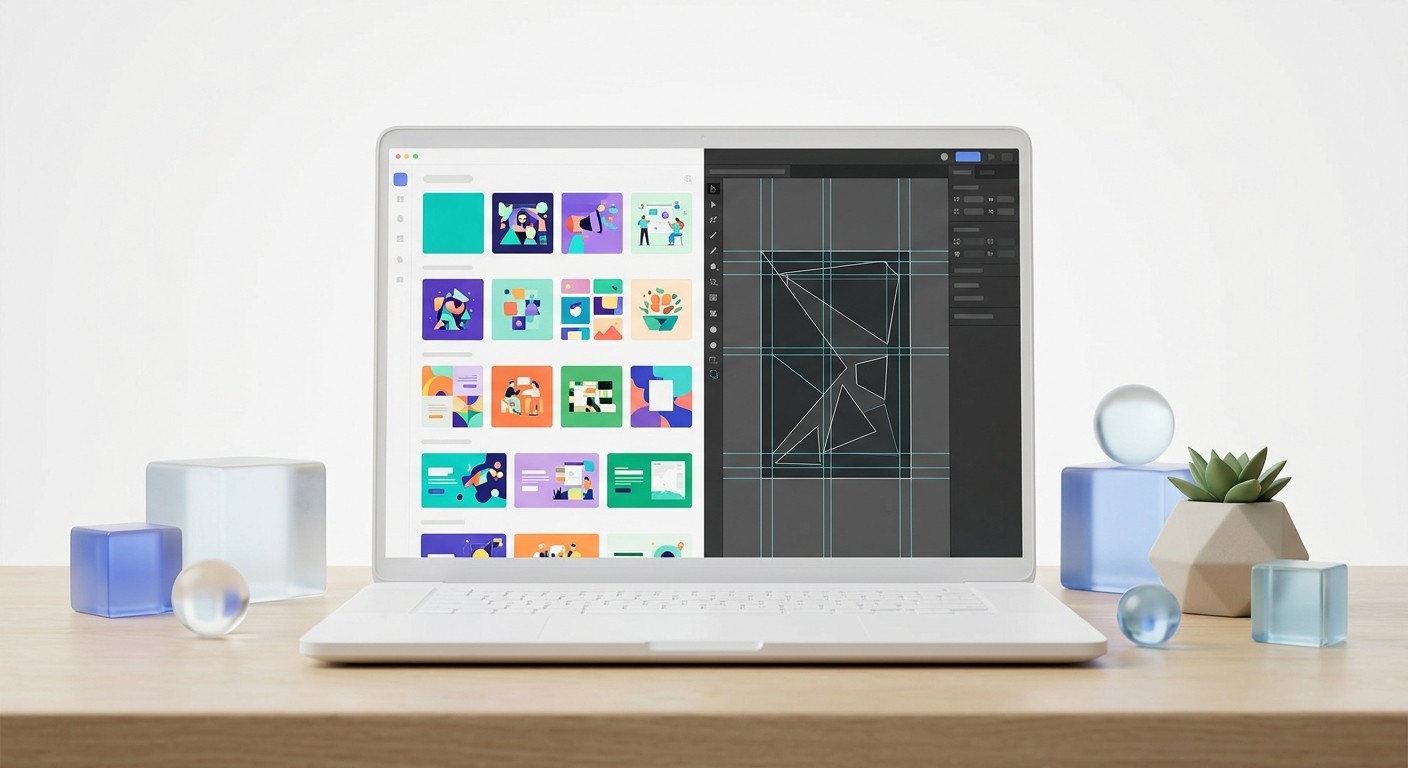
Canva vs figma for marketing is the defining software choice for SaaS teams scaling their visual content in 2026. Figma offers unparalleled control for reusable component systems, while Canva provides rapid template execution for non-designers. We recommend Figma for teams prioritizing strict brand consistency and complex carousel layouts.
The debate over canva vs figma for marketing teams comes down to brand control versus immediate accessibility. You need a platform that handles high-volume content production without making your startup look like an amateur operation. Figma is a vector graphics editor that builds strict, scalable design systems. Canva is a template-driven creation suite optimized for rapid output. The correct choice depends entirely on how your team manages brand assets and templates.
Is Canva or Figma better for marketing teams in 2026?
The answer is that Figma is better for marketing teams producing high-volume, brand-strict assets like carousels, while Canva wins for decentralized, low-complexity social media graphics. Figma enforces brand rules through components, whereas Canva relies on individual users applying brand kits correctly.
The user base for professional design software has fundamentally shifted away from traditional designers in recent years. According to recent financial disclosures, two-thirds of Figma active users are now non-designers, including product managers, developers, and marketing operators (Reddit, 2026). This massive demographic shift actively proves that serious marketers are adopting professional-grade tools to bypass internal design bottlenecks. Standard workflows break down entirely when you rely on isolated image files instead of interconnected digital systems.
When evaluating figma for marketers, the initial learning phase requires deliberate focus. However, the operational payoff is absolute brand consistency across every single digital touchpoint. Marketing teams using Figma can safely update a single core component, such as a logo or a brand color, and watch that exact change propagate automatically across thousands of social media assets. This powerful architectural advantage prevents the visual fragmentation that frequently occurs when non-designers manually tweak templates in standard creation tools.
You want content that always looks premium. Canva offers incredible ease of use, but it often leads to generic visual output if guardrails are completely absent.
We see founders switch to professional tools specifically to stop their marketing collateral from looking disjointed. You can rapidly build a massive following when your graphics communicate instant authority. Aesthetic precision translates directly into brand trust.
What is the real difference between graphic design and UI/UX software?
The real difference is that graphic design software focuses on producing standalone, fixed-dimension assets, while UI/UX software focuses on scalable, interactive components. Canva operates as a traditional page-based graphic editor. Figma operates as an infinite digital canvas explicitly built for complex interface logic.
Understanding this critical technical distinction dictates exactly how efficiently your scaling team manages content production. The global AI-powered design tools market size is projected to reach $8.22 billion in 2026, driven by an urgent demand for automated workflows and rapid content iteration (The Business Research Company, 2026). Standard graphic design software always treats a social media post as an isolated, static image file. UI/UX software treats that exact same post as a dynamic collection of reusable mathematical rules.
Auto-layout in Figma is a feature that lets components resize dynamically based on their underlying content. If you change a headline from three words to ten words, the entire background, padding, and button placement will adjust automatically to accommodate the new text without breaking the layout. You simply cannot execute this level of sophisticated text reflow using traditional page editors. Teams that fail to adopt these programmatic design features remain trapped in endless revision cycles.
Manual repositioning wastes hours of marketing production time each week. A highly systematic approach entirely eliminates frustrating pixel-pushing across your entire creative department.
Your team focuses entirely on copywriting and messaging instead. The software handles the tedious alignment tasks automatically behind the scenes. This operational shift dramatically increases your total weekly publishing volume.
How do Canva and Figma approach team collaboration?
Team collaboration figma revolves around an open, infinite canvas where multiple stakeholders simultaneously view, edit, and comment in real time. Canva restricts collaboration to a paginated view, focusing more on simple sequential approvals rather than simultaneous, deeply integrated creative construction.
Collaborative infrastructure is the absolute backbone of modern remote marketing teams operating at maximum scale. The broader creative software market continues to expand rapidly, with hybrid work culture driving massive demand for cloud-first collaborative design platforms that eliminate technical silos (6Wresearch, 2025). Figma allows marketers, copywriters, and visual designers to occupy the exact same file concurrently. Team members can actively observe each other's cursor movements in real time and drop contextual comments directly onto specific layout elements.
You can prototype a complex educational carousel, write the copy directly into the design components, and get immediate legal approval in a single synchronized session. This radical transparency completely eliminates the traditional frustrating feedback loop of exporting flat PDFs, sending emails, and interpreting vague revision requests. The shared cloud environment ensures that marketing operators are never waiting on a designer to export a final version. Everyone operates from a single source of truth, drastically reducing friction.
Canva certainly offers live editing features for basic file sharing. It works well for simple flyer edits or quick Instagram story text updates.
However, it severely lacks the spatial organization needed to manage a massive content campaign. An infinite canvas lets you view fifty ad variations side-by-side perfectly. This macro perspective is impossible in a traditional document view.
Why are LinkedIn carousels critical for B2B growth?
LinkedIn carousels are critical for B2B growth because they actively generate the absolute highest organic engagement and total reach of any professional social media format. The swiping mechanism increases user dwell time, which powerfully signals the algorithm to push the content wider.
Producing multi-image document assets is absolutely non-negotiable for serious B2B distribution strategies aiming for maximum visibility. In 2026, LinkedIn carousels achieved a median engagement rate of 21.77%, which is roughly three times the organic engagement generated by standard video posts (Buffer, 2026). Recent metrics also prove that multi-image formats consistently outperform basic text-only posts by an astonishing 596% on the professional networking platform (Meet Lea, 2026). The content algorithm disproportionately rewards the sustained user attention required to actively swipe through a detailed document.
This empirical data dictates that marketing teams must relentlessly prioritize high-volume carousel production to dominate their specific industry niche. Attempting to build these intricate multi-slide documents manually requires enormous physical effort and constantly introduces frustrating formatting errors. You need a powerful software infrastructure capable of churning out standardized, multi-page PDFs rapidly without breaking visual continuity. Proper systems protect the core brand aesthetics while maximizing total daily output.
Most teams fail at maintaining carousel consistency over long periods. They mix fonts arbitrarily, misalign margins, and dilute their professional brand authority entirely.
A premium visual identity builds immediate trust with skeptical enterprise buyers. High engagement fundamentally requires high-quality packaging to capture attention. Professional formatting guarantees your ideas actually get read by decision-makers.
How do you create a reusable carousel template in Figma?
You create a reusable carousel template in Figma by establishing a master component with strict auto-layout rules for padding, typography, and image placement. You then duplicate this master to create uniform slides that update globally when the core component changes.
Building a highly systematic asset library fundamentally alters the speed and mathematical accuracy of your daily content deployment. Using our incredibly versatile social media carousel templates, marketing teams can instantly bypass the initial setup and start publishing premium visual content. The structured process begins by explicitly defining rigid brand tokens for all primary colors and typography hierarchies. You then meticulously wrap your core text layers in strict auto-layout frames, ensuring vertical spacing remains firmly locked.
This exact layout architecture guarantees that padding measurements hold at precise pixel increments regardless of the ultimate word count. When a busy founder wants to generate a brand new educational post, they simply detach a local instance, paste their targeted copy, and immediately export the perfect PDF. This uncompromising level of structural standardization prevents rogue aesthetic choices and chaotic font sizes. Non-designers often feel paralyzed by an empty canvas, but a rigid template removes that friction entirely.
We highly recommend following a strict operational sequence when constructing these master assets. Do not skip the foundational framing steps under any circumstances.
Define your core brand color variables and typographic scales globally.
Create a master slide frame wrapped entirely in strict auto-layout.
Add specific text layers for headlines, body copy, and page numbers.
Turn the entire foundational frame into a primary main component.
Generate instances for each slide and populate them with actual written content.
This exact technical setup guarantees absolute mathematical precision across your entire social feed. Copywriters simply fill in the blank text nodes daily. The final exported output always looks meticulously crafted by a senior designer.
Can Canva for enterprise support complex brand identities?
Canva for enterprise supports complex brand identities through its built-in Brand Controls feature, which strictly locks specific elements, corporate colors, and required fonts to prevent unauthorized edits. It is highly effective for decentralized teams producing localized variations of core marketing assets.
Scaling brand compliance effectively across hundreds of remote employees undeniably requires implementing highly restrictive operational permissions. Canva has aggressively captured critical enterprise market share, growing its massive monthly active user base to 265 million and surpassing 28.5 million paying subscribers by early 2026 (Amra & Elma, 2026). Much of this explosive growth stems directly from mid-market and enterprise organizations adopting the platform specifically to decentralize basic repetitive marketing tasks. System administrators can easily establish a locked corporate environment.
Canva for enterprise is a platform tier that provides large organizations with dedicated administrative controls over global brand assets. Teams establish a centralized repository containing official vector logos, approved typography hierarchies, and exact hex color palettes. Administrators can permanently lock the specific position of a company logo on a digital template so that regional sales teams cannot accidentally move or distort it. This functionality proves highly effective for safely generating routine sales decks without requiring constant oversight.
The primary architectural limitation appears rapidly during complex structural changes. Canva rigidly restricts you to its predefined bounding boxes across all user templates.
You cannot build intricate responsive logic into the static page layouts. This intentional rigidity completely prevents catastrophic formatting errors by untrained staff. However, it also heavily limits premium aesthetic execution for flagship campaigns.
What does a modern design tool comparison look like for non-designers?
A modern design tool comparison for non-designers heavily evaluates software based on rapid template accessibility, automated brand enforcement, and the ability to output multi-channel formats quickly. It moves beyond raw vector drawing capabilities to focus entirely on production efficiency.
Selecting the right visual infrastructure requires ruthlessly analyzing both initial learning curves and long-term organizational scalability. The global creative software market is firmly dominated by legacy players, with Adobe holding approximately 58.2% market share, while newer cloud-native platforms fiercely capture the remaining decentralized freelance workforce (6Wresearch, 2025). When non-designers evaluate these complex modern platforms, they must deliberately weigh the allure of immediate graphic gratification against the absolute necessity of structural durability. Ownership matters heavily.
Canva provides incredibly fast results through millions of pre-made generic templates, but smoothly migrating a mature brand away from its closed platform is notoriously difficult. Figma demands a highly structured upfront architectural investment, but it eventually yields absolute microscopic control over every single exported pixel. You must ultimately decide whether your scaling organization wants to temporarily rent an outsourced design system or permanently own its proprietary visual assets. True digital ownership always scales infinitely better.
We strongly favor complete digital asset ownership for serious companies. Pre-made layouts heavily customized by non-designers often look exactly like pre-made layouts.
Your target audience recognizes generic stock graphics almost immediately in their social feeds. Premium B2B brands require entirely bespoke visual layouts to establish authority.
Feature | Figma | Canva |
|---|---|---|
Target Audience | Product teams, UX designers, technical marketers | Non-designers, solo creators, small businesses |
Layout Engine | Dynamic auto-layout, exact mathematical constraints | Static page-based, visual drag-and-drop boxes |
Brand Governance | Strict component libraries, centralized token updates | Basic brand kits, lockable template elements |
Export Capabilities | Custom scales, multi-format, continuous PDF | Standard web/print formats, direct social sharing |
Pricing breakdown: Which platform offers better ROI?
Figma offers better ROI for technical teams requiring strict brand architecture and highly scalable component systems. Conversely, Canva provides superior ROI for sprawling organizations prioritizing a sheer massive volume of simple graphics rapidly created by entirely untrained staff members. The financial return depends entirely on your specific daily output requirements.
Software expenditure must always map directly to measurable content performance metrics and overall workflow efficiency. By 2026, the advanced artificial intelligence features embedded deeply within these creative platforms have driven basic subscription costs higher, with the total AI design tools market expanding at an aggressive 22% compound annual growth rate (The Business Research Company, 2026). Canva prices its complete Teams plan very aggressively to capture entire sprawling marketing departments under one umbrella. They smoothly bundle stock photography, rudimentary video editing, and basic graphic generation into a single predictable flat fee.
Figma strictly uses a very distinct granular seat-based model, carefully differentiating between highly expensive full design seats, technical developer seats, and completely free viewing collaborator seats. This strategic billing structure means you only pay premium software prices for the core technical team members actually building the complex underlying brand architecture. The vast majority of your organization can view and comment on assets without adding a single dollar to your monthly subscription cost. This granularity prevents massive software bloat.
Evaluating seat-based licensing
The hidden organizational cost of Canva is slow visual brand dilution. The main consideration for Figma is the required initial setup phase.
You must carefully factor component creation hours into your total software ROI calculation. Once the underlying system is properly built, the marginal cost of a new social post drops to near zero.
The final verdict on marketing collateral design software
The final verdict on marketing collateral design software is that ambitious startups and premium brands must adopt professional-grade infrastructure to stand out visually. Relying heavily on basic template builders eventually caps your ability to execute complex, high-engagement digital marketing campaigns.
Visual execution serves as a direct, uncompromising proxy for underlying product quality in the skeptical minds of modern B2B buyers. The distinct competitive advantage of superior brand aesthetics is highly measurable, especially when dense formats like LinkedIn carousels dictate massive unforgiving disparities in total organic reach (Meet Lea, 2026). Ambitious marketing teams simply can no longer afford to casually publish disjointed, amateurish graphics that quietly undermine their hard-earned industry authority. Precision creates immediate authority.
If you actively run a high-growth SaaS startup, a busy digital agency, or a premium personal brand, you must meticulously treat your primary social media feed exactly like a flagship software product. You absolutely need strict foundational rules, reusable visual components, and merciless quality assurance protocols. Canva remains a fantastic accessible tool for rapid event invitations and quick internal sales flyers. However, Figma undeniably stands as the far superior choice for engineering a truly lasting, premium visual legacy.
The canva vs figma for marketing debate will surely continue as both software platforms rapidly integrate more artificial intelligence features. Your primary job is to intentionally choose the exact tool that drastically elevates your public brand perception.
You never get a second chance to make a premium visual impression. High quality instantly signals extreme technical competence to every potential buyer.
Stop repeatedly wrestling with basic drag-and-drop editors that limit your creative output. Start building an unstoppable, highly scalable visual system today.
References
TOP 10 CANVA MARKETING ADOPTION STATS 2026. Amra & Elma, 2026.
The State of Social Media Engagement in 2026. Buffer, 2026.
LinkedIn Carousel Engagement 2026: Performance Benchmarks. Meet Lea, 2026.
Why Figma's Q4 Earnings just killed the SaaS is dead narrative. Reddit, 2026.
Creative software market share: Trends & Leaders 2026. 6Wresearch, 2025.
AI-Powered Design Tools Market Report 2026. The Business Research Company, 2026.



