Creating Cohesive Instagram Grids in Figma: A 10-Minute Guide
Learn the process of creating cohesive instagram grids in figma. Build a free, custom grid previewer to plan your layout and maintain a professional brand.
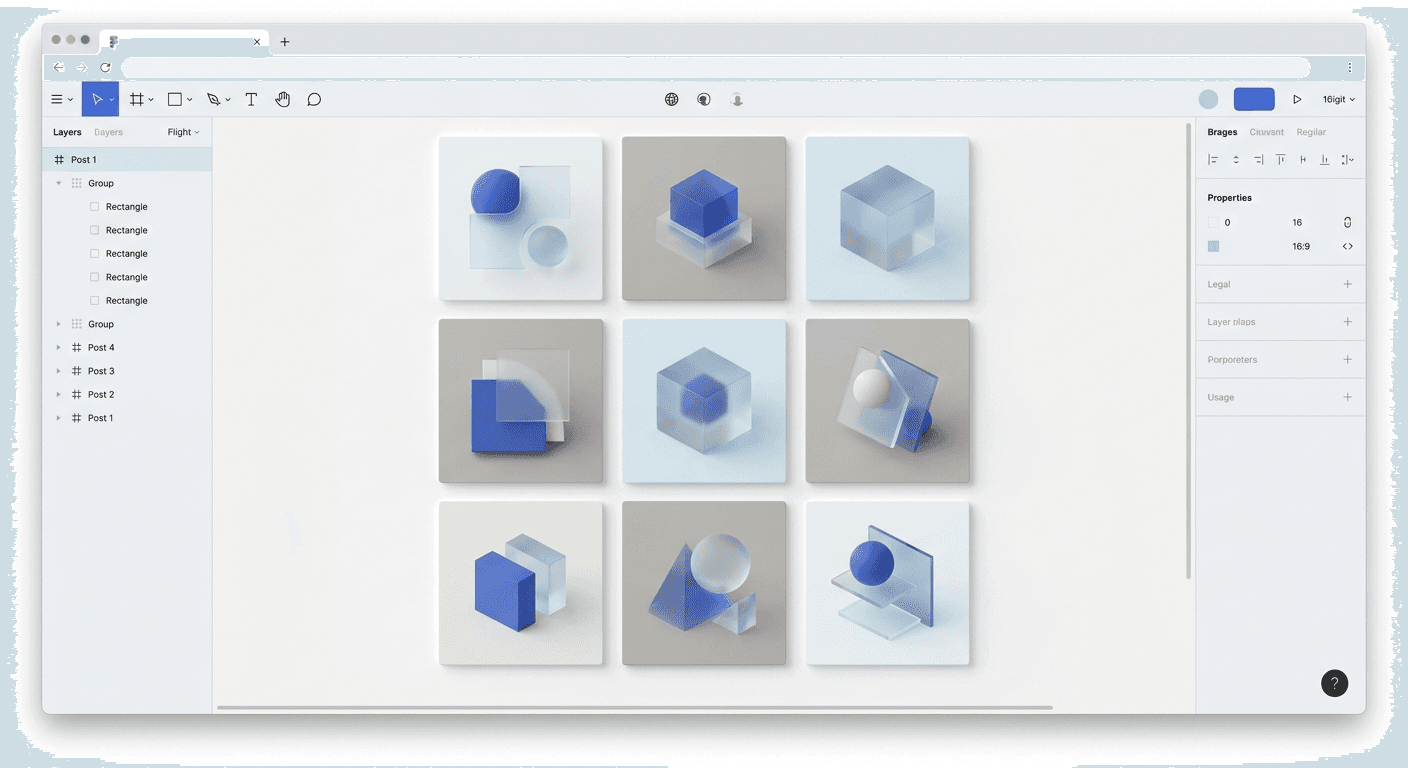
Creating cohesive instagram grids in figma is the fastest method for founders to visualize their social media presence without paying for third-party planning apps. By using a 3xN layout system, you can ensure every post aligns with your brand identity before you hit publish.
Creating cohesive instagram grids in figma is a high-leverage skill for startup operators who need to maintain a premium brand aesthetic without hiring a full-time designer. Instead of jumping between mobile apps and desktop design tools, we build a single source of truth directly on the Figma canvas. This approach provides an infinite workspace where you can see how your visual identity instagram strategy translates into a multi-post narrative. Using Figma allows you to treat your social media profile like a product interface, ensuring every square serves a specific purpose in your marketing funnel.
Why should you plan your Instagram layout in Figma?
The answer is that Figma provides a non-linear design environment that mimics the actual user experience of scrolling through a profile. Unlike standard social media schedulers that charge $15 to $50 per month for a visual grid preview, Figma is free for individual creators and offers significantly more flexibility. You can drag and drop assets, test different color combinations, and see how a new post interacts with the nine posts already live on your feed. This prevents the common mistake of publishing a high-quality post that clashes with the overall brand aesthetic social media presence you have worked to build.
Professional marketers use Figma because it handles complex design tasks like instagram puzzle feed figma layouts with precision. In a traditional app, you are limited to a single grid view. In Figma, we create multiple versions of the same grid to test different content pillars or seasonal campaigns. According to data from Sprout Social, consistent brand presentation across platforms can increase revenue by up to 23%. By planning your layout in a professional design tool, you ensure that your startup looks established and credible from the first interaction.
Planning your grid also speeds up the content creation process. When you use a figma grid template, you are not starting from a blank canvas every morning. You are filling in a pre-defined visual structure that you know works. This workflow shift allows founders to move from "What should I post today?" to "How does this post fit into my 30-day growth strategy?" This strategic overview is what separates amateur accounts from professional brands that drive actual business results through visual storytelling.
How do you set up a figma grid template for Instagram?
To set up a professional grid, you must first create a master frame that represents the standard 3-column Instagram layout. Start by creating a frame with a width of 3240 pixels, which allows for three 1080px columns. The height can be variable, but we recommend starting with 3240px to create a perfect 3x3 square grid. This setup acts as your canvas for plan instagram layout sessions, giving you a bird's-eye view of your content strategy.
Once the main frame is set, use the Layout Grid feature in Figma. Set the grid to "Columns" with a count of 3, a margin of 0, and a gutter of 0. This gives you clear boundaries for each post. Inside this master frame, create individual 1080x1080px frames for each post. We suggest turning these into Components. When you use components, any change you make to a global style, such as a brand color or font weight, will update across your entire grid instantly. This is the most efficient way to manage a visual identity instagram system at scale.
Next, organize your layers. Label each square by its planned post date or content type. This organizational structure helps you identify gaps in your content. For instance, if you see three text-heavy posts in a row, you can easily swap one for a product shot to maintain visual balance. High-performing grids rely on this balance to keep users engaged. Research from Socialinsider (2024) shows that carousels and diverse content mixes generate higher engagement rates than repetitive static images. Your Figma template makes this diversity easy to manage.
Feature | Third-Party Apps | Figma Grid Template |
|---|---|---|
Cost | $10 - $30 / month | Free |
Customization | Limited to pre-set grids | Infinite canvas / Custom sizes |
Collaboration | Often limited to 1 user | Real-time multi-user editing |
Design Tools | Basic filters/text | Professional vector engine |
Can you create an instagram puzzle feed figma layout easily?
The answer is yes, and Figma is actually the superior tool for this specific design style. An instagram puzzle feed figma layout is a design where a single large graphic or background image spans across multiple grid squares. To create this, place your large image across the entire 3240px master frame behind your individual 1080px post frames. Ensure the post frames are set to "Clip Content" so you can see exactly how the image is divided into separate posts.
This technique is highly effective for product launches or brand storytelling. It forces the user to visit your profile to see the full picture, which increases profile visits and brand recall. However, each individual square must still make sense as a standalone post. When a user sees a single piece of the puzzle in their home feed, it must provide value or intrigue even without the surrounding context. We recommend placing your main text and calls to action in the center of the individual 1080px squares to avoid them being cut off by the grid lines.
To export these slices perfectly, you have two options. You can either export the individual 1080px frames or use the Slice Tool in Figma (shortcut S). Draw a 1080x1080px slice over each section of your puzzle. Using the slice tool is often faster when you have a complex background that doesn't perfectly align with frame boundaries. This method ensures that when you upload the images, they line up with pixel-perfect accuracy on the mobile app. This level of precision is why professional agencies prefer Figma for managing a brand aesthetic social media presence.
Why is a visual identity instagram strategy necessary for SaaS?
A visual identity instagram strategy is necessary because it builds trust with a professional audience that is sensitive to design quality. For SaaS founders, your social media feed is often the first touchpoint a potential customer has with your product. If your grid looks cluttered or amateur, it signals that your software might be the same. A cohesive grid serves as a visual proxy for the quality of your code and user experience. It tells the viewer that you pay attention to detail.
Consistent branding across social channels can improve brand recognition by up to 80% (University of Loyola, 2021). When we use creating cohesive instagram grids in figma as our workflow, we ensure that every color hex code and typography choice matches our landing page. This creates a friction-less transition for the user from Instagram to your website. If a user clicks the link in your bio and the website looks completely different from your feed, you lose the trust you just built. Figma makes it easy to import your brand styles directly into your social media workspace.
Beyond trust, a defined visual identity simplifies decision-making. Founders often suffer from "content paralysis" because they don't know what to design. When you have a clear visual framework, you already know the constraints. You know which fonts to use, which colors are allowed, and how much whitespace is required. This allows you to focus on the message and the data, rather than wrestling with design software for hours. A brand aesthetic social media strategy is not about being "pretty"; it is about being recognizable and efficient.
A cohesive grid acts as a silent salesperson. It communicates your brand's professionalism and attention to detail before a single word of your caption is read.
What are the best brand aesthetic social media practices?
The best practices for a brand aesthetic social media presence involve a balance of consistency and variety. You should establish a primary color palette and stick to it for 70% of your posts. The remaining 30% can use secondary or accent colors to highlight special announcements or promotions. This 70/30 rule prevents the grid from looking monotonous while maintaining a strong brand core. We find that the most successful SaaS brands on Instagram use minimalist layouts with high-contrast typography to ensure readability on small screens.
Whitespace is your most valuable asset in grid planning. Many creators try to fill every pixel with information, which leads to visual fatigue. In Figma, we use the "Rule of Odds" to plan our layout. If you have a busy image in one square, surround it with squares that have more negative space or simple text-based graphics. This creates a "rhythm" for the user's eye as they scroll through your profile. Following this pattern makes your brand feel premium and considered, similar to the design philosophy used by companies like Apple.
Another essential practice is the use of high-quality templates. You do not need to invent new layouts for every post. Instead, build 5-10 core templates for common content types: testimonials, product features, growth tips, and founder updates. By using Figma-based design templates, you can swap content in seconds while keeping the layout fixed. This ensures that even when you are in a rush to publish, the final result still aligns with your cohesive grid strategy. Consistency is the primary driver of long-term audience growth.
How do you maintain consistency with components?
Maintaining consistency in Figma is best achieved through Components and Styles. A component is a master element that you can reuse across your entire grid. If you create a "Headline" component with your brand's specific tracking and line height, you can duplicate it 100 times. When you decide to change the font from Inter to Helvetica, you only change it on the master component. Figma automatically updates every instance across your grid. This feature alone saves hours of manual editing and eliminates the risk of branding errors.
We also recommend setting up Color Styles and Text Styles. Instead of manually entering hex codes, you select a color named "Brand Primary" or "Brand Accent." This system ensures that your visual identity instagram remains intact even if you have multiple team members working on the designs. It removes the guesswork. When everyone follows the same design tokens, the output is guaranteed to be cohesive. This is how scale-up marketing teams maintain high-quality output without slowing down their workflow.
Using Auto Layout in Figma is the final step in professionalizing your workflow. Auto Layout allows your design elements to resize dynamically based on the text you enter. If a testimonial is longer than usual, the frame will expand and keep the padding consistent automatically. This means you don't have to manually move elements around every time you change a word. According to Figma’s official documentation, Auto Layout is one of the most powerful features for creating responsive components. For social media, it ensures your text-based posts always look perfectly balanced.
Common mistakes when creating cohesive instagram grids in figma?
One common mistake when creating cohesive instagram grids in figma is ignoring the mobile crop. While Figma shows you the full 1080x1080px square, Instagram sometimes crops images in the home feed or when seen in different aspect ratios. Always keep your most important content in the "Safe Zone," which is the center of the square. Avoid placing vital text too close to the edges of your frames. We recommend keeping a 48px to 64px padding on all sides of your social media templates to ensure they look good on every device.
Another mistake is over-designing the grid at the expense of individual post performance. It is easy to get caught up in how the grid looks as a 3x3 block and forget that most people will only see one post at a time in their feed. If your instagram puzzle feed figma design makes the individual posts look confusing or cut-off, your engagement will suffer. Each post must be a standalone piece of value. The grid is a secondary benefit that users see when they click through to your profile. Focus on the individual slide first, then the grid second.
Finally, many founders fail to plan for video content. Since Instagram is increasingly prioritizing Reels, your grid must accommodate video covers. In Figma, we create a frame for the Reel cover that matches our brand aesthetic social media guidelines. This ensures that when the video is viewed on the grid, it doesn't break the visual flow. We suggest using a static image or a designed title card as your Reel cover to maintain total control over the grid's appearance. Ignoring video covers is the fastest way to make a carefully planned grid look messy.
Keep primary text within the center 1000px to avoid accidental cropping.
Test your typography at 50% zoom in Figma to simulate mobile viewing.
Use a consistent filter or editing style for all photography.
Balance heavy text posts with minimalist imagery.
Update your grid template weekly to reflect your actual publishing schedule.
Mastering the art of creating cohesive instagram grids in figma allows you to build a premium brand with minimal effort. By moving away from expensive, limited mobile apps and into a professional design environment, you gain the control needed to scale your social media presence. Start with a simple 3x3 component system, define your brand styles, and use the infinite canvas to map out your growth. A well-planned grid is not just a design project; it is a fundamental part of your startup's marketing infrastructure.



