Figma Prototyping Social Media Mockups for Higher Approvals
Master figma prototyping social media mockups to win more clients. Learn to create an interactive carousel prototype that simulates a real LinkedIn feed.
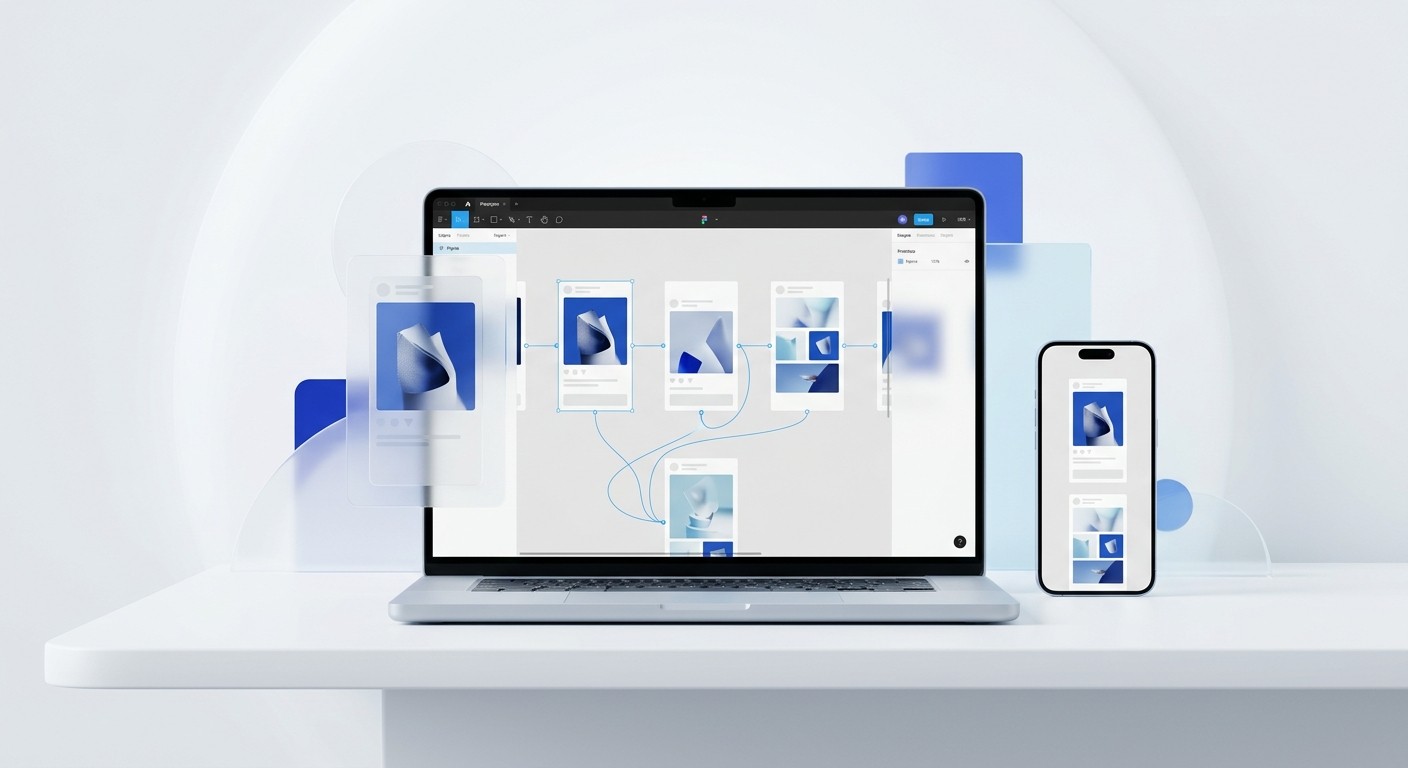
Figma prototyping social media mockups is the fastest way to get client approval by turning static designs into swipeable, interactive experiences. By linking frames in Figma, you allow stakeholders to view content on their own devices exactly as it appears in a live feed.
What is Figma prototyping for social media mockups?
Figma prototyping social media mockups is the process of using Figma's native interaction tools to create a functional, swipeable version of your social media posts before they go live. Instead of viewing a series of flat images, users can physically swipe through a carousel on their phone or desktop. This workflow bridges the gap between a design concept and a final live post, allowing founders and marketers to evaluate the flow of information in a realistic context.
A prototype in this category is essentially a "working" version of a social media post. We use this method because it reveals flaws in pacing, text hierarchy, and visual balance that are invisible in a grid view. When you use figma prototyping social media mockups, you move from explaining how a design will work to simply showing it in action. This clarity reduces the number of revision rounds required by up to 50% in many agency environments (HubSpot, 2023).
The core of this technique involves placing your individual carousel slides inside a larger frame and applying overflow scrolling settings. This allows the viewer to use their mouse or finger to move between cards. Because 65% of people are visual learners, showing a moving, interactive mockup ensures your message is retained more effectively than a static PDF (Brain Rules, 2023). This approach is particularly effective for LinkedIn carousels and Instagram slides where the sequence of information is as important as the content itself.
Why use an interactive carousel prototype for client approvals?
The answer is that an interactive carousel prototype removes the cognitive load for the client by mimicking the final platform experience. Most clients struggle to visualize how a 10-slide document will feel when they are browsing on a small smartphone screen. By providing a prototype, you provide a "live" experience that builds confidence and speeds up the decision-making process. This interactive approach turns a standard review into a premium experience that justifies higher agency rates.
Using a prototype demonstrates that you understand the platform-specific nuances of social media. When you present an interactive carousel prototype, you show how the content flows, how the brand colors look under mobile brightness settings, and how the call-to-action cards appear at the end of the swipe. Research indicates that interactive content generates two times more conversions than static content because it encourages active participation (Demand Gen Report, 2023). Translating this to the approval stage means your client participates in the content rather than just observing it.
Furthermore, prototypes serve as a reliable quality assurance tool. In our experience, we find that template-based systems reduce revision cycles because changes propagate through components automatically. If you use highly customizable Figma-based design templates, you can update a color token or a logo in one place and see that change reflected across the entire interactive prototype instantly. This reliability ensures that what the client approves is exactly what gets published, protecting your brand credibility and the client's marketing budget.
How do you simulate LinkedIn feed interactions in Figma?
To simulate LinkedIn feed interactions, you must build a wrapper frame that replicates the LinkedIn mobile UI and contains your carousel within a scrollable area. Start by creating a frame at 390x844 pixels (standard iPhone 13/14 size). Inside this frame, place a screenshot of the LinkedIn feed or design a simplified version of the UI, including the header, comment section, and bottom navigation bar. This sets the stage for a realistic preview.
Follow these steps to create the swiping effect:
Arrange your carousel slides side-by-side with zero spacing in a single row.
Select all slides and frame them. Set this frame's width to match your slide width (e.g., 1080px or scaled down to fit the phone screen).
In the Prototype tab, change the "Overflow" setting to "Horizontal scrolling."
Ensure the parent frame has "Clip content" checked so the extra slides are hidden until swiped.
Once these steps are complete, you can simulate linkedin feed behavior perfectly. This is vital because LinkedIn carousels generate 1.92% engagement, which is higher than static images or video (Socialinsider, 2024). By simulating the feed, you can test if your first slide is catchy enough to stop the scroll. You can also check if the "Next" button or swipe indicator is clearly visible within the LinkedIn UI boundaries. This technical precision is what separates amateur designers from established digital agencies.
How do you set up Figma presentation mode for mobile viewing?
Figma presentation mode is the environment where you share your prototype with clients via a unique URL. To optimize this for mobile, you must set a device frame in the Prototype settings menu. Click on the background of your file, go to the Prototype tab in the right-hand sidebar, and select a device from the dropdown menu, such as "iPhone 15 Pro." This wraps your design in a realistic phone shell during the presentation.
When the client opens the link on their own phone, they should select the "Fit to screen" option. This ensures the figma presentation mode feels like a native app. We suggest providing a brief instruction to clients: "Open this on your mobile browser for the best experience." This allows them to experience the tactile sensation of swiping, which is a powerful psychological trigger for approval. Visual content increases a person's desire to read information by 80% (WebFX, 2023), and a well-framed prototype capitalizes on this fact.
Additionally, use the "Share" button to create a view-only link. Disable the Figma UI options like "Show hotspot hints on click" and "Show sidebar" to keep the interface clean. This minimalist presentation style reflects a premium brand identity. When the client sees their content looking finished and professional within figma presentation mode, they are less likely to nitpick minor details and more likely to focus on the overall marketing message and strategy.
How does prototyping improve your agency marketing pitch?
An agency marketing pitch is significantly improved by prototyping because it moves the focus from design theory to tangible results. Instead of promising that a carousel will perform well, you show the client exactly how users will interact with it. This level of detail demonstrates expertise and a commitment to quality that static mockups cannot match. It positions your agency as a technology-forward partner that uses modern tools to ensure success.
During an agency marketing pitch, you can use the prototype to walk the client through a user journey. Show them how slide one builds tension, slide five provides the solution, and slide ten drives the lead. This narrative approach is backed by data; 94% of first impressions are design-related (ResearchGate, 2021). If your pitch deck includes a link to a functional prototype that the client can play with on their phone during the meeting, you have already won the first impression battle.
Consider the following comparison of presentation methods used in pitches:
Feature | Static PDF | Video Walkthrough | Figma Prototype |
|---|---|---|---|
Interactivity | None | None | Full Swiping |
Mobile Context | Poor | Medium | Excellent |
Client Feedback | General | Passive | Specific/Tactile |
Professionalism | Standard | High | Premium |
The table above illustrates why high-growth agencies are moving away from traditional slide decks. A client presentation social media strategy that relies on a figma prototyping social media mockups workflow is more persuasive because it is evidence-based. It allows the client to verify the readability and impact of the content in real-time, reducing the fear of the "unknown" that often stalls project approvals.
What are the common mistakes when prototyping social media posts?
The most common mistake is failing to account for the platform's native interface elements, such as the "Like" and "Comment" buttons that overlay the bottom of the image. When you simulate linkedin feed views, you often realize that your most important text is hidden behind the "See More" link. Another frequent error is using a frame size that does not match the platform requirements, leading to blurry images or awkward cropping when the design finally goes live.
To avoid these issues, we recommend using a 1080x1350 pixel canvas for carousels, as this 4:5 ratio occupies more screen real estate than a square 1080x1080 post. When figma prototyping social media mockups, always test the touch targets. If your call-to-action button is too close to the edge of the screen, it might be difficult for users to tap. Because social media posts with images see 650% higher engagement than text-only posts (WebFX, 2023), every pixel of that visual space must be optimized for the user experience.
Finally, avoid over-complicating the prototype with unnecessary animations. The goal is to simulate the platform, not to build a video game. Use simple "On drag" interactions with "Smart animate" or "Instant" transitions. If the prototype is too slow to load or too complex to navigate, it will frustrate the client. Keep the focus on the content and the swiping mechanic. This simple, minimalist approach ensures the client focuses on the brand message rather than the technical execution of the Figma file.
Summary of key takeaways for social media prototyping
Mastering figma prototyping social media mockups is a game-changer for any creator or agency looking to scale. By moving from static images to interactive experiences, you provide a professional service that stands out in a crowded market. This workflow not only speeds up approvals but also ensures the final content is optimized for the actual user experience on LinkedIn or Instagram. Start by building a library of reusable feed wrappers and transition your next client review into a live, mobile-first presentation.
References
Social Media Engagement Rates by Industry. Socialinsider, 2024.
The Power of Visual Communication. Brain Rules, 2023.
The State of Content Marketing. HubSpot, 2023.
Trust and First Impressions in Web Design. ResearchGate, 2021.
The Impact of Interactive Content on Conversions. Demand Gen Report, 2023.
Social Media Marketing Statistics for 2023. WebFX, 2023.



