Build a Figma Social Media Content Calendar for Visual Strategy
Learn how to build a figma social media content calendar to bridge the gap between design and strategy. Simplify your visual content planner for better growth.
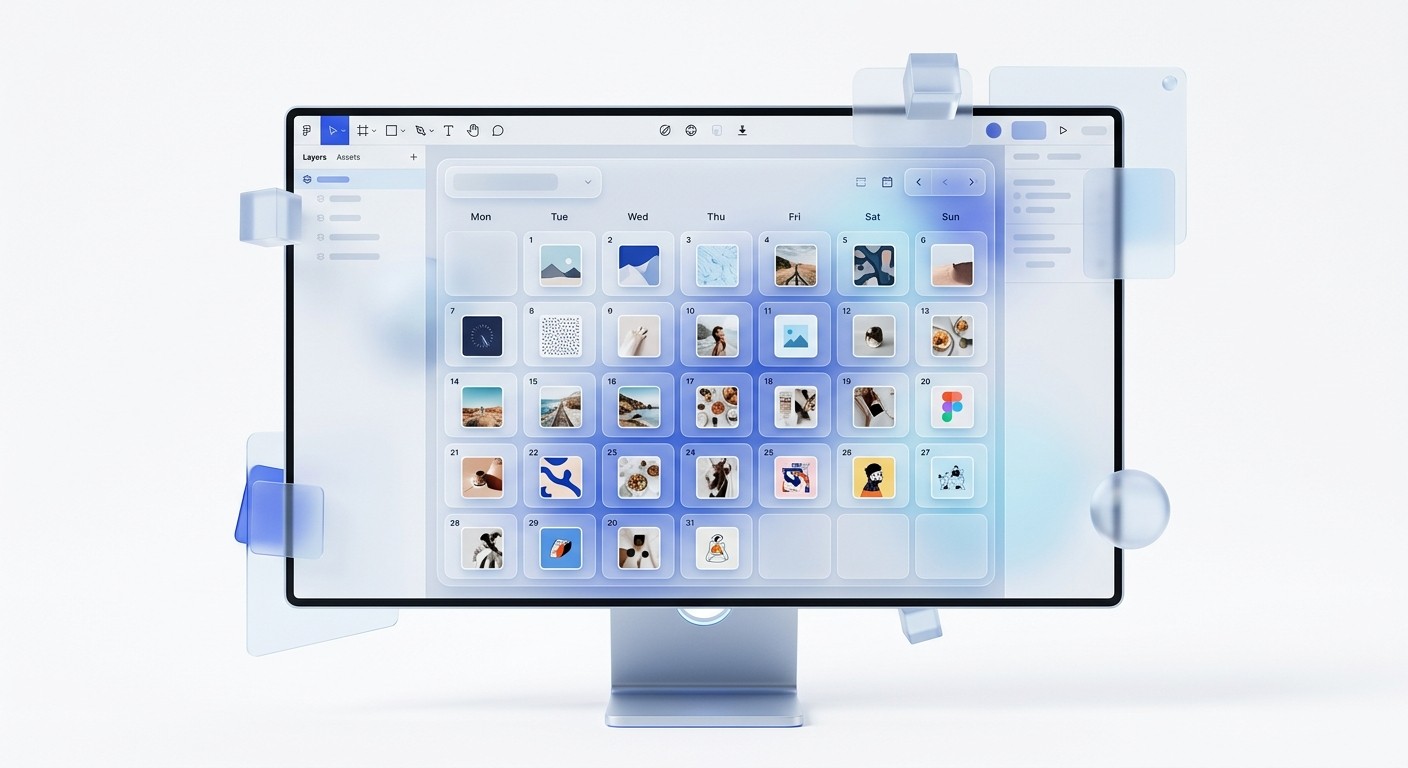
A figma social media content calendar is a visual-first framework that combines strategic planning with asset design in a single workspace. This approach eliminates the friction between text-based planners and design software, allowing teams to see exactly how their feed looks before publishing.
What is a figma social media content calendar?
A figma social media content calendar is a visual system for planning, designing, and organizing social posts within a single design file or FigJam board. Unlike traditional spreadsheets, this system displays the actual design assets alongside their scheduled dates, captions, and platform tags. This setup provides an immediate preview of visual consistency across different channels.
We use this method to replace the fragmented workflow where content is written in Notion, designed in Figma, and then manually moved to a scheduling tool. By centralizing these steps, you reduce the risk of design errors and ensure that your brand identity remains stable across every post. This is a visual content planner that treats every piece of content as a design component rather than just a row in a database.
A visual content planner in Figma is particularly effective for teams that prioritize high-quality visuals, such as SaaS companies or design agencies. Instead of guessing how a carousel will look next to a static image, you can arrange them on a canvas to verify the flow. This level of visibility is the key benefit of marketing content organization within a design tool.
Why should you move your content planning to Figma?
The main reason to shift your planning into Figma is the elimination of context switching. Research shows that employees switch between different apps and user interfaces approximately 1,200 times per day, which significantly drains cognitive energy (Harvard Business Review, 2022). By keeping your social media workflow figma native, you keep your focus within one environment.
Traditional tools like Google Sheets or Notion are excellent for text, but they fail to represent the visual weight of a social media feed. In our experience, founders and marketers often struggle to maintain a cohesive brand look when they cannot see their posts in sequence. A figma social media content calendar solves this by making the aesthetic of your feed the primary focus of the planning stage.
This method also speeds up the approval process. Instead of sending links to external documents and separate image folders, stakeholders can view the copy and the design in one place. LinkedIn carousels, for example, generate 1.92% engagement, which is significantly higher than static images (Socialinsider, 2024). Managing these complex, multi-slide assets is much simpler when the planning and design happen on the same canvas.
How do you set up a visual content planner in FigJam?
A figjam calendar is often the best starting point for the brainstorming and early planning phases. FigJam is a digital whiteboarding tool that allows for a more flexible, less structured approach than the standard Figma editor. You can use sticky notes, stamps, and connectors to map out your content themes before moving into high-fidelity design.
Start by creating a grid that represents the weeks or months of your campaign. Use the Section tool to group posts by week, and then place sticky notes as placeholders for specific topics. Once a topic is finalized, you can easily swap the sticky note for a component link that leads directly to your Figma design file. This creates a clear path from a rough idea to a finished asset.
In our workflow, we use FigJam to host monthly kickoff meetings. We find that the ability to move components around freely helps us spot gaps in our content pillars. For example, if we see three consecutive technical posts, we can immediately drag in a lighter, community-focused post to balance the feed. This is the essence of effective marketing content organization.
What are the steps to create a visual scheduling template?
Creating a visual scheduling template requires a structured approach to the Figma canvas. You need to build a system that is both flexible and easy to read at a glance. We suggest building a monthly view using the Auto Layout feature to ensure that your calendar scales as you add more platforms or post types.
Create a Master Grid: Set up a 7-column frame to represent the days of the week.
Build Post Components: Design a small thumbnail component that includes a status tag, a platform icon, and a space for the image.
Apply Auto Layout: Wrap your daily columns in Auto Layout so they expand vertically as you add more posts to a single day.
Use Sections for Status: Group your posts into sections labeled Draft, In Review, and Ready to Publish.
Using a visual scheduling template allows you to see the "empty spaces" in your strategy. If your goal is to post four times a week, a visual calendar makes it obvious when a Tuesday is missing a slide. This tactile way of working prevents the procrastination that often comes with staring at a blank spreadsheet row.
The efficiency of this system is measurable. Teams that use unified visual systems spend less time on manual file management and more time on creative execution. Because Figma stores all versions of a file, you also create a searchable archive of every post you have ever designed. This is a massive advantage for marketing content organization over the long term.
How can you optimize your social media workflow figma system?
A social media workflow figma system is only as good as its organization. To prevent the file from becoming cluttered, you must use Figma's native features like Pages and Components effectively. We recommend keeping your "Design Workspace" on one page and your "Content Calendar" on another, then using main components to link them.
When you update a main component on your design page, that change should propagate to the thumbnail on your calendar page. This ensures that the calendar always reflects the most recent version of the design. This "single source of truth" model is what professional agencies use to manage multiple clients without losing track of asset versions.
Data indicates that 55% of marketers say that creating visual content is their biggest challenge (HubSpot, 2024). You can overcome this by integrating customizable Figma templates into your workflow. By using pre-built systems, you can skip the time-consuming process of building grids from scratch and focus purely on the figma social media content calendar logic. This allows a single person to do the work that typically requires a full design team.
What data should you track in your marketing content organization?
While the visual aspect is primary, a figma social media content calendar should still track key data points. We recommend using a structured table or a set of standardized text layers within your components to keep this information organized. This ensures that you aren't just making pretty pictures, but driving actual business results.
Data Point | Purpose | Location in Figma |
|---|---|---|
Publish Date | Ensures timely delivery of content | Header of the Post Component |
Platform Tag | Distinguishes between LinkedIn, X, and Instagram | Color-coded Badge in Component |
Status Label | Tracks the progress from Draft to Approved | Variant Property on the Component |
Goal/KPI | Aligns the visual with a specific outcome | Hidden Layer or Documentation Panel |
Tracking these metrics within the figma social media content calendar keeps the entire team aligned. When an operator opens the file, they don't just see a carousel; they see a carousel intended for lead generation scheduled for Wednesday. This context is what turns a simple design file into a visual content planner that supports business growth.
How do you maintain design consistency in your calendar?
Consistency is the hallmark of a premium brand. In a figma social media content calendar, you maintain consistency by using a shared library of Styles and Components. If you decide to change your brand's primary blue, you should only have to change it once in your library for it to update across every planned post in your calendar.
We believe that a brand identity is built through repetition. If your fonts and spacing fluctuate every day, your audience will struggle to recognize your content in their feed. Using a visual scheduling template allows you to look at 30 days of content simultaneously. This bird's-eye view makes it easy to spot if one post feels like an outlier compared to the rest of the month.
Visual content is processed 60,000 times faster than text, meaning your audience judges your brand's quality instantly (Cramer, 2023). If your calendar reveals a lack of visual harmony, you have the chance to fix it before it ever hits the public. This proactive approach to design quality is why we advocate for a social media workflow figma that prioritizes the visual over the verbal.
What common mistakes should you avoid with Figma calendars?
One common mistake is making the file too heavy with high-resolution images. Figma can become slow if you have hundreds of large frames on a single page. To avoid this, we suggest using low-resolution "proxy" images for your figma social media content calendar thumbnails and keeping the high-resolution exports in a dedicated folder or a separate page.
Another error is failing to use Auto Layout. If you manually move every box when you want to change a date, you will quickly abandon the system. A visual content planner must be easy to maintain, or it becomes a burden rather than a tool. Invest the time to build the grid with responsive constraints so that adding a new post is a simple click-and-drag operation.
Lastly, don't ignore the "deadlines." Because Figma is a creative tool, it is easy to get lost in perfecting a design and forget that the calendar is a scheduling tool. Use clear status indicators—like red, yellow, and green circles—to show what needs immediate attention. This keeps the marketing content organization focused on the goal of consistent publishing.
Summary: The future of visual planning
The transition to a figma social media content calendar is a move toward a more integrated, efficient marketing department. By combining the visual content planner with the design workspace, you eliminate the friction that leads to inconsistent branding and missed deadlines. This system allows you to build a cohesive identity while speeding up your production speed.
As social platforms become increasingly visual, the tools we use to plan for them must evolve. A social media workflow figma gives you the spatial awareness and design control that spreadsheets simply cannot provide. Whether you are a solo founder or a scaling agency, bringing your calendar into Figma is a step toward a more professional and streamlined marketing operation.
References
How Much Time and Energy Do We Waste On Context Switching In A Day. Harvard Business Review, 2022.
LinkedIn Engagement Rate Benchmarks for 2024. Socialinsider, 2024.
The State of Marketing 2024 Report. HubSpot, 2024.
The Power of Visual Communication. Cramer, 2023.
The Anatomy of Work Index. Asana, 2023.



