Why Figma Social Media Templates for Startups Save Hours
Figma social media templates for startups reduce design time by 90%. Use our Figma startup bundle to create professional carousels and grow your brand today.
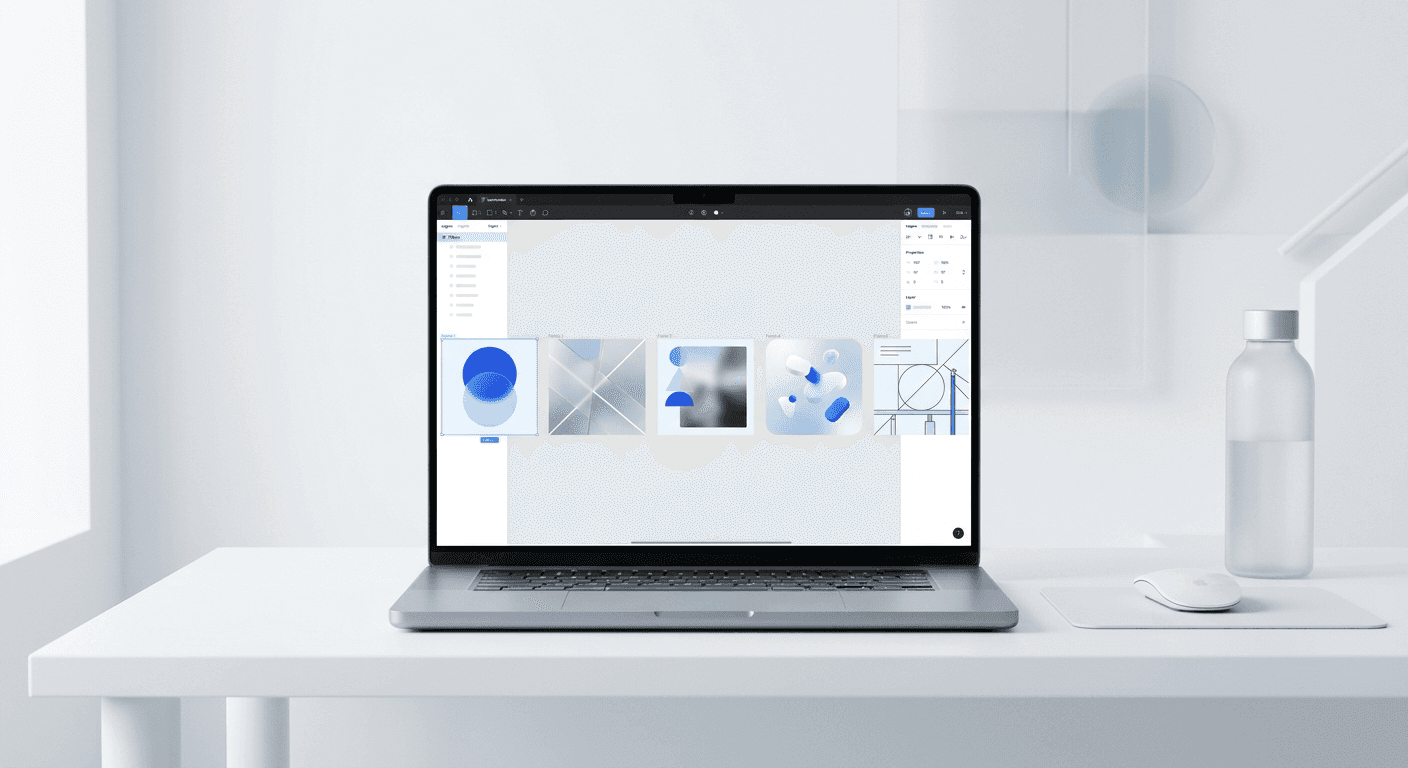
Figma social media templates for startups provide a pre-built design system that allows founders to create professional visual content in minutes. By eliminating the need for a full-time designer, these templates help early-stage companies maintain brand consistency and scale their social media presence efficiently.
Figma social media templates for startups solve the bottleneck of slow design cycles by allowing founders to iterate on marketing assets instantly. Using a centralized design system ensures that brand consistency remains high even when messaging pivots weekly. Traditional design workflows take days to produce a single asset, but a template-based approach reduces that time to mere minutes.
We believe that speed is the most significant advantage a startup has over established competitors. When you use figma social media templates for startups, you remove the friction between having an idea and sharing it with your audience. This agility is what separates companies that gain traction from those that fade into the noise.
Why are traditional design workflows failing early-stage startups?
Traditional design workflows fail early-stage startups because they are built for stability, not the rapid iteration required during the search for product-market fit. Relying on a freelance designer or a slow internal process creates a feedback loop that takes days to complete. If a founder needs to test a new value proposition on LinkedIn today, waiting until Friday for a graphic is a competitive disadvantage.
The fast-paced nature of the modern software market requires a system that can keep up with daily changes in strategy. Startups often pivot their core messaging several times in their first year. A traditional design workflow involves brief writing, waiting for a draft, providing feedback, and waiting for revisions. This process is expensive and often leads to missed opportunities in the social media feed where timing is everything. By the time the asset is ready, the market conversation has moved on. We recommend shifting to a decentralized model where the design is already solved and the founder only needs to provide the words. This shift allows the team to focus on the core product while the marketing remains professional and cohesive.
High retainer fees also drain the limited capital of seed-stage companies. Paying a designer $3,000 per month for a handful of posts is no longer a viable strategy for lean teams. Instead, using startup marketing assets figma allows you to own the production process without the overhead of a full-time creative hire.
How do figma social media templates for startups accelerate growth?
Figma social media templates for startups accelerate growth by increasing the volume and quality of your content without increasing your workload. High-frequency posting is the primary driver of organic reach on platforms like LinkedIn and Instagram. When the design barrier is removed, your team can publish daily, which leads to more data points and faster learning.
According to Socialinsider (2024), carousels are the most engaging post type on LinkedIn, generating an average engagement rate of 1.92%. However, carousels are also the most difficult to design from scratch because they require multiple slides with a continuous narrative. A template system handles the layout, spacing, and typography automatically. This means a founder can produce a ten-slide carousel in the time it usually takes to write a single text post. This increased output directly correlates with higher visibility and lead generation. When you consistently show up with premium-looking visuals, your brand authority grows. People associate high-quality design with a high-quality product, making it easier to convert followers into customers. The math is simple: more high-quality posts lead to more impressions, which leads to more growth.
We find that the best way to scale is to simplify the creative process. A saas social media kit provides a library of layouts that are already optimized for engagement. You do not need to worry about font sizes or color contrast because the design logic is already built into the files.
What makes a high-quality saas social media kit effective?
A saas social media kit is a collection of pre-designed components and layouts tailored for software companies. These kits are effective because they use Figma features like Auto Layout and Components to make editing as easy as typing in a text document. Instead of moving boxes around, you simply swap the text and the layout adjusts automatically.
The core of an effective kit is the use of figma branding templates. These templates use global variables to change colors and logos across dozens of slides with a single click. If you decide to change your primary brand color from navy to charcoal, you update it in the variable panel and every template in your library updates instantly. This level of control is impossible with static image files or simple online editors. A professional kit also includes specific layouts for common SaaS content types, such as feature announcements, customer testimonials, and data visualizations. These layouts are designed based on UI/UX principles that guide the eye toward the most important information. We build our templates with these principles in mind so that your content is not only beautiful but also functional. By using a system designed for software companies, you ensure that your marketing looks as professional as your product interface.
Auto Layout: Ensures that padding and spacing stay perfect as you add more text.
Component Variants: Allows you to switch between light and dark modes instantly.
Global Styles: Keeps typography and colors consistent across all social channels.
How much can you save by switching to figma branding templates?
Switching to figma branding templates saves thousands of dollars in monthly design costs and dozens of hours in production time. For a typical startup, the cost of design is not just the invoice from the freelancer but also the hidden cost of the founder's time spent managing that designer. Templates eliminate both of these expenses.
Metric | Freelance Designer | Figma Templates |
|---|---|---|
Monthly Cost | $2,000 - $5,000 | $0 (After initial purchase) |
Turnaround Time | 24 - 72 Hours | 10 - 15 Minutes |
Revisions | Multiple rounds | Instant & Unlimited |
Brand Consistency | Variable | Fixed & Systemic |
Most startups spend between 10% and 15% of their total revenue on marketing, according to Statista. By using a figma startup bundle, you can reallocate that budget toward paid ads or product development. The efficiency gain is not just about the money; it is about the mental bandwidth. When you know you can produce a professional post in ten minutes, you are more likely to share your insights and build your audience. We see founders who previously struggled to post once a week move to a daily schedule once they have a reliable design system in place. This level of consistency is what builds long-term brand equity without the high price tag of a traditional agency.
Why is founder content creation critical for SaaS traction?
Founder content creation is the most effective way to build trust with early adopters and potential investors. In the early stages of a SaaS company, people buy into the founder's vision as much as the product itself. Sharing your journey, your technical insights, and your company culture through visuals makes your brand human and relatable.
We see that founders who take ownership of their social media presence grow their companies faster. When you use Figma social media templates for startups, you can maintain a premium personal brand without spending hours in design software. The key is to turn your daily thoughts into visual assets that are easy to consume. Most people scroll past long text posts, but they stop for well-designed carousels that summarize a complex idea. By creating this content yourself, you ensure that the message is authentic and aligned with your product roadmap. You do not have to explain your vision to a designer who might not understand the nuance of your market. Instead, you use the template to package your expertise into a format that is ready for the feed. This direct connection between the founder and the audience is a powerful growth hack that creates a community around your startup before you even have a massive marketing budget.
Founders often struggle with the "blank canvas" problem. Starting with a set of startup marketing assets figma provides the structure you need to get started. You are not designing; you are simply communicating your value.
How do you implement a figma startup bundle into your workflow?
Implementing a figma startup bundle begins with importing the template file into your Figma workspace and setting up your brand styles. Once the initial setup is complete, the workflow becomes a simple repetitive process of choosing a layout and adding your content. This system is designed to be used by anyone on the team, regardless of their design background.
To start, open the Figma file and navigate to the "Local Styles" or "Variables" panel. Update the primary and secondary colors to match your brand identity. Next, swap the placeholder logos with your own. Because the templates use Figma components, these changes will propagate through every slide in the bundle automatically. When you are ready to create a post, duplicate the frame you want to use and type your content into the text boxes. Figma's Auto Layout feature will handle the resizing and spacing, ensuring that the design remains balanced. Once finished, use the export function to save your slides as high-quality PNG or JPG files. This process takes a fraction of the time compared to traditional methods because the technical decisions are already made. You are simply using the figma startup bundle as a production engine for your ideas. This workflow is especially effective for teams that need to produce content for multiple platforms, as you can quickly resize and adapt your layouts for different social media requirements.
We recommend dedicating one hour per week to batch-producing your content. With a solid template system, an hour is enough time to create a week's worth of daily posts. This approach ensures you stay consistent without letting marketing take over your entire schedule.
What are the long-term benefits of centralized startup marketing assets figma?
The long-term benefits of centralized startup marketing assets figma include a stronger brand identity and a library of reusable content that grows in value over time. As your startup matures, your design needs will become more complex, but the foundation you build with templates will scale with you. A centralized system prevents the "brand drift" that occurs when different team members create assets using different tools and styles.
A centralized design system in Figma is more than just a set of templates; it is a single source of truth for your brand's visual language. According to Figma, features like Auto Layout and components allow teams to build flexible systems that handle content dynamically. Over months and years, your saas social media kit becomes an archive of your marketing experiments. You can see which layouts performed best and reuse those structures for future campaigns. This historical data is invaluable for refining your strategy. Furthermore, when you eventually hire a full-time marketing manager or designer, they can step into a system that is already organized and professional. They will not have to spend weeks cleaning up old files or trying to figure out which font you used for a post six months ago. The templates provide the continuity that builds a premium brand. We believe that by investing in a template-based system early, you are not just saving time today; you are building the infrastructure for your future marketing team. This professional foundation is what allows a small startup to look like a category leader from day one.
Centralized figma social media templates for startups ensure that every touchpoint a customer has with your brand feels cohesive. Consistency is the primary driver of brand recall, and templates make consistency the path of least resistance.
By adopting figma social media templates for startups, you are choosing a workflow that prioritizes speed, consistency, and growth. You no longer have to choose between high-quality design and rapid iteration. With a professional system in place, you can build your audience, establish your brand, and focus on the work that truly matters: building a great product. Stop wrestling with design tools and start shipping content that reflects the quality of your startup.



