Figma Variables for Social Media Design: Automate Your Workflow
Use figma variables for social media design to switch between light and dark mode instantly. Speed up your content creation and maintain brand consistency.
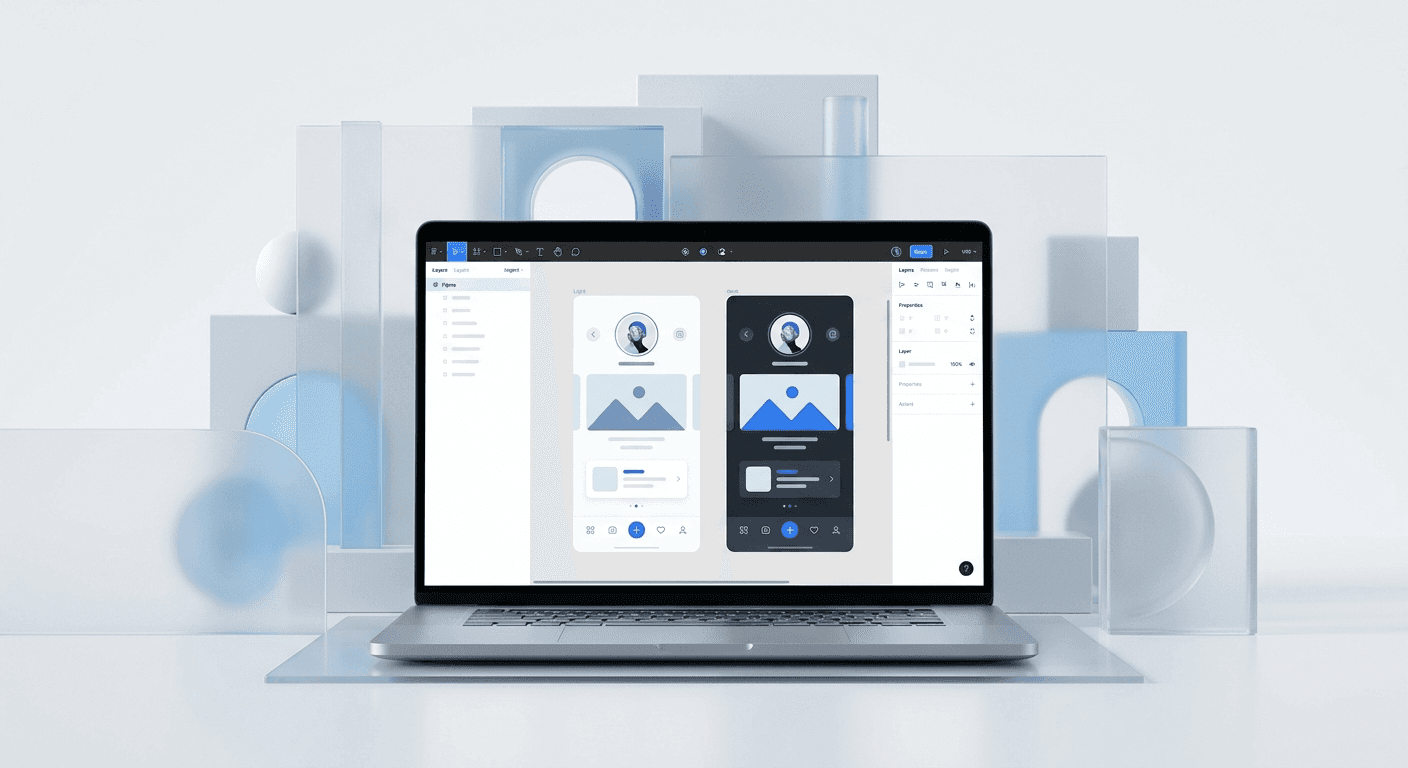
Figma variables allow you to store reusable values for colors, numbers, strings, and booleans that can be applied across your entire design system. Using figma variables for social media design enables marketers to switch between light and dark modes or change brand themes with a single click, reducing manual editing time by over 70%.
What are Figma variables for social media design?
Figma variables for social media design are raw data values that store specific attributes like hex codes or pixel dimensions to keep your content consistent. Unlike standard styles, variables support multiple modes, allowing a single design element to change its appearance based on the context of the parent frame. This functionality simplifies the process of creating multi-platform content because you no longer have to manually update every slide when your brand palette shifts.
We use variables to bridge the gap between static design and dynamic content systems. For a SaaS founder or a digital agency owner, this means your social media templates become smart assets rather than simple static files. When you define a variable for your primary brand color, that value stays linked to every button, background, and headline across your entire carousel deck. This setup ensures that your brand identity remains cohesive even as you scale your output across different social channels.
The core power of figma variables for social media design lies in their ability to handle logic and switching. According to Figma, variables differ from styles because they can store different values for different modes, such as a Light mode and a Dark mode. For marketing teams, this is a massive productivity win because it eliminates the need to maintain two separate versions of the same carousel. You design the layout once, and the variables handle the rest of the visual heavy lifting automatically.
How do you set up local variables in Figma for marketing?
To start your local variables figma tutorial, open your design file and click on any empty space on the canvas to see the local variables section in the right sidebar. Click the settings icon to open the variables panel, where you can create your first collection of design tokens. We suggest naming your first collection 'Brand Colors' to keep your workspace organized and easy for your marketing team to navigate.
Once the panel is open, click 'Create Variable' and select the 'Color' type. Name your variable something semantic like 'Background/Primary' rather than naming it after the specific color. This naming convention is important because the color might change from white to black depending on the mode you are using. By using descriptive names for the role the color plays, you make the template easier for non-designers to use without breaking the design system.
Setting up local variables for a marketing workflow involves creating a structured system of colors and spacing that reflects your brand guidelines. According to Socialinsider (2024), carousels have the highest average engagement rate of 1.92% compared to other post types. To capitalize on this, your variables should include specific tokens for slide numbers, progress bars, and call-to-action buttons. This structured approach allows you to iterate on your high-performing designs faster than your competitors who are still manually recoloring individual frames one by one.
Why should you use figma design tokens marketing strategies?
Figma design tokens marketing strategies involve using variables to represent the smallest building blocks of your brand identity. By treating colors, spacing, and typography as data tokens, you create a source of truth that stays consistent across your LinkedIn, Instagram, and Twitter posts. This prevents the common problem of 'brand drift' where different social media posts start looking like they belong to different companies because of slight color variations.
We find that founders who use tokens spend less time on visual QA and more time on high-level strategy. When you update a token value, every slide that uses that token updates immediately. This is particularly useful when you are running a seasonal campaign or a limited-time offer that requires a temporary color shift across all your marketing collateral. You change the value in the variables panel, and your entire content library is ready for the new campaign instantly.
The efficiency of design tokens is visible when you look at how top-tier agencies manage their production pipelines. A study by HubSpot (2024) highlights that 73% of marketers prioritize content consistency as a key growth driver. Design tokens enable this consistency by locking in your brand's visual DNA into the Figma file itself. Instead of teaching a new hire your hex codes, you give them access to your automated figma templates where the colors are already pre-defined and unchangeable. This reduces the risk of human error during the content creation process.
Feature | Manual Design | Variable-Based Design |
|---|---|---|
Theme Swapping | Manual recoloring per slide | One-click mode switch |
Brand Updates | Update every file manually | Update one variable value |
Dark Mode Creation | Duplicate and redesign | Automatic via color modes |
Consistency | High risk of hex errors | 100% accurate tokens |
How do you switch themes figma for instant dark mode?
To switch themes figma users must first create multiple modes within a single variable collection. In your variables panel, click the plus icon on the top right of the table to add a second column, which represents your second mode. Name the first column 'Light' and the second column 'Dark', then assign the appropriate hex codes for each mode in the corresponding rows.
After your modes are defined, select a frame on your canvas and go to the 'Layer' section in the right sidebar. You will see a small icon that looks like a stack of layers; click it to select the variable mode for that specific frame. Selecting 'Dark' will instantly transform all the colors on that slide to your dark mode palette without you having to touch a single design element. This is how we produce dozens of variations for our clients in a fraction of the usual time.
This workflow is the most effective way to manage dark mode social media posts because it allows you to see both versions side-by-side on the same canvas. Research from the Nielsen Norman Group (2023) suggests that dark mode can improve readability in low-light environments, making it a popular choice for mobile users late at night. By providing both light and dark versions of your content, you cater to the preferences of your entire audience, which can lead to higher saved-post counts and better overall reach on algorithm-driven platforms like Instagram.
Variables are not just for developers; they are the ultimate tool for marketers who need to move fast without sacrificing design quality.
What are the best practices for automated figma templates?
The best automated figma templates use a combination of variables and auto-layout to handle content of varying lengths. When you build a template, ensure your text containers are set to 'Fill container' so that the design responds naturally when you swap a short headline for a long one. This flexibility is what allows you to use the same template for a quick tip or a deep-dive educational post without breaking the layout.
We recommend organizing your variables into groups like 'Surface', 'Content', and 'Action'. Surface variables are for your background colors, content variables handle your text and icons, and action variables are reserved for buttons and links. This hierarchy makes it clear to anyone using the file which variable should be applied to which element. It also makes the process of scaling your templates much easier as your marketing team grows and you bring on more contributors.
Automated templates also benefit from using boolean variables to hide or show specific design elements. For example, you can create a boolean variable called 'Show Logo' and apply it to your brand mark on every slide. If you are creating a post for a personal brand where a corporate logo might feel too formal, you can toggle that variable off. This level of customization is why we build our premium Figma design templates using a variable-first approach, ensuring our users can adapt every asset to their specific brand voice in seconds.
How do variables improve social media engagement metrics?
Using figma variables for social media design improves engagement by allowing you to A/B test different visual styles with minimal effort. You can take a high-performing post, switch the theme to a high-contrast dark mode, and republish it to see if it attracts a different segment of your audience. This data-driven approach to design helps you understand what visual triggers work best for your specific niche, leading to more intentional content creation in the future.
The speed at which you can produce content with variables also means you can respond to industry trends in real-time. If a specific news story is breaking in the SaaS space, you can grab an existing template, swap the copy, and apply a 'Breaking News' color mode in minutes. In a digital environment where the first to post often captures the majority of the engagement, the time saved by using variables directly translates into higher visibility and more leads for your business.
Furthermore, consistent visual branding across all posts builds a sense of professional trust with your followers. When your posts are instantly recognizable in a crowded feed, users are more likely to stop scrolling and engage with your content. Using design tokens ensures that your brand colors are always accurate, which reinforces your status as a premium, established company. This professional polish is often the difference between a user ignoring your post and them clicking the link in your bio to learn more about your product.
Can you use variables for text and layout changes?
Yes, variables in Figma can store string and number values, which allows you to automate more than just colors. String variables can be used to hold your social media handles or website URLs, ensuring they are identical on every single slide. If you decide to change your handle, you only have to update the variable value once, and the change will propagate through every slide in your carousel automatically.
Number variables are perfect for managing spacing and corner radius across your designs. You can create a variable for 'Card/Corner Radius' and apply it to every image and container in your deck. This allows you to experiment with different design trends, like the move from sharp corners to rounded 'bento box' styles, with a single adjustment. This level of control ensures that your social media design workflow remains agile and responsive to the latest aesthetic shifts in the design world.
Using number variables for spacing also helps maintain a consistent visual rhythm. By defining a 4px or 8px grid through variables, you ensure that the gaps between your text and images are always uniform. This might seem like a small detail, but it is the secret to making your social media content look like it was designed by a high-end agency rather than a stressed founder. Clean, consistent spacing is a hallmark of professional design that subconsciously signals quality to your audience.
Conclusion: Scaling your content with Figma variables
Using figma variables for social media design is the fastest way to turn a manual design process into a scalable content machine. By implementing a system of local variables, you remove the friction of recoloring slides and fixing brand inconsistencies. This allows you to focus on the high-level tasks that actually grow your business, like writing better copy and analyzing your audience's feedback to improve your product-market fit.
The transition from static styles to dynamic variables represents a significant shift in how we approach social media marketing. It moves design away from being a time-consuming chore and turns it into a strategic advantage. As you build your library of automated templates, you will find that your ability to produce high-quality, professional visuals becomes a core part of your brand's growth engine. Start by setting up a simple color collection today, and you will immediately see the difference in your production speed and design consistency.
For founders and marketers who want to skip the technical setup and start publishing immediately, we recommend using pre-built systems that are already optimized for variables. Our templates are designed to help you look like a premium brand from day one, allowing you to generate leads and grow your audience without ever having to worry about the complexities of design software. Your focus should be on your mission; let the variables handle the pixels.



