Write newsletter preview text as the second line of the promise
Write newsletter preview text that adds useful detail to the subject line, survives truncation, and avoids repetition in the inbox.
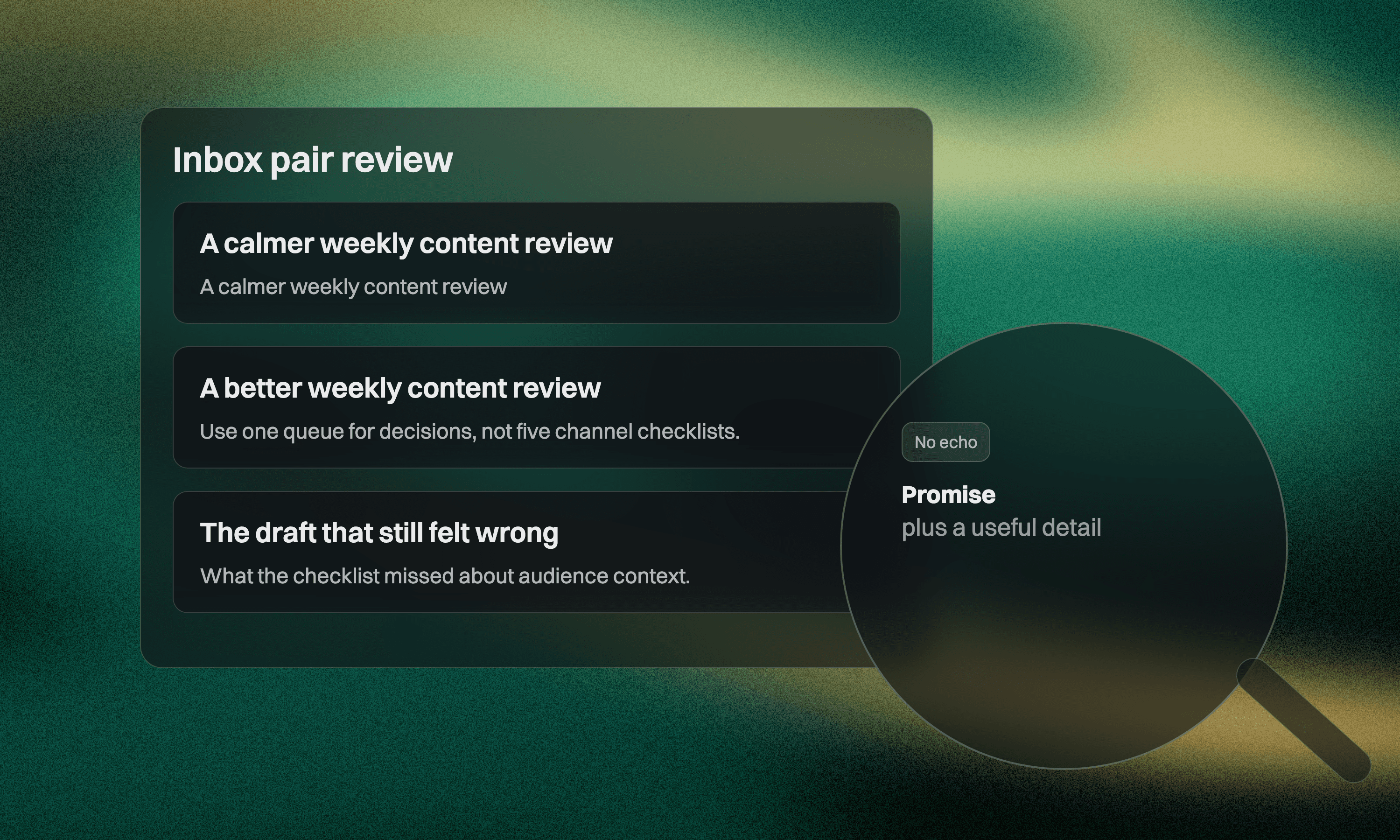
Two newsletters sit next to each other in an inbox.
The first uses the subject “A calmer way to plan content” and repeats “A calmer way to plan content” in the preview text.
The second uses the same subject and follows with “The three decisions to make before opening your calendar.”
The second row does more work. Its newsletter preview text acts as the second line of the promise instead of an echo.
Give the two fields different jobs
The subject line earns attention. Preview text reduces uncertainty.
That division is not absolute, but it is a useful default. The subject can name the tension, benefit, or specific topic. The preview text can add the mechanism, boundary, proof, or audience detail that helps a reader understand what is inside.
Mailchimp describes preview text as the copy that appears next to the subject line in recipients' inboxes. If it is not set, an email client may pull the beginning of the message instead. That can expose a view-in-browser link, navigation text, or HTML that was never meant to persuade anyone. Its preview text guide recommends keeping the text short, placing important details first, and using it to support the subject.
The practical lesson is simple. Treat the subject and preview as one two-line unit during drafting and review.
Six useful pair types
Different newsletters need different relationships between the two fields. These six pair types cover most recurring issues without forcing every send into one formula.
Promise and mechanism
Subject
A better weekly content review
Preview
Use one queue for decisions, not five channel checklists.
The subject names the outcome. The preview explains how the issue gets there.
Tension and boundary
Subject
Your content calendar is not the problem
Preview
Fix the handoff before adding another planning tool.
The second line narrows an opinion that would otherwise feel broad.
Question and answer direction
Subject
Should this article become a carousel?
Preview
A three-part test for choosing the format before designing it.
The preview does not give away the full answer. It shows that the issue contains a usable decision.
Result and constraint
Subject
Publish more consistently with a smaller queue
Preview
The workflow assumes one reviewer and no auto-publishing.
Constraints create trust when they are relevant. They show who the advice fits and prevent an inflated promise.
Scene and lesson
Subject
The draft that passed every check and still felt wrong
Preview
What the checklist missed about audience context.
This pairing works for narrative issues. The subject opens a scene, while the preview tells the reader what the story will teach.
Resource and contents
Subject
A practical blog migration worksheet
Preview
URL inventory, redirect decisions, owners, and launch checks.
For a resource-led email, specificity beats intrigue. The preview can inventory the value without turning into a list of hype words.
Run the collision test
Read the subject and preview aloud as one sentence pair. Then check for four collisions.
Repetition
Both fields say the same thing with slightly different nouns.
Subject
How to improve your newsletter workflow
Preview
A better workflow for your weekly newsletter
The second line adds no reason to open. Replace it with a step, boundary, or concrete outcome.
Orphaned context
The preview only makes sense after reading the email.
This is the mistake I mentioned yesterday.
Some subscribers will not remember yesterday's message. Others did not receive it. Make the preview self-contained enough to support the current subject.
Competing hooks
The subject promises one article while the preview introduces another.
Subject line ideas for small lists
Plus our favorite landing page examples
The inbox row now has two centers. Pick the primary job of the email and move the secondary material into the body.
Empty urgency
The pair uses pressure instead of information.
Do not miss this
Read before it is too late
Unless a real deadline exists and is explained, this copy spends trust for no useful reason.
Draft from the email's payload
Writing subject lines before the issue has a clear point often produces decorative hooks. Use a compact sequence instead.
Write the reader job in one sentence.
Name the most useful takeaway in plain language.
Choose what the subject will carry.
Give the preview one different supporting job.
Put the most important preview words first.
For example, the reader job might be “Help a founder decide which old blog URLs should redirect during a redesign.” The main takeaway is a four-state URL map.
Possible subject
Build the redirect map before redesign day
Possible preview
Keep, merge, remove, or redirect every old URL with an owner.
The pair comes from the issue's actual payload. It does not need a clever phrase added afterward.
Review the row at three widths
Email clients and devices display different amounts of copy. Do not design one perfect character count and assume every inbox will honor it. Keep important detail near the front and review the pair at a wide desktop view, a normal mobile view, and a narrow truncated view.
At each width, ask a different question.
Wide view asks whether the two fields work together without repetition.
Mobile view asks whether the most useful words appear early.
Narrow view asks whether the remaining fragment still makes sense.
Avoid hiding essential qualifiers at the end. “For teams with one reviewer” is not useful if it disappears and changes who believes the promise applies to them.
Also check the first visible content in the email. If a client ignores or mishandles the configured preview text, the fallback should not expose confusing utility copy. This is a design and implementation check as much as a writing check.
Keep a pair library, not a subject library
Subject-line swipe files encourage isolated hooks. A pair library preserves the relationship between promise and detail.
Save successful or useful pairs with three notes.
The job of the subject
The job of the preview
The type of newsletter issue
Do not save open-rate claims without enough context. Audience, sender reputation, topic, timing, and list history all affect the result. The goal of the library is to improve editorial range and review quality, not to manufacture a universal formula.
For the next issue, rewrite the inbox row before rewriting the whole email. If the subject and preview cannot express one coherent promise together, the problem may be deeper than copy. The issue itself may need a sharper job.
One final check belongs outside the writing document. Send a real test message to the inboxes your team commonly uses and inspect the row on actual devices. A preview tool is useful, but the delivered message exposes accidental fallback text, spacing tricks, or template changes that the editor view can miss. Record the final pair with the issue so a later template update can be checked against a known good example.
Keep the test simple. The goal is not to predict every client. It is to confirm that the important words arrive early and the fallback does not undermine the promise.



