Photoshop vs Figma for marketing: Choosing the right tool
Deciding between photoshop vs figma for marketing? Learn why Figma is the superior choice for social media asset creation, collaboration, and scalable design.
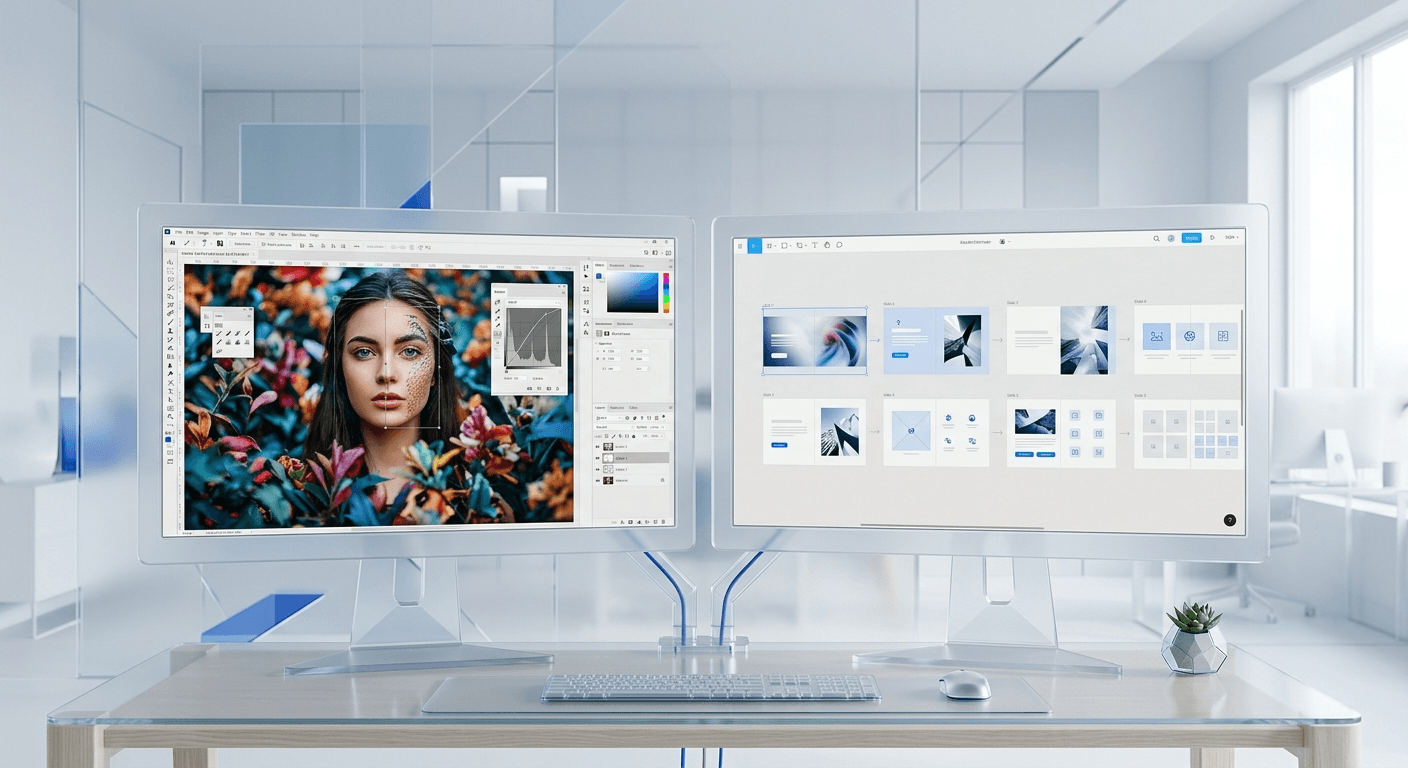
Choosing between photoshop vs figma for marketing depends entirely on your output: Figma is the superior choice for high-velocity social media asset creation and multi-channel campaigns, while Photoshop remains the standard for deep, pixel-level photo manipulation. For most modern marketing teams, the cloud-based, collaborative nature of Figma offers a significant speed advantage that local file-based workflows cannot match.
Why is Figma replacing Photoshop for modern marketing teams?
Figma is replacing Photoshop because marketing has shifted from static, one-off advertisements to high-volume social content that requires rapid iteration and real-time collaboration. While Photoshop was built for editing single images, Figma was built for designing systems. This systemic approach allows a single marketer to manage dozens of variations for LinkedIn, Instagram, and X (formerly Twitter) within a single file without the overhead of heavy file sizes or local versioning issues.
Research indicates that teams using collaborative design tools experience up to a 30% reduction in production time compared to those using isolated desktop software. In a high-stakes marketing environment where trends change in hours, the ability to share a live link for feedback rather than exporting and emailing a PDF is a competitive necessity. Figma is a cloud-based design platform that operates in the browser or via a desktop app, enabling multiple users to edit the same file simultaneously. This eliminates the "Final_v2_Revision4.psd" file-naming nightmare that has plagued marketing departments for decades.
Marketing team software must prioritize accessibility and speed over granular control. In our experience, most social media posts do not require the 1,000+ filters and masks found in Photoshop. They require clean typography, consistent brand colors, and the ability to resize a graphic for five different platforms in seconds. Figma satisfies these requirements by treating every design element as a component that can be updated globally, ensuring brand consistency across an entire campaign with a single click. This transition from individual file editing to design system management is why many top-tier SaaS companies have migrated their entire marketing creative workflow to Figma.
How does Photoshop compare to Figma for social media asset creation?
Photoshop is a raster-based editor designed for manipulating pixels, whereas Figma is a vector-based tool designed for layout and interface logic. This fundamental difference means that social media asset creation in Figma is inherently more flexible. If you need to scale a small icon to a large billboard size, Figma ensures it remains crisp, whereas Photoshop pixels will blur and degrade. Figma is also significantly lighter on system resources, allowing you to have hundreds of artboards in one file without the software slowing down.
Feature | Adobe Photoshop | Figma |
|---|---|---|
Primary Focus | Photo editing and raster manipulation | Layout, UI, and design systems |
Collaboration | Limited (File syncing required) | Real-time (Multiplayer editing) |
File Type | Raster (Pixel-based) | Vector (Scalable) |
Pricing | Subscription (Adobe Creative Cloud) | Freemium (Starter to Enterprise) |
Exporting | Manual per file | Automatic batch presets |
The speed of social media asset creation is directly tied to how quickly you can move from an idea to a published post. In Photoshop, creating a carousel usually involves opening multiple separate files or managing complex artboards that consume massive amounts of RAM. In Figma, you can see your entire carousel laid out side-by-side. This visual overview helps you maintain a narrative flow across slides, which is critical for engagement. According to data from Socialinsider (2024), carousels continue to outperform static images in terms of engagement rates on Instagram, making the tool you use to build them a vital part of your ROI.
Is the collaborative design environment better in Figma?
Collaborative design tools are essential for remote or hybrid marketing teams that need to work across different time zones and departments. The answer is yes: Figma is the industry leader in collaboration because it treats the design file as a live URL rather than a static document. This allows stakeholders to leave comments directly on specific design elements, which designers can resolve in real-time. This eliminates the need for long Slack threads or confusing feedback emails that often lead to design errors.
A collaborative design tools environment like Figma enables non-designers, such as copywriters or project managers, to jump into a file and make minor text edits or check progress without needing to install expensive software. This democratization of the design process speeds up the approval cycle and reduces the burden on the creative team. When a founder or marketing lead can see the work evolving in real-time, it builds trust and allows for course correction much earlier in the project lifecycle. This transparency is a core feature of high-performing marketing departments that ship content daily.
In our experience, the biggest bottleneck in marketing is the approval process. Photoshop requires a designer to export a version, upload it to a project management tool, and wait for a reply. Figma allows the manager to click a link, view the latest version, and type a comment immediately. This loop is significantly tighter. Using Figma as your primary marketing team software ensures that everyone is looking at the same source of truth. There is no confusion about which version is current because the URL never changes, even as the design inside it evolves. This reduces friction and allows your team to focus on strategy rather than file management.
What is the difference between UI design vs graphic design in marketing?
The distinction between ui design vs graphic design has blurred as social media platforms adopt more interface-like qualities. Graphic design is the art of visual communication through typography, photography, and layout, whereas UI (User Interface) design focuses on the interactivity and usability of digital products. For a marketer, the best tool is one that combines both: the visual polish of graphic design with the repeatable logic of UI design. Figma excels here because it uses UI principles, like components and auto-layout, to automate graphic design tasks.
Auto-layout in Figma is a feature that lets components resize dynamically based on their content. For example, if you change a short headline to a long one, the rest of the post layout adjusts automatically to maintain the correct spacing. This is a UI design concept applied to a marketing graphic. In Photoshop, you would have to manually move every layer every time the text length changed. By adopting UI design workflows for social media, marketing teams can build templates that are flexible and resilient to content changes. This shift allows you to focus on the message rather than the mechanics of the layout.
Graphic design in a marketing context is about brand perception. You need your posts to look premium and consistent across LinkedIn, Instagram, and your website. While Photoshop allows for more complex artistic effects, like custom brushes or advanced lighting, these are often unnecessary for the clean, minimalist aesthetic favored by modern SaaS companies and startups. Figma provides all the essential graphic design tools—masks, pen tools, and typography controls—while adding the structural benefits of UI software. This combination makes it the most efficient choice for creating a cohesive brand identity that scales across multiple digital touchpoints.
Why are scalable vector graphics better for multi-channel marketing?
Scalable vector graphics are essential for marketing because they allow a single design to be resized infinitely without losing quality. Unlike raster images, which are made of a fixed number of pixels, vectors are mathematical paths. This means a logo or icon designed in Figma will look just as sharp on a tiny smartphone screen as it does on a massive 4K monitor. For marketers who need to repurpose content across different platforms, vector-based tools provide a level of versatility that Photoshop cannot match without significant extra work.
Using scalable vector graphics ensures that your brand assets remain consistent regardless of the output format. When you export a design from Figma as an SVG or a high-resolution PNG, the software recalculates the lines to ensure maximum clarity. In Photoshop, if you start with a 1080x1080 canvas and later find you need a 2000x2000 version, the image will often look pixelated or "soft" when scaled up. This forcing of the designer to get the size right at the beginning creates a rigid workflow. Figma removes this constraint, allowing you to design once and adapt to any screen size or platform requirement on the fly.
Efficiency in marketing often comes down to asset management. A vector-first workflow allows you to maintain a central library of brand assets that are lightweight and easy to share. Because Figma is cloud-based, these scalable vector graphics are stored in the cloud and can be pulled into any new project instantly. This is a massive improvement over searching through old folders for a high-res version of a logo. Most modern web browsers and social platforms prefer SVG or optimized PNG formats, which Figma handles natively. This technical alignment between your design tool and your distribution channels reduces the risk of blurry or unprofessional-looking content damaging your brand credibility.
Can you achieve professional image editing in Figma?
Professional image editing is the one area where Photoshop remains the undisputed leader. Figma can handle basic image tasks like cropping, adjusting exposure, saturation, and contrast, but it lacks the advanced features required for high-end retouching or complex compositing. If your marketing strategy relies heavily on custom photography that needs deep manipulation—such as removing objects, changing hair color, or blending multiple photos into a surrealist scene—you will still need Photoshop in your toolkit.
Photoshop is a pixel-manipulation powerhouse that offers features like Content-Aware Fill, Liquify, and sophisticated masking. These tools are built for photographers and digital artists who need absolute control over every dot of color on the screen. For marketing tasks like editing a founder's headshot or cleaning up a product photo for a website hero section, Photoshop is the correct choice. However, once those photos are edited, they should be imported into Figma for the final layout. This hybrid approach uses the strengths of both tools: Photoshop for the "heavy lifting" of image prep and Figma for the final content production.
Figma is for designing the message; Photoshop is for perfecting the image. Using both in tandem is the most professional way to build a brand.
We have found that 90% of daily marketing design tasks do not require the full power of Photoshop. Most social media content uses clean photos with simple text overlays. For these tasks, Figma's built-in image controls are more than sufficient. You can apply blurs, adjust colors, and set blend modes directly within the Figma interface. This keeps your workflow streamlined because you don't have to jump between apps just to dim a background image so the text is more readable. By acknowledging the limitations of Figma, you can better allocate your time and use Photoshop only when the complexity of the task truly demands it.
How does Figma speed up the social media content workflow?
Figma speeds up the social media workflow by allowing marketers to build design systems that act as a single source of truth. When you build a template in Figma, you aren't just making a static file; you are creating a set of rules. This includes brand colors, typography styles, and reusable components. If you decide to change your brand’s primary blue, you change it once in your styles, and every single post in your file—even if there are 100 of them—updates instantly. This level of automation is impossible in Photoshop.
Speed in marketing is also about rapid testing. Marketing teams that can iterate on their creative daily often see better performance than those that spend weeks on a single campaign. Because Figma allows for easy duplication and variation, you can create five versions of a LinkedIn ad in the time it takes to make one in Photoshop. You can use premium Figma templates to skip the initial design phase entirely, starting with a professional layout and simply swapping in your brand assets. This approach lets you focus on the copy and the offer rather than the pixel placement.
Data from Figma’s official case studies shows that design-driven companies ship products and marketing campaigns significantly faster when using collaborative, cloud-based tools. For a startup founder or a small marketing team, time is the most valuable resource. Spending three hours trying to align layers in Photoshop is a poor use of that resource. Figma’s interface is intuitive and mimics the behavior of modern web applications, making it easier for marketers to learn and master compared to the steep learning curve of Adobe’s legacy software. By optimizing for speed and ease of use, Figma enables a marketing team to act more like a product team: shipping, testing, and iterating in a continuous loop.
Why should your marketing team software be cloud-native?
Marketing team software should be cloud-native to ensure total accessibility and data integrity. In a cloud-native environment, your work is saved automatically after every keystroke, and it is accessible from any computer with an internet connection. This eliminates the risk of losing hours of work due to a software crash or a corrupted local file. It also facilitates a "work from anywhere" culture, allowing team members to contribute to a project from a laptop at a coffee shop or a desktop in the office without needing to sync files manually.
Cloud-native design tools like Figma also offer a built-in version history. If a mistake is made or a design direction is changed, you can simply roll back to a previous version of the file. In Photoshop, unless you have been manually saving different versions or using a third-party cloud sync service, once a file is saved and closed, your previous iterations are often lost. This safety net allows for more experimentation in the design process, as marketers can try bold new ideas knowing they can always return to the original state with two clicks. This leads to more creative output and less fear of "breaking" a project.
Finally, cloud-native tools provide better integration with other marketing software. Figma can connect with tools like Slack, Notion, and Jira, allowing design updates to be pushed automatically to your project management suite. This keeps the entire organization informed without the designer having to send manual status updates. As the marketing stack becomes more interconnected, using a tool that lives in the browser makes it much easier to build automated workflows that save time and reduce human error. If your goal is to build a modern, efficient marketing engine, choosing cloud-native software like Figma is the logical foundation.
Is Photoshop or Figma better for your marketing budget?
When comparing photoshop vs figma for marketing from a cost perspective, Figma often provides more value for small to medium-sized teams. Figma offers a robust free tier that allows individual creators or small startups to build and export professional designs without any monthly fee. For larger teams, Figma’s professional and organization tiers are priced per editor, but viewers are always free. This means you can share your designs with the entire company for feedback without paying for extra licenses for everyone who just needs to look at the work.
Photoshop is typically tied to an Adobe Creative Cloud subscription, which can be expensive if you only need one or two tools from the suite. While Adobe offers individual app plans, the cost still adds up over time, especially for a multi-person marketing team. Furthermore, Photoshop requires high-performance hardware with significant RAM and a dedicated graphics card to run smoothly. Figma, being browser-based, can run on almost any modern computer, including low-power laptops. This can lead to significant savings on hardware costs as your team scales.
Ultimately, the best tool is the one that generates the highest return on investment. If your team is spending too much time on design revisions and file management, the cost of the software is secondary to the cost of lost time. Figma’s ability to accelerate the content production cycle means you can get your marketing messages in front of your audience faster. In the competitive world of SaaS and digital agencies, the speed of execution is often the difference between winning a lead and losing it to a faster competitor. By choosing Figma, you are investing in a workflow that scales with your growth.



