Build a Social Media Grid Layout Figma File for SaaS Brands
Learn to build a social media grid layout figma file to plan your feed. Use this figma social planner to ensure visual balance and professional brand consistency.
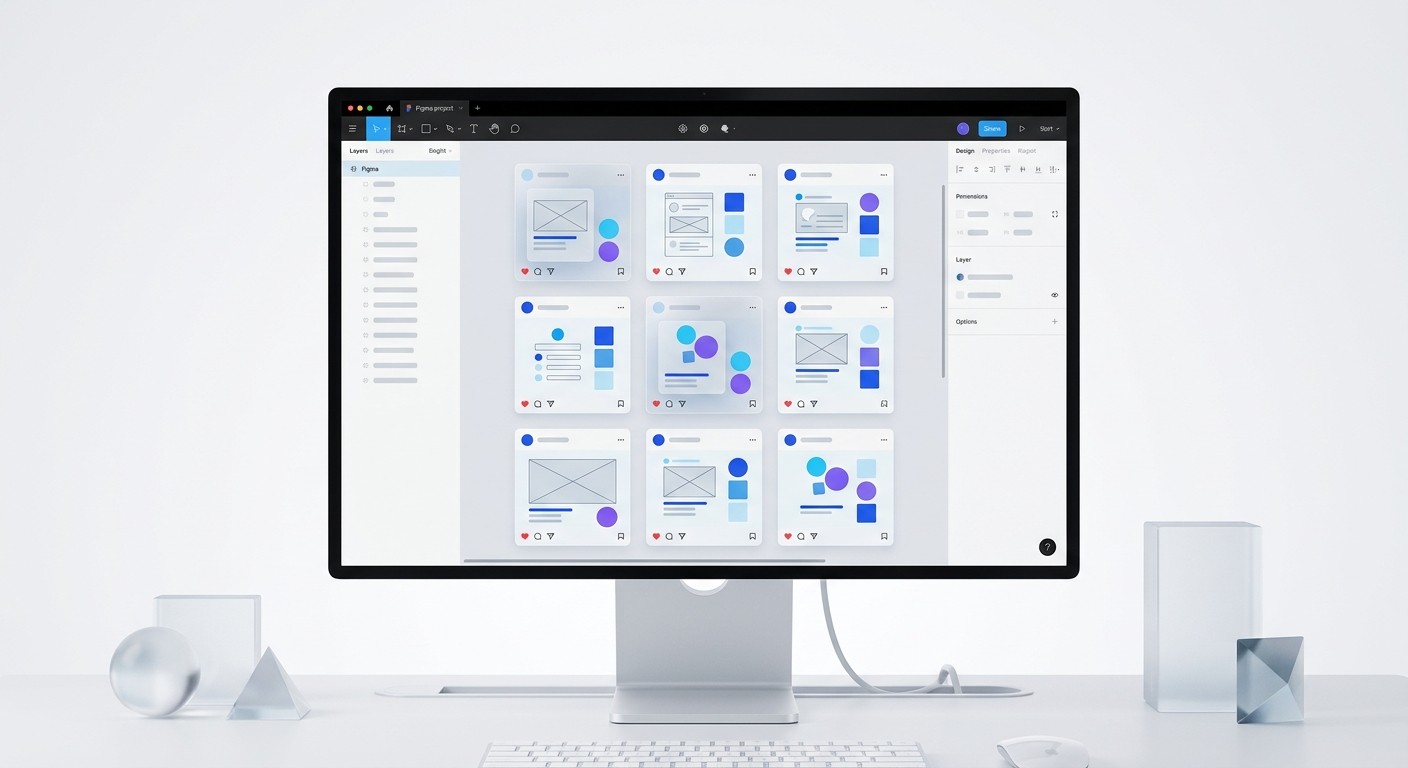
A social media grid layout figma file is a pre-configured workspace used to visualize, organize, and preview your social media posts in a structured grid before they go live. It serves as a visual strategy tool that ensures your profile maintains a professional, cohesive brand identity across platforms like Instagram and LinkedIn.
What is a social media grid layout figma file?
A social media grid layout figma file is a canvas-based workspace that mimics the 3x3 grid structure of a social media profile. It allows marketers and designers to arrange post mockups, carousels, and videos in a single view to test how they look together. This layout helps you maintain a consistent visual identity without relying on mobile-only planning apps that lack design flexibility.
Using a dedicated figma social planner provides a birds-eye view of your content strategy. You can see how a high-contrast educational post sits next to a minimalist product screenshot. This spatial awareness is impossible to achieve when looking at individual files in a folder. It transforms a collection of images into a strategic marketing grid design that supports your brand goals.
Consistent visual presentation is a high-value asset for modern companies. Brands that maintain a consistent visual identity across all platforms see an average revenue increase of 23% (Lucidpress, 2021). By using a social media grid layout figma file, you create a controlled environment where you can audit colors, typography, and image density. This professional approach prevents the cluttered, amateur look that often plagues startup feeds. High-growth founders use these files to ensure their digital presence reflects the quality of their core product (Lucidpress, 2021).
Why use Figma instead of a standard instagram feed planner?
Figma is superior to a standard instagram feed planner because it offers unlimited canvas space, precise vector control, and advanced collaboration features. While mobile planners are built for individual creators, Figma is built for teams, allowing founders, marketers, and designers to work in the same file. You can drag and drop high-resolution assets directly onto the canvas without the compression issues common in mobile apps.
Choosing a professional design tool over a basic app gives you control over the entire profile aesthetic mockup. You are not limited to 1:1 squares; you can plan 4:5 portraits and 9:16 reels within the same grid context. This flexibility is vital for B2B brands that need to maintain a sophisticated look while shipping content quickly across multiple platforms.
Mobile planning applications often create bottlenecks in professional workflows because they separate the design phase from the planning phase. Research indicates that 73% of businesses invest in design to stand out from the competition (Adobe, 2022). A figma social planner bridges the gap between asset creation and feed visualization. By keeping everything in one tool, you eliminate the need to export files to your phone just to see if they fit the grid. This integration speeds up the approval process and ensures that the final published content matches the original design intent perfectly (Adobe, 2022).
How do you set up a social media grid layout figma file?
To set up a social media grid layout figma file, start by creating a frame that matches your platform's profile width, then use a grid of 1080px frames arranged in rows of three. Use Auto Layout to maintain precise 10px or 20px spacing between frames. This setup creates a reusable template where you can swap images instantly using components or the "Place Image" shortcut (Command + Shift + K).
Follow these steps to build your custom layout:
Create a Frame (F) at 1080x1080 or 1080x1350 pixels.
Turn that Frame into a Component (Command + Option + K).
Duplicate the component instance until you have 9 or 12 squares.
Select all frames and apply Auto Layout (Shift + A).
Set the Auto Layout to a 3-column wrap or a vertical stack of 3-column horizontal rows.
The technical structure of your layout determines how efficiently you can iterate on your content. Most digital marketers spend over 20 hours per week on content creation and management (HubSpot, 2023). A well-structured figma social planner reduces this time by allowing you to bulk-edit layouts. When you update a color in your master component, it changes every post in your grid mockup instantly. This level of automation is why Figma has become the industry standard for marketing grid design among tech startups and design-led agencies (HubSpot, 2023).
How does a profile aesthetic mockup improve brand credibility?
A profile aesthetic mockup improves brand credibility by proving to potential customers that your company is established, detail-oriented, and premium. First impressions are often formed in less than 50 milliseconds, and visual appeal is the primary driver of that judgment. A cohesive grid signals that your brand is not a "fly-by-night" operation but a professional entity with a clear vision.
Visual consistency builds trust, which is the foundation of lead generation in the B2B space. If your content looks disjointed or amateur, users assume your product or service is also unpolished. A professional social media grid layout figma allows you to spot "visual noise" before you publish, ensuring every post contributes to a high-end brand perception.
Poorly designed social media content can actively drive customers away from your brand. Data shows that 38% of users will stop engaging with a website or social profile if the content and layout are unattractive (Adobe, 2022). By visualizing your feed as a profile aesthetic mockup, you can curate a balance of educational, promotional, and lifestyle content. This strategic curation keeps your audience engaged longer and reduces the bounce rate from your profile link to your landing page. Credibility is earned through the cumulative effect of professional visuals over time (Adobe, 2022).
What are the rules for visual balance social media design?
Visual balance social media design is the practice of distributing colors, textures, and subject matter evenly across your grid to avoid "heavy" spots. Use the checkerboard pattern, where you alternate between high-detail photos and minimalist, text-heavy graphics. This creates a rhythmic flow that guides the eye naturally through your content rather than overwhelming the viewer with too much information at once.
Maintain balance by following these three core layout styles:
The Vertical Line: Reserve one column (usually the middle) for a specific type of content, like quotes or screenshots.
The Diagonal Flow: Place similar colors or themes on a diagonal path to create movement.
The Color Block: Use a consistent background color every third post to create a cohesive "anchor" for the eye.
Achieving visual balance social media requires a disciplined approach to asset placement. A study on visual marketing found that 65% of people are visual learners, making the layout of your information as important as the information itself (Socialinsider, 2024). When you use a social media grid layout figma file, you can zoom out to check if one corner of your grid is too dark or if there is a cluster of repetitive headlines. This macro view allows you to rearrange the publishing order to maintain a harmonious flow, which has been shown to increase profile visit duration and follow rates (Socialinsider, 2024).
How do you manage a marketing grid design workflow?
Managing a marketing grid design workflow requires moving from the design phase to the scheduling phase without losing visual fidelity. Once your grid is finalized in Figma, export the assets as high-quality PNGs or JPEGs. We recommend using a 2x export setting to ensure the text remains crisp on high-resolution smartphone screens. These assets are then uploaded to a scheduling tool like Buffer or FeedHive in the exact order determined by your figma social planner.
Startups often struggle with the speed of content production. We find that using professional frameworks like customizable Figma design templates allows you to skip the manual setup and focus on the strategy. Instead of building every post from a blank canvas, you populate your grid layout with pre-designed components that already follow the rules of visual balance social media. This speeds up production by 5x or more.
The transition from design to publication is the most common point of failure in social media management. Approximately 60% of social media managers report that their biggest challenge is the time-consuming nature of creating visual content (Sprout Social, 2023). By centralizing your workflow in a social media grid layout figma file, you create a single source of truth. Your team no longer questions which post comes next or if the colors match the brand guide. This clarity reduces friction and allows your marketing team to ship high-quality content at the pace required to grow a SaaS brand in a competitive market (Sprout Social, 2023).
Can a figma social planner scale for multi-platform marketing?
A figma social planner scales easily for multi-platform marketing by using the same assets across different grid configurations. You can create separate pages in your Figma file for Instagram, LinkedIn, and X (formerly Twitter). By using component instances, a change made to a post in the Instagram grid will automatically update the same post in your LinkedIn preview, ensuring brand harmony across every touchpoint.
Modern marketing is rarely limited to a single platform. B2B brands, in particular, must maintain a presence across multiple channels to reach decision-makers. Having a centralized social media grid layout figma enables you to see how your brand story evolves over time. You can compare the visual density of your LinkedIn carousel against your Instagram static posts to ensure they feel like they belong to the same company.
Scaling content without a system leads to brand dilution. Companies with a consistent brand presentation are 3 to 4 times more likely to experience high brand visibility than those with inconsistent branding (Lucidpress, 2021). A figma social planner allows you to build a library of recurring content blocks that you can reuse across quarters. This systematic approach to marketing grid design ensures that as your company grows from 10 to 100 employees, the visual quality of your social media presence remains at a premium level, regardless of who is managing the account (Lucidpress, 2021).
References
The State of Brand Consistency. Lucidpress, 2021.
The Power of Design: Why Visuals Matter for Business. Adobe, 2022.
Marketing Strategy & Trends Report. HubSpot, 2023.
Social Media Content Strategy and Engagement Benchmarks. Socialinsider, 2024.
Social Media Management Challenges and Trends. Sprout Social, 2023.



