Top Ways to Use AI Visual Content Generation for 2026 Growth
Discover the top ways to use AI visual content generation to speed up your design workflow. Create premium marketing assets and automate graphic design for SaaS.
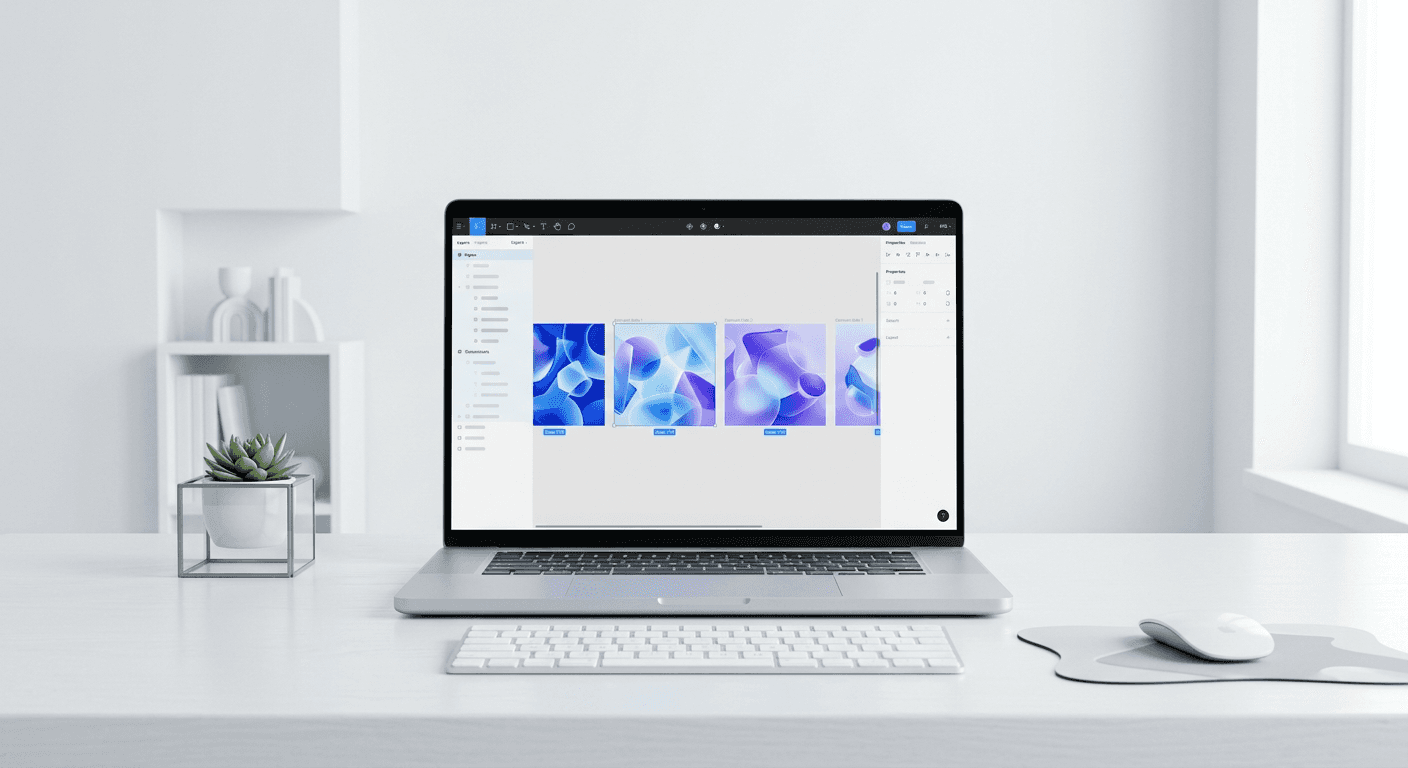
The top ways to use ai visual content generation involve integrating machine learning tools into existing workflows for background removal, abstract asset creation, and image upscaling. By focusing on practical utility over generic prompting, founders can produce high-quality brand assets in minutes while reducing total design costs.
The top ways to use ai visual content generation involve applying specific neural network models to solve repetitive design tasks like background isolation, texture generation, and canvas expansion. We find that moving away from generic text-to-image prompts toward targeted utility tools allows SaaS founders and agency owners to maintain a premium brand identity without hiring a full-time creative department. Using these methods, you can transform low-resolution sketches into 4K marketing assets or generate unique brand backgrounds that distinguish your content from standard stock photography.
What are the top ways to use AI visual content generation?
AI visual content generation is a category of software that uses deep learning models to create, modify, or enhance digital images and graphics. The answer to using it effectively lies in focusing on specialized tasks such as generating abstract backgrounds, upscaling low-quality assets, and automating layout adjustments. We use these technologies to remove the friction of manual editing, allowing creators to focus on strategy and messaging instead of pixel-pushing. By integrating these tools, you turn a complex design process into a fast, predictable workflow that supports rapid social media growth.
The current market for generative tools is expanding rapidly as professional teams look for ways to optimize their creative output. According to data from Salesforce (2023), approximately 73% of marketers are now using generative AI to assist with content creation and creative brainstorming. This shift suggests that the technology is no longer an experimental niche but a standard requirement for competitive digital marketing. High-performing teams use these systems to produce consistent visual themes across multiple platforms, ensuring that their brand remains recognizable even when generating large volumes of content. For SaaS founders, this means the ability to ship product announcements or feature updates with professional-grade visuals in a fraction of the time previously required for manual production.
How can you generate abstract brand backgrounds with Midjourney?
Generating abstract backgrounds with Midjourney is a technique where you use descriptive prompts to create unique textures, gradients, or geometric patterns that serve as the foundation for your brand visuals. Instead of searching through generic stock sites, you specify your brand colors and desired aesthetic to produce one-of-a-kind assets. We suggest using Midjourney for this because its v6 model understands subtle material textures and lighting better than most competitors. This approach is one of the top ways to use ai visual content generation to build a distinct visual language for your company.
Understanding how to use midjourney for b2b starts with mastering the stylistic parameters that keep images professional rather than psychedelic. Many founders make the mistake of using overly complex prompts, but we find that simple combinations of color, material, and lighting work best. For example, a prompt like "minimalist glass morphism background, deep navy and frosted white, soft studio lighting, 8k resolution --ar 16:9" creates a sophisticated backdrop for a LinkedIn carousel. By using the "--tile" parameter, you can also create seamless patterns that repeat infinitely, which is perfect for website backgrounds or long-form PDF reports. This consistency helps you avoid the common pitfall of having a disjointed visual presence across different marketing channels. Using a fixed set of color hex codes within your prompts ensures that every generated asset fits your existing brand guidelines perfectly.
How does AI automate background removal for professional product shots?
AI background removal is a process that uses computer vision to identify the subject of an image and strip away the surrounding environment with pixel-level precision. This tool is a staple in any workflow designed to automate graphic design saas companies use to maintain clean, focused product imagery. By removing busy backgrounds, you can place your hardware or software screenshots into any design template without worrying about clashing colors or messy edges. We prefer using dedicated background removal tools because they handle complex elements like hair or transparent glass much better than manual selection tools.
Tool Category | Best Use Case | Key Benefit |
|---|---|---|
Specialized AI | Product Photography | High precision on edges |
Figma Plugins | Social Media Assets | Workflow integration |
Browser-based | Quick Edits | No software installation |
The speed of modern background removal has changed how agencies handle large-scale asset libraries. In our experience, manually masking a complex image used to take a designer 10 to 15 minutes per photo, but AI now completes the same task in under three seconds. A report by Socialinsider (2024) highlights that high-quality, clean visual content significantly impacts engagement rates across platforms like LinkedIn. When you remove the background from a founder's headshot or a product mock-up, you gain the flexibility to overlay that subject onto branded carousels or ad banners. This flexibility is essential for maintaining a cohesive look while scaling your content output. Furthermore, many AI tools now offer batch processing, meaning you can upload 100 product images and receive 100 clean PNGs in a single minute. This level of automation allows small teams to compete with much larger organizations by removing the technical bottlenecks of asset preparation.
Why is Generative Expand essential for flexible social media layouts?
Generative expand is an AI feature that analyzes the edges of an image and synthesizes new pixels to extend the canvas in any direction. This technology is widely considered the best generative ai for social media design because it solves the problem of mismatched aspect ratios. If you have a horizontal photo that needs to fit a vertical 4:5 LinkedIn portrait or a 9:16 Instagram Story, generative expand fills the gaps with matching content. We use this feature constantly to rescue high-quality photos that were cropped too tightly during the original shoot.
This tool works by identifying the patterns, textures, and lighting at the border of your original file and extending those elements naturally. When you use ai generated marketing assets, you often run into the issue of subjects being cut off or layouts feeling cramped. Generative expand creates the "breathing room" necessary for professional typography and branding elements. According to research from the Nielsen Norman Group (2024), users pay more attention to images that are relevant and integrated into the design rather than decorative filler. By expanding your images to fit the specific constraints of each social platform, you ensure your message is not lost in a sea of poorly cropped content. This capability is particularly useful for founders who need to repurpose a single set of product photos across five different marketing channels without losing image quality or composition balance.
How do you upscale low-resolution assets for premium quality?
AI upscaling is the process of using neural networks to increase the resolution of an image while simultaneously sharpening details and removing digital noise. This technique allows you to take a small screenshot or an old photo and turn it into a high-definition asset suitable for large-scale displays or print. We find that upscaling is one of the most practical top ways to use ai visual content generation because it preserves the integrity of your original brand assets while improving their technical quality. It is essentially "zoom and enhance" made real by machine learning models trained on millions of high-resolution images.
The impact of visual clarity on brand perception cannot be overstated in a professional B2B context. When a potential lead views a pixelated image on your website or social profile, it signals a lack of attention to detail and can damage your credibility. We suggest using tools like Topaz Photo AI or Magnific for critical assets that require the highest level of sharpness. These programs do not just stretch the pixels; they actually reconstruct missing information based on the context of the image. For instance, if you upscale a portrait, the AI understands the structure of eyes and skin texture, adding realistic detail that was not present in the low-res original. This technology ensures that your marketing materials always look premium, regardless of the quality of the source files you have on hand. It is a cost-effective alternative to re-shooting photos or re-designing icons that were originally created for smaller screens.
Can AI simplify the creation of custom SVG icons?
AI icon generation is a workflow where you describe a concept and receive a clean, scalable vector graphic that can be edited in software like Figma or Illustrator. Unlike pixel-based images, these ai generated marketing assets can be scaled to any size without losing quality. We recommend this for SaaS companies that need unique iconography for their UI or marketing carousels but do not have the time to draw every shape manually. Using vector-specific AI models like Recraft ensures that the output is a functional file format rather than just a flat image.
Creating a consistent icon set is one of the hardest design challenges for any startup. Traditionally, you would either buy a generic pack that thousands of other companies use or spend weeks designing a custom set from scratch. AI changes this by allowing you to generate icons in a specific style—such as line art, flat design, or 3D—and then refine them to match your brand's stroke weight and corner radius. We build our Figma design templates to be compatible with these custom icons, so you can drop your AI-generated vectors into our layouts and have them fit perfectly. This synergy between AI generation and structured design systems is how modern creators ship high-quality content at scale. By using a consistent prompt for all your icons, you maintain a unified visual language that makes your product and marketing feel professional and well-thought-out. This approach saves hundreds of hours over the life of a project and ensures you never have to settle for "close enough" when it comes to your brand's visual identity.
How do you integrate AI design workflows into Figma?
Integrating AI into Figma involves using specialized plugins that bring generative capabilities directly into your primary design workspace. This integration is the core of the top ai design workflows figma 2026 practitioners use to speed up their creative process without switching between multiple apps. By using plugins for copy generation, image creation, and layout automation, you keep your entire design system in one place. We find that this centralized approach reduces context switching and helps maintain design consistency across dozens of files.
The current state of AI in Figma allows for some remarkable productivity gains. For example, plugins like Magician or Relume can generate entire wireframes or UI components based on a single text description. This does not replace the designer, but it provides a high-quality starting point that can be refined and customized. According to HubSpot (2024), visual content is a primary driver of marketing success, yet many teams struggle with the sheer volume of assets required. By automating the "blank page" phase of design, you can spend more time on the strategic aspects of your marketing. These workflows also allow for real-time collaboration where team members can prompt and edit visuals together in a shared Figma file. This level of integration ensures that the AI is used as a tool for empowerment rather than a replacement for human creativity. You can generate a background, upscale it, remove the subject, and place it into a templated carousel slide without ever leaving the Figma interface. This is the future of efficient design for SaaS founders and marketers who need to move fast.
AI design tools are most effective when they are used to handle the repetitive, technical tasks of asset creation, leaving the strategic and creative decisions to the human operator.
What common mistakes should you avoid with AI design?
One common mistake is over-reliance on raw AI output without human curation or manual refinement. While these tools are powerful, they often produce small artifacts or anatomical errors that can make a professional brand look amateurish if left uncorrected. We suggest always performing a final quality check in Figma to ensure that every asset meets your brand standards. Another error is using mismatched styles across different posts, which breaks the visual cohesion of your brand identity. You should always use a consistent set of prompts and parameters to keep your look unified.
Avoid generic "AI-looking" styles that use too many neon colors or complex patterns.
Do not ignore the legal and copyright implications of the models you use.
Never skip the upscaling step for assets intended for high-resolution displays.
Do not use AI to generate text within images, as it still struggles with spelling and layout.
By avoiding these pitfalls, you can effectively use the top ways to use ai visual content generation to grow your audience and build a premium brand. The goal is to use these tools to enhance your work, not to produce low-effort content that damages your credibility. When used correctly, AI is a massive multiplier for your creative output, allowing you to produce the kind of high-end visuals that were previously only possible for companies with massive design budgets. Stay focused on quality over quantity, and use these workflows to simplify your path to social media success.



