How to Build a YouTube Thumbnail Design Figma System Fast
Master a scalable youtube thumbnail design figma workflow. Build reusable components to maximize click-through rates and slash design time for your channel.
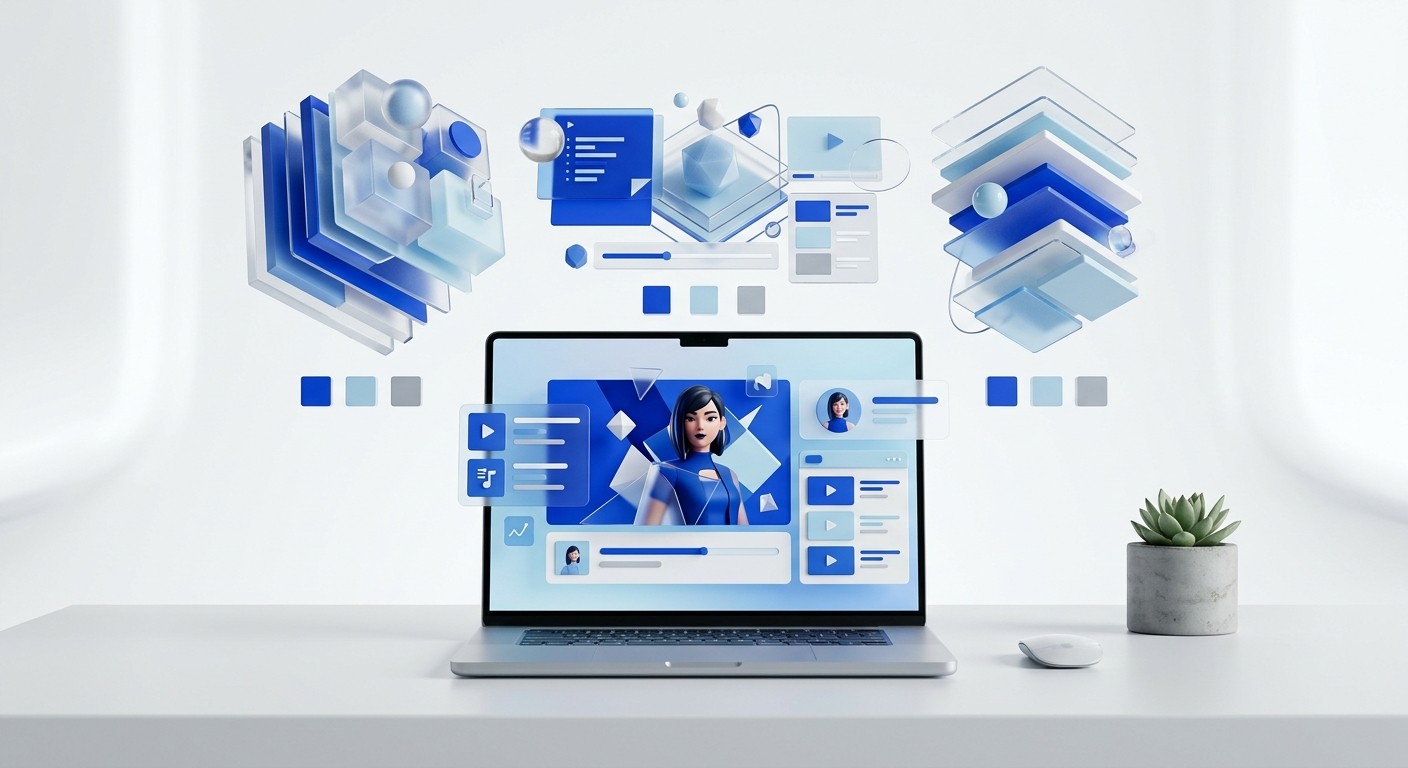
Mastering youtube thumbnail design figma completely replaces slow graphic software with an agile layout engine. We rely on reusable components to produce high-converting covers in minutes. This systematic approach guarantees visual consistency while accelerating channel growth.
Why is a youtube thumbnail design figma system superior to traditional workflows?
The answer is that a youtube thumbnail design figma workflow operates on strict logic rather than manual pixel pushing. Traditional graphic editors force you to manipulate layers individually for every new project. A modern vector engine lets you swap text, adjust spacing, and apply brand tokens universally across dozens of files instantly.
Many founders waste hours wrestling with legacy design software. They assume heavy desktop applications produce superior visual results. This assumption damages publishing frequency and drains marketing budgets. We prefer bringing the production process in-house using lightweight, browser-based tools to regain speed.
Adobe Photoshop is a raster graphics application designed for deep photo manipulation, while Figma is a vector-based interface tool prioritizing structural layout. Marketing teams that switch to a cloud-based component system reduce their asset production time drastically. Producing social media graphics at scale demands a systematic approach rather than individual file generation. A standard creator publishes multiple videos weekly, requiring a heavy volume of promotional graphics. Relying on local file versioning creates severe bottlenecks when team members need immediate access to project assets. A cloud infrastructure eliminates file hunting entirely. Marketing professionals increasingly abandon heavy desktop applications for browser-based systems that handle rapid iteration smoothly. Transitioning to a systemic design approach prevents the amateur look that plagues rushed publishing schedules. Establishing this foundation allows founders to scale their content engine without hiring expensive agency support.
You do not need to be a professional artist to operate a component system. The interface logic dictates the alignment. You simply input the content and export the final result.
What are the exact youtube thumbnail dimensions 2026 requires?
The current youtube thumbnail dimensions 2026 standard is 3840 by 2160 pixels. This 4K resolution is a massive increase from the old 720p requirement. Creating files at this size ensures absolute crispness on modern television displays and high-density mobile screens.
Uploading small images damages your brand credibility immediately. Blurry text signals low-effort content to the platform algorithm. We use large canvases to guarantee perfection.
Display Target | Optimal Resolution | Aspect Ratio |
|---|---|---|
Smart Televisions | 3840 x 2160 pixels | 16:9 |
Desktop Monitors | 1920 x 1080 pixels | 16:9 |
Mobile Devices | 1280 x 720 pixels | 16:9 |
Displaying sharp graphics across all hardware platforms is an absolute requirement for competitive channels. The ideal YouTube thumbnail dimensions in 2026 have shifted to 3840 by 2160 pixels to accommodate the rapid growth of smart TV viewership. This 4K resolution maintains a strict 16:9 aspect ratio and requires a maximum file size of 50MB (RightBlogger, 2026). Uploading the older 1280 by 720 pixel standard results in aggressive compression artifacts on larger screens. Creators must verify their accounts to upload these custom files directly. Using a vector engine guarantees your graphics scale up to these massive dimensions without losing edge clarity. Text layers remain perfectly sharp regardless of the export size. You export these large canvases as JPG files at 80 percent quality to stay comfortably under the platform file size limits. This specific compression ratio preserves visual fidelity while satisfying the strict technical constraints of the video platform.
How do you structure a reusable figma youtube thumbnail template?
You structure a figma youtube thumbnail template by wrapping every text layer and image block in auto-layout frames. Auto-layout is a structural property that automatically adjusts spacing and alignment when content changes. This prevents manual pixel pushing when titles get longer or shorter.
Start by creating a primary container frame set to the 4K dimensions. You drop your background image into this frame and lock it. Then, you build your typography stack inside a secondary container. If you want to skip the setup phase entirely, you can deploy a pre-built social media carousel template to launch your channel immediately.
Building templates with strict dimensional rules prevents inconsistent branding across video series. A properly constructed master component allows you to update a single central element and watch those changes populate across hundreds of historical files instantly. This level of synchronization is impossible in traditional layer-based editors. We organize our files by creating dedicated pages for distinct video formats. One page houses podcasts, another holds product tutorials, and a third contains quick tips. Wrapping your primary text inside an auto-layout frame set to "hug contents" ensures the background color box scales precisely with the character count. The platform renders these structural rules flawlessly every time. You avoid the tedious chore of manually resizing background shapes behind your typography. This automated reflowing behaves exactly like code, protecting your layout integrity regardless of how aggressively you modify the text layer.
Converting this entire layout into a main component finalizes the process. You simply drag instances of this component onto your workspace for each new video.
What are the best fonts for youtube thumbnails to guarantee legibility?
The best fonts for youtube thumbnails are heavy, condensed sans-serif typefaces like Impact, Bebas Neue, or Montserrat Extra Bold. These specific typographic choices maintain readability when scaled down to mobile screen proportions. Never use thin scripts or complex serif typefaces.
Typography is the loudest voice on your canvas. A weak font choice renders your message invisible on a smartphone screen. We select typefaces that carry physical weight.
Impact: Highly recognizable and naturally condensed.
Bebas Neue: Clean vertical lines that save horizontal space.
Montserrat Extra Bold: Wide, modern geometric shapes for premium branding.
Readability directly governs viewer interaction on mobile devices where thumbnails shrink drastically. Selecting the correct typography determines whether your message survives the extreme visual reduction. The most effective thumbnail fonts feature thick strokes and high contrast against the background canvas. You must limit on-screen text to three to five words maximum for optimal performance (NoteLM.ai, 2026). Testing legibility requires shrinking your canvas down to 168 by 94 pixels on your monitor. If you cannot read the headline at that extreme size, your mobile audience will scroll past it. Heavy condensed typefaces like Bebas Neue allow you to pack more impact into a restricted horizontal space without sacrificing vertical presence. We apply a solid drop shadow or a thick stroke behind the text layer to separate it from chaotic background imagery. This separation technique guarantees that the viewer immediately recognizes the primary textual hook before their attention wanders.
How do you execute a high-speed figma thumbnail tutorial workflow?
You execute this figma thumbnail tutorial workflow by preparing all visual assets before opening the canvas. Drop your isolated subject photo into the frame, activate your typography component, and apply your predefined color styles. You export the finished product in under three minutes.
Disorganized files destroy production velocity. We treat the workspace like an assembly line. Every element must be ready before assembly begins.
Isolate your subject photo using a background removal tool.
Duplicate your master layout component.
Paste the isolated subject behind the typography layer.
Edit the text instance to match the new video hook.
Fast production workflows require disciplined asset preparation before layout begins. We isolate subject photos using background removal plugins directly inside the browser application. You duplicate your master layout component and detach the instance to allow specific structural overrides. Pasting the isolated subject behind the typography layer creates instant depth and visual hierarchy. Viewers respond positively to high-contrast elements that pop forward from the background. We lock the background layer immediately to prevent accidental movements during the layout phase. Adjusting the text tracking by negative two percent tightens the headline visually. You align the primary focal point along the rule of thirds grid intersection. Exporting the final canvas takes one click using the predefined export settings attached to the master frame. This sequential process removes friction from daily publishing requirements. Operating with this level of procedural discipline turns a chaotic creative task into a predictable manufacturing process.
What specific variables drive a high ctr thumbnail design?
A high ctr thumbnail design relies on extreme visual contrast, minimal text, and emotive human faces. You must engineer the graphic to spark immediate curiosity. The image is a visual hook, while the video title delivers the actual context.
Amateurs try to explain the entire video inside the graphic. Professionals use the graphic to create a knowledge gap. The viewer must click to resolve their curiosity.
Click-through rates govern the success or failure of any video distribution strategy on the platform. The algorithm prioritizes content that successfully interrupts the scrolling behavior of casual users. Average channels typically see click-through rates hovering between two and ten percent across their catalog (Medium, 2026). Achieving metrics above this baseline requires deliberate visual engineering rather than artistic expression. Thumbnails featuring prominent human faces with clear emotional expressions generate significantly higher engagement than text-only graphics. The visual must communicate the core value proposition in less than one second. We avoid repeating the video title inside the thumbnail canvas. Instead, the graphic should tease an unexpected outcome or highlight a shocking element. Combining high saturation colors with an emotive subject creates a pattern interrupt that compels the user to stop scrolling and investigate. This engineered curiosity is the ultimate catalyst for sustained audience growth.
Monitor your analytics carefully after publishing. A low initial click rate requires immediate intervention. We keep alternate graphics ready for rapid deployment.
How do you manage branding assets systematically?
You manage branding systematically by establishing local variables for colors, typography, and spacing. Variables are reusable data points that dictate the visual properties of your elements. Applying a variable to a text block links it permanently to your master design system.
Hardcoding hex codes into individual files guarantees inconsistency over time. Memory fails, and team members choose incorrect shades. Variables enforce strict brand compliance automatically.
Brand Primary: The dominant color used for primary text backgrounds.
Brand Accent: A high-contrast color reserved exclusively for call-out words.
Surface Dark: The standard dark background applied to negative space.
Maintaining brand integrity across hundreds of video assets requires a centralized control mechanism. Local variables allow you to store exact hex codes and apply them globally across your entire workspace. If your company undergoes a visual rebrand, you modify the single primary color variable. The system automatically pushes that update to every thumbnail you have ever created. This systemic architecture eliminates the human error associated with manually typing hex codes into color pickers. We organize variables into distinct collections for light and dark themes. Applying consistent visual branding in promotional graphics increases recognition among returning subscribers. Established channels with uniform thumbnail styling experience noticeably higher engagement from their existing audience base compared to channels that lack visual discipline (AmpiFire, 2025). Strict adherence to a defined system signals professionalism. Your audience unconsciously equates premium visual packaging with highly valuable educational content.
How do you build a testing pipeline for visual variations?
You build a testing pipeline by duplicating your completed thumbnail and altering a single major variable per frame. Change only the background color or swap the subject expression. Changing multiple variables simultaneously corrupts your performance data.
Guessing what the audience wants leads to stagnant growth. We deploy methodical testing frameworks to extract actual preferences. The market always decides the winning creative.
Optimization requires empirical data rather than subjective aesthetic preferences. Creating two distinct visual variations allows you to measure actual audience behavior against a control graphic. YouTube expanded its native Test and Compare feature extensively in 2025, giving creators direct access to internal split testing. Even minor click-through rate differences of 0.5 percent prove statistically significant when measured across millions of impressions (Influencer Marketing Hub, 2025). We generate three specific variations for every major release. One version leans heavily on typography, another focuses entirely on the subject, and the third utilizes extreme color contrast. The platform automatically serves these variations to different audience segments and declares a winner based on actual watch time generation. You capture the winning principles and integrate them into your master template. This iterative feedback loop guarantees that your visual strategy improves continuously based on hard mathematical reality rather than guesswork.
Document the results of every test in a simple spreadsheet. Over time, these insights form a proprietary playbook for your specific audience.
References
Best Fonts & Text for YouTube Thumbnails (2026 Guide). NoteLM.ai, 2026.
Best YouTube Thumbnail Size for 2026. RightBlogger, 2026.
Best YouTube Thumbnail Guide: Examples & Best Practices 2025 for High CTR. AmpiFire, 2025.
Most Creators obsess over Content. Medium, 2026.
YouTube “Test & Compare” Thumbnails: Native A/B for CTR Lift. Influencer Marketing Hub, 2025.



