How to Build Dark Mode Social Media Templates for Developers
Learn how to design premium dark mode social media templates for developers. Master contrast ratios, shadow elevation, and Figma variables to boost engagement.
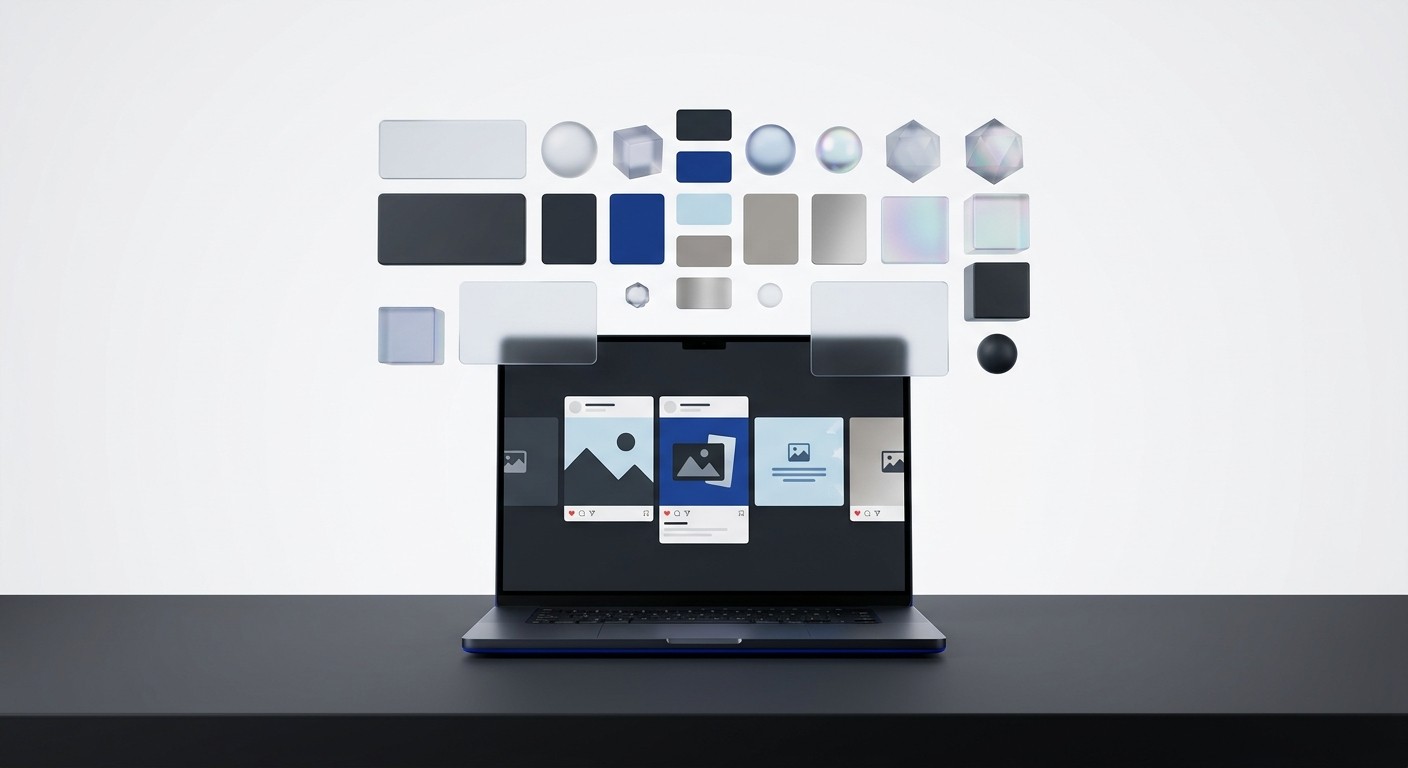
Dark mode social media templates are pre-designed graphic layouts specifically optimized with dark backgrounds and high-contrast text for platforms like LinkedIn. When targeting developers, these templates signal technical competence and align with their default visual preferences. Designing them correctly requires strict contrast ratios and elevation shadowing, rather than just inverting your light mode colors.
Why do developers prefer dark mode content?
Developers prefer dark mode content because it directly mirrors the integrated development environments (IDEs) they use daily. When you run software developer marketing campaigns, matching this dark aesthetic signals that you understand their native workflow and digital environment. It acts as a visual shorthand for technical competence.
Technical professionals spend their entire day staring at code editors like VS Code or terminal windows. These interfaces use dark themes by default to reduce eye fatigue during long sessions. Building trust with a highly technical audience requires visual alignment. You want your content to look like documentation, not a billboard.
A common misconception is that dark backgrounds objectively improve reading speed or comprehension. However, the data tells a different story entirely. A 2020 study revealed no difference in reading performance between dark and light modes, meaning dark mode remains primarily an aesthetic and cultural preference for developers (Built In, 2025). The preference is driven by the fact that dark mode is the default setting in almost every popular code editor. Technical professionals spend eight to ten hours a day looking at these dark interfaces. When your brand pushes standard light-themed graphics into their feed, it creates a jarring visual break. Adopting a dark aesthetic for your marketing assets provides a subtle psychological cue. It tells a technical audience that your product is built by people who understand their workflow. This creates a visual handshake.
Many B2B companies ignore this preference. They force their bright corporate branding onto every platform. This strategy fails on technical audiences because it looks like generic marketing material. When a graphic looks native to the developer's environment, it earns a second glance.
What is the difference between dark mode social media templates and simply inverting colors?
The difference between dark mode social media templates and simply inverting colors is elevation. True dark mode relies on varying shades of dark gray to create depth and visual hierarchy. Color inversion simply flips light pixels to pure black, destroying all visual structure and making elements flat.
When designing for dark mode social media, you cannot just drop white text onto a pure black background. Pure black absorbs all shadow effects, making it impossible to communicate depth. A smart system uses lightness, not darkness, to show elevation.
Instead, you must build a surface hierarchy using dark grays. A base layer might be dark gray, while floating elements use progressively lighter shades. This approach allows you to use subtle drop shadows to lift elements off the background. Technical audience visual design requires this level of nuance to look professional rather than amateur. Elements like code snippets, terminal windows, and architecture diagrams need distinct surface layers to be readable. If you use pure black, these elements bleed into the background. You also have to adjust image assets. PNGs with transparent backgrounds often hide dark text or borders when placed on a dark gray surface. You must outline everything. WCAG recommends a contrast ratio of at least 4.5:1 for normal text and 3:1 for large text on dark backgrounds to maintain accessibility (Bureau of Internet Accessibility, 2021).
The closer a surface is to the user, the lighter gray it should be. This rule applies to large content cards, small tooltips, and everything in between. We strictly follow material design principles for our elevation maps.
Surface Level | Hex Code Example | Primary Use Case |
|---|---|---|
Base Background | #121212 | Main canvas, outer padding |
Level 1 Container | #1E1E1E | Content cards, image wrappers |
Level 2 Container | #2C2C2C | Modals, floating code snippets |
Level 3 UI | #383838 | Buttons, interactive elements |
How do you choose accessible contrast ratios?
You choose accessible contrast ratios by using a luminance calculator to measure the difference between your text and background colors. Your text must be bright enough to read clearly without causing halation. Halation is a blurring effect caused by excessive brightness against a dark surface.
Accessibility is non-negotiable when building marketing assets. If a developer has to squint to read your technical breakdown, they will just keep scrolling. Contrast is also affected by font weight. Thin fonts require higher contrast ratios to remain legible.
To ensure your templates remain readable for all users, you must adhere to strict contrast standards. WCAG recommends a contrast ratio of at least 4.5:1 for normal text and 3:1 for large text on dark backgrounds to maintain accessibility (Bureau of Internet Accessibility, 2021). You can verify these numbers using tools like the Atmos contrast checker or integrated design plugins. If you use pure white text on a pure black background, the ratio jumps to an extreme twenty-one to one. This maximum contrast can actually cause severe visual discomfort for users with astigmatism. The high luminance bleeds into the dark space. To fix this, you should soften your typography colors. Using a slightly muted white keeps the contrast ratio well above the minimum safety limit while completely eliminating the harsh glare that causes eye strain.
We recommend running every single text color through a plugin before publishing. If the ratio falls below the threshold, you bump the brightness up by five percent. You should prioritize readability over strict brand adherence.
How do you balance typography for dark backgrounds?
You balance typography for dark backgrounds by increasing font weight and tracking slightly. Light text on a dark background creates an optical illusion where the letterforms appear thinner than they actually are. Compensating for this visual weight loss is essential for readability.
If you use the exact same font settings from your light theme, the text will look weak. Never use pure white text for long paragraphs. It strains the eye. Stick to off-white shades that provide clear contrast without blinding the reader.
Text rendering engines behave differently when displaying light text on dark pixels. The light pixels bleed into the dark space, making the font stem appear narrower. To fix this optical illusion, you should increase the font weight by one step. If you use Regular for light mode, switch to Medium for your dark mode social media templates. You should also increase the letter spacing slightly to prevent the characters from bleeding together. WCAG recommends a contrast ratio of at least 4.5:1 for normal text and 3:1 for large text on dark backgrounds to maintain accessibility (Bureau of Internet Accessibility, 2021). You must test your typography against these standards after adjusting the font weight. Large, bold headlines have more mass, so they can use slightly darker grays. Small body copy needs higher brightness to remain legible on mobile screens where glare is an issue.
Adjusting tracking and line height
You also need to adjust the line height. Dark mode layouts benefit from slightly more vertical breathing room. Adding an extra four to six pixels of line height prevents the text blocks from feeling heavy. This added space makes scanning technical information much easier for the reader.
How can you incorporate brand colors without losing the dark aesthetic?
You incorporate brand colors by shifting them to higher luminance values and using them strictly as functional accents. Dark backgrounds swallow saturated colors. You must desaturate your primary brand colors to make them legible and prevent them from clashing with the dark gray canvas.
Most B2B brand guidelines are designed for white backgrounds. If your primary brand color is a deep navy or dark crimson, it will become invisible on a dark gray template. A good rule of thumb is the eighty-twenty split.
To fix this, you must introduce a secondary palette specifically for dark interfaces. Neon on dark design B2B strategies work exceptionally well here. You take your base brand hue and increase the brightness while slightly decreasing the saturation. This creates a bright, neon-like accent that pops against dark surfaces without vibrating visually. Use these high-visibility accents sparingly across the asset. They belong on primary call-to-action buttons, key data points, or subtle interface borders. The rest of the design should rely heavily on neutral grays and off-whites. If you force too much color into a dark layout, it quickly looks like a chaotic gaming interface rather than a premium software product. A 2020 study revealed no difference in reading performance between dark and light modes, meaning dark mode remains primarily an aesthetic and cultural preference for developers (Built In, 2025). This aesthetic is rooted deeply in minimalism, not explosive color.
Keep eighty percent of your canvas strictly grayscale. Use your modified brand colors for the remaining twenty percent to direct attention. This restraint signals maturity. Brands that use precise, calculated accents look like enterprise software.
How do you design realistic shadows and depth?
You design realistic shadows and depth on dark backgrounds by using opacity overlays and inner borders instead of standard drop shadows. Traditional dark drop shadows disappear entirely against dark gray canvases. You must simulate how overhead light hits the top edge of a floating surface.
In a light theme, you create depth by adding black shadows below an object. In a dark theme, you must build lighting up from the base layer. Technical audiences appreciate this precision.
You achieve this by applying a semi-transparent white border to the top edge of your floating elements. This mimics a highlight from an overhead light source. For example, add an inner stroke of one pixel, set to solid white with an opacity of ten percent. This creates a crisp, distinct edge that separates a card from the background. You can also use a subtle background blur to indicate physical depth. Technical audiences appreciate this level of interface precision. WCAG recommends a contrast ratio of at least 4.5:1 for normal text and 3:1 for large text on dark backgrounds to maintain accessibility (Bureau of Internet Accessibility, 2021). You must apply these exact same contrast rules to your interactive UI components, like buttons and input fields. If a button shadow makes the internal text unreadable, the entire design fails immediately. Elevation should never compromise basic legibility.
Creating a standardized elevation system
We recommend creating a standardized elevation system in your design tool. Define exactly how a level-one card differs from a level-two modal. Document these rules so your entire marketing team applies them consistently.
Base Level: Solid dark gray background with zero overlays.
Level 1: Content cards using a five percent white overlay and a subtle top border.
Level 2: Floating elements using a ten percent white overlay to simulate proximity to the light source.
Level 3: Interactive buttons requiring distinct drop shadows and high-contrast borders.
How do you set up a Figma dark mode switch for social media assets?
A Figma dark mode switch is a component variable system that allows you to toggle a design between light and dark themes instantly. You map specific color tokens to both a light value and a dark value, automating the color replacement process across your canvas.
Building a dual-theme system requires disciplined variable management. You start by defining primitive colors, such as your core grays and brand hues. Managing these variables takes upfront work. However, the operational efficiency you gain is massive.
Then, you create semantic tokens like surface-primary and text-primary. For your light theme, surface-primary maps to pure white. For your dark theme, that exact token maps to dark gray. When you build dark theme LinkedIn graphics using this token system, you never hardcode a hex value directly onto a text box. For teams building their own systems, setting up color variables requires mapping every primitive shade to a semantic token. Our social media carousel templates use this exact variable structure to switch between themes automatically. The advantage of a variable-based approach is pure speed. You can design an entire sequence of carousel slides in a light theme, duplicate the frame, and change the mode setting to dark. The software repaints every pixel automatically based on your token rules. A 2020 study revealed no difference in reading performance between dark and light modes, meaning dark mode remains primarily an aesthetic and cultural preference for developers (Built In, 2025).
You must test your switch by flipping it back and forth on a completed design. Watch for elements that disappear, which usually means a hardcoded color slipped through. A founder can re-theme a month of content in seconds using a clean setup.
What results can you expect from dark mode carousels?
You can expect significantly higher reach and engagement from dark mode carousels compared to static images or text posts. Carousels force users to swipe through multiple frames. The platform algorithm interprets every single swipe as an active engagement signal, drastically increasing organic distribution.
The performance gap between format types is widening rapidly. Static images and plain text are losing ground to multi-slide formats that keep users engaged. Your visual assets are often the first interaction a developer has with your brand.
LinkedIn multi-image carousels generate an average engagement rate of 6.60% in 2026, which is 596% higher than text-only posts (Postunreel, 2026). When you combine this format advantage with a dark aesthetic tailored for developers, the impact multiplies. Developers are notoriously resistant to traditional marketing. They scroll past obvious advertisements. A dark, technical-looking carousel creates a pattern interruption. It looks like documentation or a code review rather than a sales pitch. We build these assets with eight to ten slides, as this length optimizes dwell time without causing viewer fatigue. The key is to deliver immediate, actionable value on the first slide to earn the subsequent swipes. If your dark mode social media templates look premium, the audience assumes the underlying software is premium too. You cannot afford to publish low-effort design. Excellent design proves you care about user experience.
Do not let amateur design ruin a great technical product. Professional graphics buy you the credibility needed to make a technical pitch. You compete for attention against industry giants. Using optimized templates levels the playing field.
References
Is Dark Mode Better Than Light Mode for Coding? Built In, 2025.
Web Design Mistakes That Impact Light-Sensitive Users. Bureau of Internet Accessibility, 2021.
LinkedIn Carousel Engagement 2026 Data & 6.60% Benchmark. Postunreel, 2026.



